How to Reference PDF: A Complete Citation Guide for Academic
Learn how to reference PDF documents accurately in APA, MLA, and Chicago styles with practical templates, examples, and best practices from PDF File Guide.


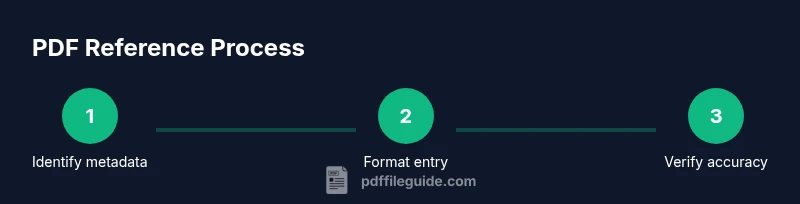
This guide shows you how to reference a PDF across major styles by extracting bibliographic data, selecting a citation style (APA, MLA, or Chicago), and formatting both entry and in-text citations. Expect practical templates you can reuse for articles, theses, and reports. The PDF File Guide team built this approach to boost scholarly rigor and reproducibility.
Why referencing PDFs matters
In academic writing and professional reporting, citing PDFs correctly helps readers locate sources, verify facts, and assess credibility. Proper references prevent plagiarism and show respect for original authors. According to PDF File Guide, consistent citation of PDF sources also supports accessibility, making your documents easier to audit and reuse across formats and platforms.
If you're wondering how to reference pdf in a manuscript, the core rules are the same as for print sources, with added emphasis on stable URLs or DOIs. By citing PDFs correctly, you create a reliable trail that readers can follow to the original material. This consistency also helps software tools index your sources accurately, improving searchability and compliance with journal requirements.
Core bibliographic data you need from any PDF
A high-quality reference begins with reliable bibliographic data extracted directly from the PDF. Gather the following fields before you format the entry:
- Author(s): the person or organization responsible for the content. If the PDF lists multiple authors, capture up to the first 20 authors in most styles; list all authors only if required by the style guide.
- Year: the publication year visible on the title page or in the document properties.
- Title: use the official title as it appears on the PDF, including any subtitle.
- Publisher or container: identify the publisher, journal, or institution that distributed the PDF.
- DOI or URL: include a stable DOI if available; otherwise use a persistent URL to the PDF location.
- Version or edition: note if the PDF is a revised edition or a specific version.
- Page range: if citing a specific section, record page numbers.
Best practice: verify these details against the source repository to prevent mis-citation and ensure long-term retrievability.
Choosing a citation style (APA, MLA, Chicago) for PDFs
PDFs adhere to standard style rules; the difference lies in formatting the reference entry and the in-text citation. The APA 7th edition emphasizes author-year formatting and a retrieval URL or DOI. MLA 9 emphasizes author and title with container information and a URL. Chicago 17 offers two options: author-date in-text citations with a reference list, or footnotes for notes and bibliography.
For each style, replace placeholders with actual data and ensure punctuation and capitalization match style guides. When you cite a PDF, treat it like any other source with a stable location; if the PDF is a scanned image, you may need to approximate metadata from the visible pages rather than from machine-readable fields.
How to extract metadata from a PDF
Open the document properties in your PDF viewer to view the author, title, subject, and keywords. If the PDF lacks metadata, inspect the first pages for the title and author. You can use the 'File' > 'Properties' menu in most readers to capture the required elements. If you can't locate an author, cite the corporate author or the document title. For living authors, confirm names as they appear in the PDF instead of guessing from the file name. Also check if there is a DOI listed anywhere in the document or on the publisher's site.
In-text citations and entry formatting examples
In-text citations vary by style. Below are neutral templates you can adapt:
- APA: (Author, Year) or Author (Year) for narrative use. Include a page number for direct quotes, e.g., (Author, Year, p. 12).
- MLA: (Author Year) or Author. Title. Publisher, Year. PDF. URL.
- Chicago: Author-Year uses (Author Year, Title, Page) and a bibliography entry; Notes/Bibliography style uses footnotes.
Reference list/blog entries:
- APA: Author, A. A. (Year). Title of PDF. Publisher. Retrieved from PDF URL.
- MLA: Author. Title of PDF. Publisher, Year. PDF file. URL.
- Chicago: Author. Title of PDF. Publisher, Year. PDF. URL.
Special cases: PDFs without metadata or with unusual authors
Some PDFs lack clear metadata or list corporate authors. In such cases, use the title in place of the author for in-text citations and reference entries. If a corporate entity produced the PDF, cite the organization as the author. For multi-part works, identify the appropriate container (journal, book, or report series) and use the PDF as the container item. When authorship is unclear, explain the uncertainty in a brief note if your style guide permits.
Best practices for URLs and DOIs in PDF references
Always prefer a DOI if one is available, as it provides a stable link that endures beyond the lifetime of a single server. If no DOI exists, use a stable URL that points directly to the PDF or its landing page rather than to a general homepage. Avoid long, session-based URLs that expire. If you must cite a dynamic URL, note the access date in styles that require it and consider archiving the PDF if allowed by your publisher.
Quick reference templates for common styles
- APA (7th ed.): Author, A. A. (Year). Title of PDF. Publisher. Retrieved from URL
- MLA (9th ed.): Author. Title of PDF. Publisher, Year. PDF. URL
- Chicago (17th ed.): Author. Title of PDF. Publisher, Year. PDF. URL
Use these templates as starting points and fill in the exact data from your source. Adapt capitalization, punctuation, and order to align with the latest edition of the style manual you are using.
Practical examples: reference lists for sample PDFs
Here are two anonymized examples you can adapt to your sources:
- APA: Author, A. A. (Year). Title of PDF. Publisher. Retrieved from PDF URL.
- MLA: Author. Title of PDF. Publisher, Year. PDF. URL.
Tools & Materials
- Style guides (APA, MLA, Chicago)(Have current edition guidelines on hand to ensure correct formatting.)
- PDF source document(The PDF you plan to cite, with visible author, title, year, and publisher if present.)
- Access to the PDF online location(URL or DOI; use a stable link if available.)
- Citation management software (optional)(Useful for organizing references and applying styles automatically.)
Steps
Estimated time: 60-90 minutes
- 1
Identify the PDF metadata
Open the PDF and locate the author(s), title, year, and publisher in the title page or document properties. If metadata is missing, read the first pages to capture essential details. This step ensures you have the data you need before choosing a style.
Tip: Use the document properties or metadata pane to extract data quickly. - 2
Choose your citation style
Decide whether you will format references in APA, MLA, or Chicago. Align all citations to that style throughout the manuscript, including both the reference list and in-text citations.
Tip: If your institution requires a specific style, start there and apply consistently. - 3
Extract bibliographic data
Record author(s), year, title, publisher, DOI or URL, and page range if citing a specific section. Ensure names are exact, punctuation matches the style guide, and capitalization follows the rules of the chosen style.
Tip: Double-check author order and corporate authors when applicable. - 4
Format the reference entry
Create the full reference entry according to the selected style. Use the proper punctuation, order, and capitalization rules shown in the style guide templates.
Tip: Copy-and-paste from the official templates to avoid minor errors. - 5
Add in-text citations
Insert short in-text citations wherever you reference the PDF content. Use author-year or footnote styles as required by your format.
Tip: Quote sparingly from PDFs; paraphrase when possible to maintain flow. - 6
Verify URLs or DOIs
Ensure the DOI is valid and that URLs resolve to the correct PDF. Prefer DOIs when available; otherwise provide a stable URL.
Tip: Test links before submission to prevent broken citations. - 7
Compile the reference list
Aggregate all PDF references at the end of your document in a single bibliography section, formatted consistently with the chosen style.
Tip: Order items alphabetically by the author’s last name. - 8
Finalize and proofread
Review every PDF citation for accuracy, consistency, and formatting. Cross-check the in-text citations with the reference list.
Tip: Read aloud to catch capitalization and punctuation errors.
Questions & Answers
How do I cite a PDF in APA style?
In APA style, cite the PDF as you would a regular document if a clear author is listed: Author, A. A. (Year). Title of PDF. Publisher. Retrieved from URL or DOI. Include a page number for direct quotes.
Use the author, year, and title, followed by the URL or DOI to reference the PDF in APA style.
Can I cite a PDF without a DOI?
Yes. If there is no DOI, provide a stable URL where the PDF can be retrieved. If possible, include the date you accessed the PDF. Follow the citation style’s guidelines for formatting without a DOI.
You can cite it with a stable URL and, if required, the access date.
Should I include the PDF’s URL or DOI?
Prioritize a DOI if available because it is more stable. If no DOI exists, include a persistent URL to the PDF location. Avoid long, session-based URLs that expire.
DOIs are preferred; otherwise, use a stable URL.
What if the PDF has no clear author?
If no author is listed, cite the work by its title (and corporate author if applicable). Use the title in the author position and provide other data like year, publisher, and URL as available.
Cite by title or corporate author when authorship isn’t clear.
Is it acceptable to cite a PDF version of a chapter or book?
Yes. Treat the PDF as a chapter or part of the larger work. Include container information (book, journal) and the PDF URL. Ensure you specify the page range for the cited portion.
Yes, reference the PDF as a part of the larger work with proper container details.
Watch Video
Key Takeaways
- Cite PDFs with consistent style across the document
- Prioritize stable DOIs or URLs for long-term access
- Extract complete bibliographic data before formatting
- Verify all hyperlinks before submission
- Use templates to streamline repetition