I-693 Form PDF Guide: Download, Fill, and Submit Efficiently
Learn how to download, fill, and submit the Form I-693 PDF. This guide covers official sources, best practices for editable PDFs, and tips for compliant submission.


The I-693 Form PDF is the official immigration medical exam form provided as a fillable PDF. You can download the Form I-693 PDF from USCIS or accredited medical examiners, then fill electronically or print and sign. Use a reliable PDF editor for accurate completion and preserve copies for your records. Be mindful of version updates and submission deadlines.
Introduction: What the i 693 form pdf represents and why it matters
According to PDF File Guide, Form I-693 is the immigration medical exam document required for many visa and residency processes. The i 693 form pdf version is the standard digital format used by applicants, clinicians, and adjudicators. The shift from paper to a consolidated PDF helps streamline submissions, reduce handling errors, and improve record-keeping. In this section, we define the form, its place in the USCIS process, and the general workflow from download to final submission. We also clarify common misconceptions about PDF availability and how digital formats interact with signature and stamping requirements. This article is designed for individuals and professionals who edit, convert, and optimize PDF documents related to immigration paperwork, ensuring both accuracy and compliance in every step.
- Accessibility and authenticity: Always obtain the PDF from official sources to maintain integrity.
- Key distinctions: The i 693 form pdf is designed to be completed by medical professionals and applicants in a way that preserves legibility and auditability when submitted digitally.
- Brand perspective: The PDF File Guide team emphasizes using official PDFs and preserving security features to protect sensitive health information.
Where to download the official I-693 PDF and why source matters
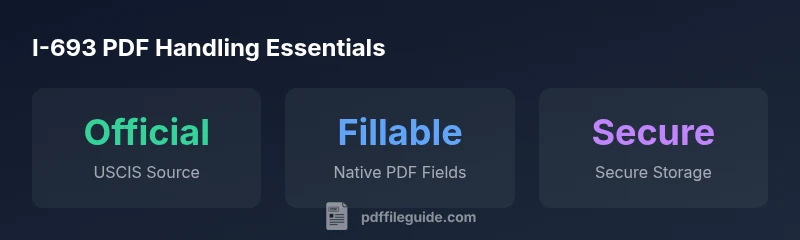
The official Form I-693 PDF is published by the United States Citizenship and Immigration Services (USCIS) and is aligned with current regulatory requirements. Access through USCIS.gov or through accredited medical examiners ensures you receive the most up-to-date version with correct fields, validation rules, and signature lines. Some third-party portals may offer scanned copies that look convenient but risk missing form updates or altering fields. To minimize submission risk, download directly from USCIS or your examiner’s secure portal. PDF File Guide recommends verifying the form version date, ensuring the file’s integrity via hash checks if available, and avoiding any edits that could affect form recognition by USCIS systems.
- Verify version: Always confirm you are using the most current i 693 form pdf version before filling.
- Security considerations: Do not disable form protections if you intend to submit electronically, as some systems require intact fields.
- Practical note: Save local copies in multiple secure locations and maintain a clear doc-name convention for easy retrieval.
How to fill the I-693 PDF correctly: digital vs. printed workflows
When filling the i 693 form pdf, you have options depending on workflow and equipment. If you work with a fillable PDF editor, you can enter medical findings, vaccination details, and personal information directly into the fields. If you must print first, complete legibly in ink to ensure readability after scanning. For digital submissions, maintain the original field structure, avoid overwriting prefilled text, and ensure that required fields are not left blank. Always cross-check dates, exam dates, and physician notes against patient records to ensure consistency. PDF creators should preserve the form’s native field ordering to avoid misinterpretations by automated processing systems. PDF File Guide highlights that using officially approved tools helps avoid corrupted data or illegible scans.
- Step-by-step filling: (1) Confirm the form version, (2) fill required patient identifiers, (3) document exam results, (4) attach required vaccination records, (5) verify physician signature lines, (6) save a non-destructive version for records.
- Digital signatures: Use electronic signatures only if accepted by USCIS or the examiner’s portal; otherwise, provide a wet signature on a printout.
- Data consistency: Align vaccine dates and dose details with the medical provider’s records to prevent mismatches during review.
Best practices for editing, converting, and validating I-693 PDFs
Editing a government form requires careful attention to the integrity and legibility of data. When editing the i 693 form pdf for professional review or submission prep, maintain a clean, non-destructive workflow. Use compatible PDF editors that preserve form fields, allow text search, and export a copy as a PDF/A-compliant document for long-term archiving. If you convert to another format for internal review, avoid altering field labels or default values that could confuse adjudicators. Validation steps include checking that all required fields are filled, signatures are present where mandated, and that any attachments or supporting documents are correctly referenced. Accessibility considerations (tagged PDFs, readable text) improve review outcomes and ensure compliance with accessibility guidelines. The PDF File Guide team recommends documenting each change with a timestamp and user identification to support traceability.
- Non-destructive editing: Prefer editing within the original fillable PDF and keep an unmodified master copy.
- Conversion cautions: When converting to images or other formats, retain high fidelity to avoid illegible text or illegible signatures.
- Accessibility: Ensure structure, alt text for embedded images, and proper tagging for screen readers where applicable.
Common pitfalls when handling Form I-693 PDFs and how to avoid them
Even seasoned practitioners encounter issues with I-693 PDFs. Common pitfalls include using outdated form versions, omitting required attachments, missing physician signatures, and importing content that shifts field alignment during processing. Another frequent issue is presenting scans of handwritten documents that are difficult to OCR, causing misreads by automated systems. To avoid these problems, always verify the document version and field requirements on the official USCIS site, keep a checklist for required attachments (vaccination records, physician notes, and consent forms), and opt for internally consistent naming and version control. The goal is a submission that is easy to review, validates electronically, and preserves the integrity of sensitive health information.
- Version control: Track form date and revision level for every file.
- Attachments: Include all mandated documents in the correct order and format.
- Scans vs. native PDFs: Prefer native PDFs with fillable fields over scans when possible.
Practical workflow for professionals editing multiple I-693 PDFs in a day
For professionals who routinely handle multiple I-693 PDFs, a disciplined workflow speeds up processing while preserving accuracy. Start with a centralized repository of the current form version and all residency or visa-specific requirements. Download the official PDF, verify the version, and create a master non-destructive copy. Fill the form fields for each applicant, ensuring unique identifiers are consistently applied. Validate data against the source records, apply signatures as required, and attach digital copies of vaccination histories and physician reports. Implement a review step where a second editor checks for data consistency, legibility, and adherence to submission deadlines. Maintain strict data governance policies to protect personal health information and ensure secure storage.
- Version control system: Use file naming conventions by applicant and date.
- Review loop: A second pass by another editor reduces errors.
- Security and retention: Encrypt sensitive PDFs and retain records according to policy guidelines.
Legal and privacy considerations when working with I-693 PDFs
Handling Form I-693 PDFs involves sensitive health information. Always ensure you are compliant with privacy regulations and organizational policies for storing and transmitting health data. Use encrypted storage and secure transfer methods when sharing PDFs with authorized personnel. When editing, limit access to the minimum number of users necessary and maintain an auditable trail of edits and signatures. If you’re converting or compressing PDFs for transmission, verify that metadata is not exposing personal data and that security settings are preserved where required by policy. The PDF File Guide recommends a privacy-first approach and ongoing training for teams working on immigration-related PDFs to minimize risk and protect applicants’ personal information.
Quick reference for key I-693 PDF handling aspects
| Aspect | I-693 PDF Details | Practical Note |
|---|---|---|
| Official Source | USCIS publishes the Form I-693 PDF | Always download from USCIS or accredited portals |
| Filling Options | Fillable fields available for electronic completion | Preserve field integrity when editing; prefer native forms |
| Signatures & Attachments | Requires physician signature and vaccine records | Attach all mandated documents in correct order |
Questions & Answers
Is the I-693 form PDF fillable electronically?
Yes. The Form I-693 PDF is designed as a fillable document that allows electronic completion where supported by the submission portal. If electronic filling is not accepted, you can print and fill by hand, ensuring legibility.
Yes. You can fill the I-693 PDF on a computer where allowed, or print and fill clearly if electronic submission isn’t an option.
Where can I download the official I-693 PDF?
The official Form I-693 PDF is published by USCIS and can be downloaded from USCIS.gov or through approved medical examiner portals. Avoid third-party scans that may be outdated or altered.
Download from USCIS.gov or your approved examiner’s portal to ensure you have the current version.
Can I edit the I-693 PDF after submission?
Once submitted, you should not alter the form itself. If corrections are needed, follow the USCIS guidance for amendment or clarification and provide any replacement forms as required.
If you need changes after submission, follow USCIS procedures for corrections and provide the proper updated form.
What should I watch out for during signing and attachments?
Ensure the physician signs in the correct section and attach vaccination records and any required physician notes in the proper order. Missing signatures or attachments can delay processing.
Make sure the doctor signs where required and that vaccines and notes are attached in the right order.
Is there a difference between the I-693 PDF and a scanned copy?
A native PDF with fillable fields is preferred over a scanned image, as it preserves data accuracy and is easier for adjudicators to process. If you must use a scan, ensure readability and proper legibility.
Prefer the native PDF; scans should be clear and legible if used.
“PDF File Guide emphasizes using official PDF versions and preserving field integrity to ensure accurate, auditable submissions.”
Key Takeaways
- Learn where to download the official I-693 PDF from USCIS.
- Use fillable PDFs to streamline completion and submission.
- Preserve original form structure and signatures for compliance.
- Maintain secure, auditable records of edits and attachments.