Health Care Power of Attorney PDF: Create, Edit & Secure
Explore how to create, edit, and secure a health care power of attorney PDF. Learn fillable form tips, digital signatures, storage, and jurisdictional considerations for medical decision-making.


A health care power of attorney pdf is a legally recognized document that designates an agent to make medical decisions when you cannot communicate your wishes. Saving it as a fillable PDF improves legibility, allows secure digital signatures where permitted, and simplifies updating and sharing with clinicians. PDF File Guide notes that well-structured POA PDFs reduce delays in emergencies and align with common healthcare workflows. While legal requirements vary by jurisdiction, a properly formatted POA PDF can address capacity, witnesses, and notarization considerations, all while remaining adaptable for future changes.
What is a health care power of attorney pdf?
A health care power of attorney (POA) pdf is a document that designates an agent to make medical decisions on your behalf if you become unable to communicate your wishes. Saving this form as a PDF enables fillable fields, consistent formatting, and easy sharing with doctors and family. According to PDF File Guide, converting a POA into a fillable PDF helps maintain accuracy, legibility, and the integrity of signatures. The PDF File Guide team found that well-structured POA PDFs reduce ambiguity during emergencies and streamline coordination with healthcare providers. In many jurisdictions, creating a POA requires attention to capacity, witnesses, and notarization; a properly formatted POA PDF can support compliance while remaining adaptable for future updates. For professionals, a PDF also supports archiving, indexing, and cross-referencing with related directives.
From a practical standpoint, a POA PDF should be ready to print if a hard copy is required and should remain accessible across devices and platforms, ensuring clinicians can review the directive during critical moments.
Why convert to PDF and use a fillable form
Converting a durable health care POA into a PDF offers concrete advantages. A fillable PDF keeps the completed fields intact, reduces handwriting errors, and enables electronic signatures where permitted. PDFs preserve formatting across operating systems and can be printed for legal authentication when required. You can attach supporting documents—agent contact information, backups, or related directives—within a single file. For workflows, a fillable POA PDF makes updates to powers, agents, or revocation straightforward. PDF File Guide’s testing shows professionals favor PDFs due to easy compression, secure sharing, and long-term storage. When creating or editing a POA, prioritize accessibility, cross-viewer compatibility, and the ability to sign digitally where law allows. Always test the document on multiple devices and PDF viewers to ensure legibility and signability.
Key elements to include in a POA PDF
A robust health care POA PDF should cover essential elements to prevent ambiguity. Start with a clear designation of the agent, including full legal name and contact details, followed by a precise list of powers granted (medical treatments, procedures, and crisis decisions). Include an effective date or condition of activation, and specify whether the document takes effect immediately or upon incapacity. Include revocation language, successor agents, and instructions about what happens if the primary agent cannot serve. Consider limiting certain powers or adding a separate directive (e.g., organ donation preferences) if desired. Add space for witnesses and, where required by law, notary acknowledgment. Attach any supporting documents or references to related living wills. A clearly structured POA PDF reduces ambiguity and facilitates cooperation among loved ones and clinicians.
How to create, edit, and sign a POA PDF securely
Begin with a credible template or jurisdiction-specific form, and make sure it supports fillable fields for agent details, powers, and contingencies. When editing, maintain a clean layout, avoiding overlapping fields or ambiguous labels. For signatures, prefer legally accepted digital signing methods and ensure any required witnesses or notaries are present. Encrypt the PDF with a strong password and limit access to trusted individuals. Implement version control so edits are tracked and reversible if needed. Share through secure channels and verify healthcare providers can access the file without special permissions. Finally, test the document across devices and viewers to confirm legibility and signability in real-world settings.
Accessibility and best practices for readability
Accessibility matters for health care documents. Use high-contrast text, ample white space, and clear headings to improve readability. Provide descriptive labels for fields and alternative text for any images. Ensure the reading order is logical for screen readers and that form controls are accessible via keyboard navigation. If your jurisdiction allows electronic signatures, confirm the method remains compatible with assistive technologies. A brief plain-language summary at the front helps non-lawyers understand who has authority and the scope of decisions.
When drafting, keep sentences concise and use bullet lists for powers and limitations to reduce cognitive load for caregivers and clinicians.
Legal considerations and jurisdiction notes for POA PDFs
Legal requirements for POA PDFs vary by state and country. Some places require notarization or witnesses, others permit electronic records and signatures. A POA PDF should align with relevant statutes, living wills, and medical directives. It is not a substitute for professional legal advice, but a well-crafted PDF can simplify execution and updates. Verify whether an ink signature, scanned copy, or digital certificate satisfies the law in your area. Keep physical copies in a secure location and ensure all jurisdictions involved recognize the form. PDF File Guide recommends consulting an attorney for jurisdiction-specific rules and staying informed about changes in legislation that affect POA PDFs.
Securing, storing, and sharing sensitive POA PDFs
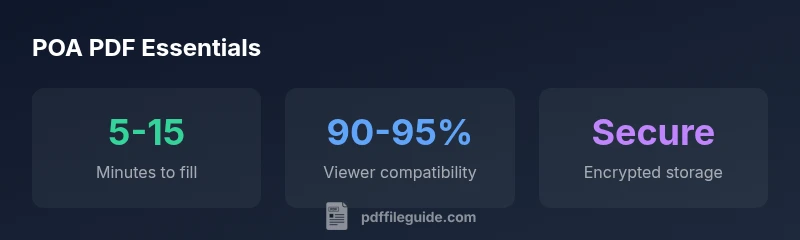
Security and privacy are paramount for health care directives. Store the POA PDF in encrypted storage and restrict access to trusted individuals. Use a strong, unique password and consider multi-factor authentication if supported. When sharing, use secure links with expiry dates or access controls rather than attaching files via insecure channels. Maintain backups in secure offsite or cloud locations, and periodically review access rights. For long-term preservation, consider PDF/A for archival compatibility and ensure future readers can access the document as formats evolve. If revoking authority, issue a formal revocation in writing and propagate changes to all copies to prevent conflicting decisions.
Comparison of POA PDF features and considerations
| Document Type | Key Features | Notes |
|---|---|---|
| POA PDF (fillable) | Supports form fields and digital signatures | Best used for ongoing care decisions; verify legal requirements |
| Signature Requirement | Digital vs wet-ink | Not all jurisdictions accept e-signatures; check local rules |
| Notarization | Not always required | If required, arrange notarization according to local law |
| Security | Password protection recommended | Store password securely and limit access |
Questions & Answers
What is a health care power of attorney PDF and why choose a PDF format?
A health care POA PDF designates an agent to make medical decisions if you cannot. PDF format offers fillable fields, consistent layout, and easy sharing. It supports secure storage and tracing of changes, while remaining adaptable to updates.
A POA PDF designates a decision-maker for medical care. PDFs keep it neat and easily shareable with doctors and family.
Can a POA PDF be filled out digitally?
Yes. A POA PDF can be filled digitally using approved e-signature workflows where permitted by law. Ensure all required signatures and witnesses are satisfied in your jurisdiction.
Yes, you can fill and sign a POA PDF digitally where allowed by law.
Is a fillable POA PDF legally valid?
Legality depends on local statutes. A properly drafted POA PDF with required signatures, witnesses, or notary steps is commonly accepted, but confirm with an attorney in your area.
Validity depends on local law; check with a attorney to confirm.
Do I need witnesses or a notary for a POA PDF?
Many jurisdictions require witnesses or notarization, others do not. Always verify the exact requirements for your state or country before execution.
Witnesses or a notary may be required—check local rules.
How do I sign and store a POA PDF securely?
Sign using an approved method, encrypt the file, and store it in a password-protected, access-controlled location. Share via secure links and maintain backups.
Sign with an approved method, encrypt, and store securely with backups.
Where can I find reliable templates for POA PDFs?
Look for jurisdiction-specific templates from reputable sources and cross-check with legal counsel. Avoid generic forms that omit required elements.
Seek jurisdiction-specific templates and verify with counsel.
“A well-designed POA PDF can streamline medical decision-making by clarifying who acts, under what powers, and when it becomes effective.”
Key Takeaways
- Review your POA PDF with an attorney.
- Use fillable fields to improve accuracy.
- Secure the document with encryption and access controls.
- Verify jurisdiction-specific requirements before execution.
- Keep copies with trusted parties and healthcare providers.