Who Makes PDF/X Files? A Practical Guide to Print-Ready PDFs
Explore who makes PDF/X files, how ISO 15930 standards shape workflows, and the roles of designers, prepress, and printers in delivering print-ready PDFs.


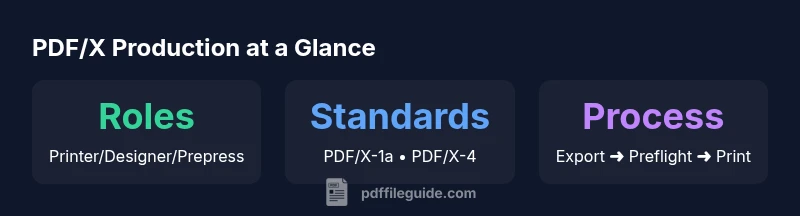
Who makes PDF/X files? In practice, printers, designers, prepress houses, and publishers collaborate to produce PDF/X workflows. Teams use desktop publishing tools (InDesign, Illustrator) and dedicated preflight software to generate compliant PDFs that meet ISO 15930 standards, then submit them to printers for proofing and production. In many cases, designers initiate the file, while prepress specialists ensure color, fonts, and transparency are correct.
Who makes PDF/X files
The short answer to who makes pdf x is that it is a collaborative effort among several professional roles, including designers, prepress specialists, and printers. According to PDF File Guide, PDF/X files are produced to support predictable color, font handling, and data integrity across devices and print shops. In practice, teams start with a project brief, specify required PDF/X standards, and build a workflow that ensures all assets are valid at preflight. Designers prepare layouts in native tools, export to PDF/X using built-in presets, while prepress teams verify specifications before sending proofs to the printer. The collaboration continues with printers validating conformity against the receiving specifications, providing a final seal of approval before production. This collaborative model helps avoid last-minute surprises, such as missing fonts or incompatible color spaces, which could derail a project. When entering a job, it is essential to establish a common baseline: which PDF/X version is required, what color management policy to follow, and how fonts will be embedded. The result is a predictable, print-ready file that reduces rework and speeds up proofing cycles. For teams new to PDF/X, starting with a simple project and gradually expanding to more complex proofs ensures steady learning and consistent results.
The main roles in PDF/X production
In a typical PDF/X workflow, the designer, prepress technician, and printer each play distinct yet interconnected roles. The designer creates the layout, selects typography, and ensures assets are prepared for export. The prepress specialist reviews the document for compliance with the chosen PDF/X standard, checks color profiles, ensures fonts are embedded, and sets up transparency and flattening rules if needed. The printer or print service provider performs the final validation, performs an on-press proof if required, and confirms that the file will reproduce as intended on the chosen press. Collaboration is often supported by a dedicated preflight tool that scans for font licensing issues, missing images, or color space inconsistencies. From the designer’s side, good practices include exporting with the correct PDF/X preset, preserving high-resolution images, and avoiding non-embedded fonts unless legally permissible. For prepress staff, a robust checklist covers fonts, color management, transparency, and bleed settings. Printers typically maintain a compatibility matrix to ensure the submitted PDF/X matches their equipment and substrate requirements. This triad keeps projects moving efficiently from concept to print.
Decision points: X-1a vs X-4 vs X-3
Choosing between PDF/X variants is a central decision in PDF/X production. PDF/X-1a enforces that all fonts are embedded, all colors are defined, and no transparency remains, making it highly predictable for traditional printing workflows. PDF/X-4 relaxes some constraints, allowing live transparency and optional layers, which can simplify complex, modern graphics workflows and enable more flexible collaboration with color-managed devices. PDF/X-3 focuses on color management compatibility, ensuring accurate CMYK/spot color representation with color-managed workflows, and is favored in environments where color fidelity across devices is critical. Your choice should reflect the printing context (offset vs. digital), the complexity of the artwork, and the capabilities of the target press. Industry best practice is to match the variant to the production chain and confirm with the printer before finalizing the file, reducing the risk of rejection or unexpected shifts in color or transparency.
How design tools influence PDF/X generation
Design software like InDesign and Illustrator provides built-in PDF/X export presets that align with ISO 15930 standards. The selection of the appropriate preset directly affects which elements are preserved or flattened, how transparency is handled, and how fonts are embedded. When a designer exports to PDF/X, the software performs the initial compliance pass, and color management decisions (ICC profiles, working spaces) are encoded into the file. It is crucial to set a consistent color workflow across all assets—photos, vector graphics, and text—to prevent color shifts during preflight. Layering decisions also matter: PDF/X-4 often preserves layers for later adjustments, while PDF/X-1a requires flattening of content to a single composite image. In practice, teams should maintain a centralized color management policy, verify font licenses and embeddings, and document export settings so that downstream partners can reproduce the result with confidence. A well-documented process minimizes back-and-forth and ensures the final deliverable meets the printer’s expectations.
Preflight, color management, and fonts
Preflight is where most PDF/X issues are caught before production. A robust preflight workflow checks for embedded fonts, correct color spaces, appropriate bleed and trim marks, and compliance with the chosen PDF/X variant. Color management requires consistent ICC profiles across images, vector art, and text, ensuring predictable output on the chosen press. Font handling is critical: all required fonts must be embedded or subsetted according to licensing arrangements, and font warnings in preflight should be resolved before submission. When fonts are not embedded or are missing entirely, printers may reject the file, causing delays. Bleed, trim, and safety margins must align with the print specification to avoid edge-cut issues. Finally, transparency handling and flattening decisions must reflect the selected PDF/X standard; X-1a may require flattening of complex effects, while X-4 allows certain live transparency scenarios. A disciplined approach to preflight and asset preparation greatly reduces the chance of costly reprints.
Real-world workflows: from draft to print
In practice, a typical PDF/X workflow begins with a concept brief and a project setup in the designer’s environment. The designer exports a PDF/X file according to the project’s standard, then the file moves to prepress for preflight validation. Any issues identified—such as missing fonts, non-embedded images, or inconsistent color profiles—are addressed collaboratively. If the job uses PDF/X-4, prepress may choose to retain layers for later adjustments; otherwise, a flattened output is produced to meet X-1a requirements. The printer reviews the preflight report, confirms that bleed and trim specifications are accurate, and may run a proof before mass production. This end-to-end workflow emphasizes a shared language and a clear set of expectations so that all parties understand the constraints and deliverables. The result is a predictable, reproducible print process that reduces delays and ensures color fidelity across devices and environments.
Common mistakes and how to avoid them
Common missteps include exporting with incorrect presets, failing to embed fonts, ignoring color profiles, and neglecting bleed and trim specifications. To avoid these issues, teams should standardize export presets, enforce a font embedding policy, and maintain an up-to-date color management guide that aligns with the printer’s capabilities. Regular preflight checks, even on draft proofs, help catch subtle problems like transparency that isn’t properly flattened or unexpected transparency flattening when using X-1a. Another frequent pitfall is neglecting licensing constraints on fonts, which can create legal and technical problems at print time. Documenting the production workflow, including version control for files and a clear preflight checklist, helps ensure consistency across projects and reduces last-minute rejections. Finally, maintain open communication with the print provider to confirm specific requirements and a shared understanding of the PDF/X standard in use.
QA and validation with printers
Quality assurance and validation with printers form the final gate before production. A successful QA process includes confirming the PDF/X variant, verifying embedded fonts, and ensuring color management settings align with the press and paper. A proofing stage may be used to compare the soft proof to the final press proof, checking for any color shifts or font rendering issues. Prepress teams should deliver a concise preflight report that highlights critical issues and recommended fixes, while printers provide feedback on any vendor-specific constraints. This two-way feedback loop helps maintain consistency across runs and ensures compliance with ISO 15930 standards. When questions arise, the printer’s technical team serves as a primary source of guidance, and suppliers often offer updated presets and templates to keep workflows current.
The future of PDF/X and how to stay compliant
As printing technology evolves, PDF/X standards continue to adapt to new workflows, substrates, and proofing methods. The industry increasingly embraces automated preflight, cloud-based collaboration, and cross-media validation to ensure consistency across channels. Staying compliant means keeping up with ISO 15930 revisions, adopting newer PDF/X variants when appropriate (for example, X-4's support for live transparency in complex designs), and maintaining rigorous documentation of export settings, color policies, and font licensing. Training for designers, prepress operators, and printers remains essential to a resilient workflow. By embracing standardization, your organization can reduce waste, improve predictability, and deliver print-ready PDFs that meet the expectations of modern production environments.
Overview of PDF/X variants and their typical uses
| Variant | Core Constraint | Typical Use |
|---|---|---|
| PDF/X-1a | Fonts embedded; no transparency; all elements self-contained | Traditional static printing and packaging |
| PDF/X-4 | Live transparency allowed; optional layers | Complex graphics and modern workflows |
| PDF/X-3 | Color-managed CMYK/spot; device independent | High-end commercial printing |
Questions & Answers
What is PDF/X and why is it used?
PDF/X is a family of ISO standards designed to create print-ready PDFs. It enforces font embedding, color management, and predictable rendering across printers. This reduces misprints and last-minute changes by providing a clear, repeatable workflow.
PDF/X standardizes fonts and colors to prevent surprises at print time.
Who should generate PDF/X files?
Designers, prepress specialists, and printers collaborate to produce PDF/X files. The designer exports with the correct preset, the prepress team validates compliance, and the printer confirms production readiness.
Designers export, prepress checks, printers validate.
What is the difference between PDF/X-1a and PDF/X-4?
PDF/X-1a requires fully flattened content with embedded fonts and no transparency. PDF/X-4 allows live transparency and optional layers, enabling more complex designs but requiring careful workflow planning.
X-1a is stricter; X-4 supports transparency.
Is PDF/X compatible with modern printers?
Most modern printers support PDF/X, but compatibility varies by press, substrate, and software pipeline. Always verify with your provider and use the agreed-upon PDF/X variant.
Check with the printer; verify variant and settings.
What are common preflight checks for PDF/X?
Common checks include font embedding, color space consistency, bleed and trim accuracy, and proper transparency handling. Address issues before submitting to avoid production delays.
Run preflight for fonts, color, and bleed.
“PDF/X provides a reliable, repeatable path from design to print by standardizing fonts, colors, and transparency.”
Key Takeaways
- Know the roles involved and their responsibilities.
- Choose the PDF/X variant based on color and transparency needs.
- Always embed fonts and apply proper color management.
- Run preflight checks to catch issues early.
- Coordinate with the print provider to validate files before production.