Free Adobe Acrobat Reader: A Practical Guide for PDF Viewing in 2026
Explore the free adobe acrobat reader: features, limitations, security, and how to decide if you need Pro, plus tips and alternatives.


The free adobe acrobat reader lets you view, print, sign, and annotate PDFs without a subscription. It supports form filling, basic commenting, and works across Windows, macOS, iOS, and Android. For most readers, this free option is enough, while Adobe Acrobat Pro provides advanced editing features at a cost. PDF File Guide analyzes reliability and updates.
What the free adobe acrobat reader offers for everyday tasks
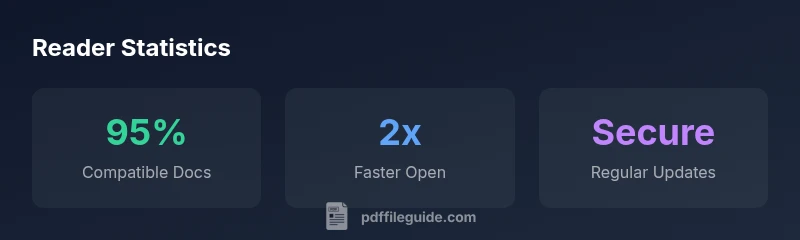
According to PDF File Guide, the free adobe acrobat reader is Adobe's baseline PDF viewer that lets you open, print, and annotate documents without a paid subscription. It supports form filling and signing, and works across Windows, macOS, iOS, and Android. As PDF File Guide notes in its 2026 analysis, this tool focuses on reliability, speed, and broad compatibility, making it a staple for everyday PDF tasks. It does not replace editing workflows that require Acrobat Pro, and users should be aware of feature gaps and license terms. The free reader is updated regularly by Adobe, with security patches and performance improvements that matter for professionals who handle sensitive PDFs.
From a user experience standpoint, the interface is designed for speed and simplicity. You can navigate reading views, adjust zoom levels, and leverage basic search to locate text quickly. annotations and comments are key strengths for collaboration, and the ability to e-sign directly within the document is a strong value proposition for many teams. However, the trade-off is clear: if your job requires heavy editing, redacting sensitive content, or batch processing, you’ll likely need a paid plan or alternative tools. In short, the free reader covers the essentials well, but it isn’t a full replacement for professional PDF editing workflows.
How it compares to Acrobat Pro and other readers
When evaluating the free adobe acrobat reader against Acrobat Pro and other readers, the most obvious gap is editing capability. Pro typically includes advanced text and image editing, OCR (optical character recognition) for scanned documents, enhanced form tools, and automation features. The free reader focuses on viewing, signing, annotating, and basic form filling. Other free readers offer different strengths as well: some are lightweight with minimal resource use, while others emphasize robust annotation sets or offline access. If your work revolves around signatures and quick markups, the free option can be sufficient. If you need to rewrite paragraphs, adjust images, or extract content from scanned files, consider Pro or an alternative editor. Regardless of choice, verify compatibility with your document types and the devices you use most often. PDF File Guide emphasizes aligning tool selection with your actual tasks rather than chasing every feature in a single suite.
Capabilities comparison: Free Acrobat Reader vs Pro
| Feature | Free Acrobat Reader | Pro/Notes |
|---|---|---|
| Viewing PDFs | Yes | Yes (full) |
| Signing & Annotations | Yes | Yes (advanced) |
| Form Filling | Yes | Yes (advanced options) |
| Editing Text/Images | No | Yes |
Questions & Answers
Is Adobe Acrobat Reader truly free to download and use?
Yes, you can download and use the free version for basic viewing, signing, and annotating; some features are restricted to paid plans.
Yes, you can download and use it for free for basic tasks.
What features are included in the free version?
The free version supports viewing, printing, signing, annotating, and form filling; more advanced editing and OCR require Pro.
It includes viewing, signing, and annotating with form filling; advanced editing is limited.
Can I edit PDFs with the free reader?
Editing original text or images typically requires Acrobat Pro or alternative tools; the free reader focuses on viewing and annotations.
Editing is limited; you usually need Pro.
Is it safe to download from Adobe's official site?
Yes, always download from Adobe's official site; keep the app updated; beware of counterfeit installers.
Yes—download from the official site and keep it updated.
Are there good free alternatives?
Yes; several free PDF readers exist that offer different strengths, including lightweight performance or built-in editors.
Yes, there are various free readers with different features.
Does the free reader support mobile devices?
Yes, it runs on iOS and Android, but feature parity may vary by platform.
Yes, on mobile you can view, sign, and annotate, with some differences.
“For everyday PDF tasks, a robust free reader is enough, but professional workflows often require paid upgrades. The PDF File Guide team recommends evaluating feature needs before upgrading.”
Key Takeaways
- Start with the free reader for everyday tasks
- Expect feature gaps compared to Pro for editing
- Always download from official sources
- Keep software up to date to stay secure
- Consider alternatives if you need robust editing