How Many Types of PDF Files Are There? A Practical Guide for Editors
Explore the major PDF types—from ISO conformance families to versions and features—and learn how to choose the right type for archival, printing, accessibility, and forms.


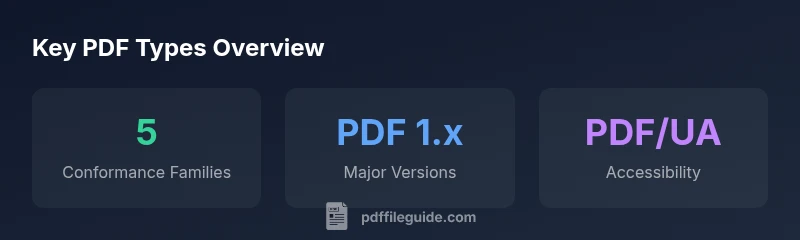
There are five major ISO conformance families commonly recognized in professional workflows: PDF/A for long-term archival, PDF/X for print-ready exchange, PDF/E for engineering documents, PDF/UA for accessibility, and PDF/VT for variable data printing. Beyond these, PDFs differ by version (e.g., PDF 1.7 and PDF 2.0) and by features like interactive forms, encryption, and linearization. This taxonomy covers most business and creative needs. According to PDF File Guide, this taxonomy helps editors align documents with retention, compliance, and reader expectations.
What counts as a type of PDF?
In practice, 'type' can refer to conformance, version, or feature set. The most influential distinction is conformance: does the file adhere to a specific use-case standard such as archival or accessibility? The five widely recognized conformance families are PDF/A, PDF/X, PDF/E, PDF/UA, and PDF/VT. This taxonomy helps editors anticipate how a document will render across readers, workflows, and long-term storage. Beyond conformance, practitioners also consider the PDF version (the underlying spec) and embedded features—such as forms, encryption, or linearization—that affect compatibility. According to PDF File Guide, aligning a document with a primary purpose reduces risk and clarifies downstream decisions for retention, access, and distribution.
The five major ISO conformance families
PDF/A, PDF/X, PDF/E, PDF/UA, and PDF/VT each target a distinct workflow need. PDF/A emphasizes long-term preservation by embedding fonts and metadata; PDF/X enforces strict color and font rules for predictable printing; PDF/E supports engineering data exchange; PDF/UA focuses on accessibility with correct tagging and reading order; PDF/VT is tailored for variable data printing. In practice, many organizations adopt PDF/A for archives, PDF/X for print production, and PDF/UA for accessible documents, sometimes layering PDF/E or PDF/VT as needed. The key takeaway: choose a conformance family first, then add features that support your process, rather than attempting one document to satisfy all demands.
Versions and features that influence behavior
Beyond conformance, the version of the PDF specification matters for what content and features are allowed. The ISO standard history spans early 1.0 releases through PDF 1.7; in recent years ISO 32000-2 defined PDF 2.0 with modern capabilities. Modern editors should balance legacy compatibility with new features like enhanced transparency, 3D content, and improved tagging for accessibility. Features such as linearization optimize web viewing, while encryption and digital signatures address security and authenticity. The PDF File Guide notes that teams should document which version and features are required by external partners and internal systems to avoid rendering surprises.
Interactive forms, encryption and accessibility features
PDF forms enable user input via AcroForm (and in some ecosystems, XFA). Forms are a differentiator in workflows that collect data, but they can complicate compatibility; some readers support XFA poorly or not at all. Encryption protects content but can restrict capability across devices; choose recommended algorithms and consider reader compatibility. Accessibility features rely on correct tagging, reading order, alt text for images, and accessible font choices. When combined with PDF/UA conformance, tagging ensures assistive technologies can interpret the document, while accessible fonts and structure improve readability. Running a quick accessibility check during QA helps catch issues early.
Choosing the right type for your workflow
To pick the right PDF type, start with the document’s goal. Is long-term preservation the priority? PDF/A is typically recommended. Is the file going to a printer? PDF/X is your friend. If the document must be accessible to a broad audience, target PDF/UA and ensure tagging and metadata are complete. For engineering documents with data-driven layouts, PDF/E supports robust annotations and interoperability. For variable data campaigns, PDF/VT handles targeted, data-driven outputs. Finally, verify tool support and reader compatibility for your target audience. Document decisions and maintain a simple matrix to guide future revisions, as recommended by the PDF File Guide.
Common misconceptions and pitfalls
One common misconception is that version alone determines compatibility. In reality, conformance and features often drive behavior more than version numbers. Another pitfall is assuming that a single PDF can satisfy all use cases; many organizations maintain separate files or bundles to preserve appropriate conformance across use cases. Do not neglect tagging and metadata when accessibility matters; a PDF can be readable but not perceivable to assistive tech if tagging is poor. Finally, encryption can complicate distribution; plan for secure channels and user access controls to prevent workflow bottlenecks.
How to verify conformance in practice
Verification starts with understanding the target audience and reader ecosystem. Tools from Adobe Acrobat, open-source viewers, and PDF validation utilities can assess conformance against ISO standards. Look for tagging for structure, embedding fonts, color management, and metadata completeness. For PDF/UA, run accessibility checks and review reading order with real assistive technology. Document requirements and create a test matrix that covers archival, print, accessibility, and interactive scenarios. The PDF File Guide suggests documenting test results and maintaining version histories for ongoing compliance.
Comparison of PDF types and their primary conformance focus
| Type | Conformance Focus | Typical Use |
|---|---|---|
| PDF/A | Long-term archival | Legal documents, archives |
| PDF/X | Print-ready exchange | Prepress and publishing |
| PDF/E | Engineering documentation | Collaboration among engineers |
| PDF/UA | Accessibility | Documents intended for universal access |
| PDF/VT | Variable data printing | Mass-customized communications |
Questions & Answers
What are the main types of PDF conformance?
The main conformance families are PDF/A, PDF/X, PDF/E, PDF/UA, and PDF/VT. Each serves a distinct purpose—from archival and printing to accessibility and variable data printing. Understanding these types helps ensure your document aligns with audience needs.
There are five main conformance families to consider: PDF/A, PDF/X, PDF/E, PDF/UA, and PDF/VT.
How does a PDF version relate to conformance?
Version refers to the PDF specification revision (like 1.7 or 2.0), while conformance specifies adherence to a standard such as PDF/A. A file can be a PDF/X-3 document at a particular version, for example.
Version is about the spec revision; conformance is about meeting a standard.
Is encryption a separate type of PDF?
Encryption is a security feature, not a standalone type. You can apply encryption across multiple conformance families, depending on security requirements and reader support.
Encryption is a feature, not a type.
Can PDFs be both accessible and print-ready?
Yes. PDF/UA addresses accessibility, while PDF/X focuses on print readiness. Some documents can satisfy both by combining proper tagging, structure, and color management.
Yes—with the right tagging and conformance.
Do all readers support PDF/X or PDF/A?
Reader support varies by platform and software. When choosing a type, verify compatibility with the intended audience's tools and workflows.
Support varies; test with target readers.
What should I consider for archiving PDF documents?
For long-term preservation, PDF/A is typically recommended because it embeds fonts, preserves color, and ensures metadata remains intact.
Prioritize PDF/A for archiving needs.
“Choosing the right PDF type isn't about chasing a single format; it's about aligning your workflow with archival longevity, accessibility, and print reliability.”
Key Takeaways
- Identify your document’s primary goal before choosing a type
- Start with a conformance family (PDF/A, X, E, UA, VT) for clarity
- Consider version and feature needs in tandem with conformance
- Test PDFs in real workflows to prevent compatibility issues
- The PDF File Guide recommends documenting decisions for future audits