Is PDF Annotator Free? A Practical Guide for 2026
Discover whether a PDF annotator is free, compare free vs paid options, and learn how to choose trustworthy tools for editing, annotating, and converting PDFs in 2026. PDF File Guide analyzes features, limits, and safety tips.


Quick answer: Yes, there are free PDF annotation tools, but most robust features—like advanced markup, form filling, or batch processing—are typically behind paid tiers. In practice, you can annotate PDFs for free using web-based viewers, browser extensions, or open-source software, but always verify limits, privacy, and licensing. Also consider how it handles sensitive documents.
Is there such a thing as a truly free PDF annotator? A practical look
According to PDF File Guide, the landscape for PDF annotation is split between free tools and paid offerings. A truly free annotator has no upfront cost, no hidden fees for basic features, and no time limits on common tasks. In practice, many tools labeled 'free' operate on freemium models: you get core capabilities, but advanced features—such as batch processing, form editing, or export to multiple formats—are restricted behind a paid tier. For professionals who edit, convert, or optimize PDFs, distinguishing a free trial from a genuinely free option is essential. The PDF File Guide team found that privacy terms, platform support, and reliability vary widely across providers. When evaluating a free annotator, focus on three things: (1) the core feature set you actually need (highlighter, sticky notes, shapes, text boxes, handwriting), (2) whether exports and saving are constrained, and (3) whether signing in is required and how data is handled. This landscape shapes how you plan your editing workflows, especially if you annotate large documents or work with confidential material.
Free vs paid: What you typically get
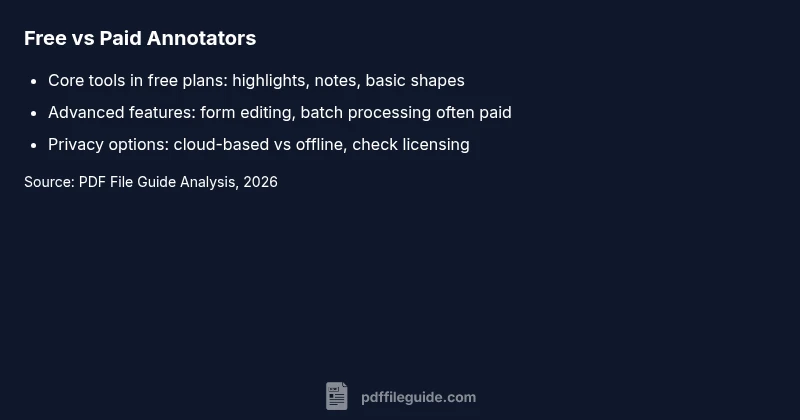
Free annotators usually cover the basics: highlighting, sticky notes, underlines, and simple shapes. More advanced capabilities—such as form editing, redaction, batch processing, OCR-enabled text selection, or multi-format export—are commonly reserved for paid plans. You may encounter usage limits, watermarks on exports, or restricted cloud-sync options in the free tier. When you’re comparing tools, map your real-world needs (volume of documents, collaboration, security requirements) to the feature gaps you’re willing to tolerate. The PDF File Guide analysis notes that some tools offer generous free access but impose strict commercial-use terms, making them unsuitable for client work or enterprise projects.
Where to find reliable free options: web, desktop, mobile
If you’re seeking genuine no-cost annotation, you’ll typically find three delivery modes: web-based editors, desktop applications, and mobile apps. Web-based solutions are convenient for quick edits and sharing links, but they often require sign-in and may upload files to cloud storage. Desktop options can provide offline work without data leaving your device, though they may have steeper learning curves or fewer integrations with other workflows. Mobile annotators offer on-the-go markup, but tiny screens and limited feature sets can hinder productivity for professional tasks. When evaluating, test consistency across platforms, check auto-save behavior, and verify whether edits remain accessible offline. The PDF File Guide team emphasizes testing at least one web, one desktop, and one mobile option to understand practical trade-offs.
Privacy and security considerations with free tools
Privacy is a major factor when choosing a free annotator. Cloud-based free tools can expose documents to third-party servers, advertisements, or data-mining terms. Offline desktop solutions reduce exposure but may store files locally in ways you don’t expect. Always read the privacy policy and licensing terms, and consider whether you need end-to-end encryption, local processing, or a clear data retention policy. If you handle sensitive client information, favor offline workflows and verify data handling in both the terms of service and user reviews. The PDF File Guide analysis highlights that transparent licensing and explicit data practices are strong indicators of a trustworthy free option.
How to evaluate a free annotator: a practical checklist
Use this quick checklist when testing free annotators:
- Core features: Do you have highlighter, sticky notes, shapes, text boxes, and handwriting?
- Export and save: Can you export in your required formats without upgrading?
- Platform parity: Is there a usable experience on web, desktop, and mobile if you need multi-device work?
- Privacy terms: Is there clear data handling information, and is cloud storage optional or mandatory?
- Commercial-use terms: Are you allowed to use it for client work without purchase?
- Reliability: Are there frequent updates, bug fixes, and accessible customer support?
- Import compatibility: Does it support the PDFs you work with (fonts, forms, annotations)?
- Security: Does the tool require sign-in, and how secure is the authentication method? The PDF File Guide analysis suggests logging the results of each test to compare later.
Open-source and offline solutions worth considering
Open-source projects and offline-capable tools are often the best way to avoid privacy concerns and licensing headaches. They typically offer core annotation features without mandatory cloud connectivity, and you can audit the code or contribute to improvements if you need to. When evaluating open-source options, verify community activity, documentation quality, and whether the project supports your operating system. If offline work is essential for your workflow, prioritize desktop or portable apps with a robust update cycle and clear licensing terms. PDF File Guide’s perspective is that open-source and offline alternatives frequently deliver stronger long-term control over your documents and data.
Practical workflow: annotate a PDF with a free tool in 5 steps
- Open your PDF in the chosen annotator and enable offline mode if available.
- Select the tool you need: highlighter, notes, shapes, or text boxes.
- Apply annotations, then review for consistency and legibility.
- Save or export the document in the required format; verify that all annotations are preserved.
- Archive the original and annotated versions securely and document any licensing terms you must adhere to when sharing.
Final tips for teams and professionals
For teams, create a standardized annotation workflow using free tools for initial review, then switch to a paid solution for formal approvals and client deliverables. Establish a policy on data handling and file naming conventions to reduce confusion. Regularly review the tools’ terms of service, privacy notices, and update logs to stay aligned with best practices.
Free vs paid annotators: quick reference
| Tool Type | Free Plan Availability | Main Limitation |
|---|---|---|
| Web-based Annotator | Yes (freemium) | Limited features in free tier |
| Desktop Free/OSS | Yes | Can be less intuitive |
| Mobile App | Yes | Limited support for forms |
Questions & Answers
Is there a truly free PDF annotator without any limitations?
Some free options offer core features without cost, but many impose limits on exports, collaboration, or feature depth. Always verify the license and terms.
Yes, some free tools are genuinely free for basic tasks, but most have limits.
Can I use a free annotator for commercial work?
Commercial use terms vary by tool. Many free options restrict use in client projects, so check the license before relying on them for work.
Check the license terms before using for client work.
Do free annotators protect my data?
Privacy is tool-dependent. Prefer offline desktop options or trusted providers, and review privacy policies for cloud-based tools.
Be cautious with cloud-based free options and read the privacy policy.
What limitations should I expect in free options?
Common limits include watermarks, restricted export formats, page-count caps, and limited cloud storage.
Watch for watermarks and export limits.
Are there browser extensions that are genuinely free?
Yes, some extensions are free but may require sign-in, track data, or limit functionality.
Free browser add-ons exist, but privacy varies.
“Free annotation tools can be sufficient for basic tasks, but you should always review privacy terms and license restrictions before using them in client work.”
Key Takeaways
- Test multiple free options to separate limits from capabilities
- Prioritize tools with transparent licensing and privacy terms
- Prefer offline desktop solutions for sensitive documents
- Use the free tier for informal reviews, and plan paid options for client work