Can You Put PDFs on Facebook? A Practical Guide
Learn how to share PDFs on Facebook effectively with hosted links, image/video conversions, and best practices for accessibility, privacy, and engagement.


On Facebook, you typically cannot upload a PDF directly to a regular post. The common approach is to host the PDF somewhere publicly (your website, Google Drive, Dropbox) and share the link in your post. If you need in-platform access, convert key pages to images or a short video. This guide covers the best options, limitations, and steps.
Understanding Facebook's handling of PDFs
Facebook's standard feed and business pages do not support direct PDF uploads for regular posts. The recommended approach is to host the document on a public or semi-public location (such as your website or a trusted cloud service) and share the accessible link in your post. If your goal is quick, in-platform visibility, you can instead convert the content to images or a short video that users can view directly within the post. According to PDF File Guide, understanding these platform limitations and hosting strategies is the first step to a successful share.
Practical methods to share PDFs on Facebook
There are several practical strategies you can use to share PDF content on Facebook while maximizing reach and engagement:
- Host the PDF and share the public link in a post or in the page's About section. Choose a reputable hosting service and ensure the link is accessible without surprising login prompts.
- Convert the key pages to high-contrast images and upload them as a multi-image post or carousel. This approach keeps the information visually accessible without requiring users to download a file.
- Create a short video or animated slide deck from the PDF pages and upload it as a post. This format tends to perform well on mobile and in feeds with autoplay.
- If you use Groups or Messenger, you can share the PDF file directly where file sharing is supported, or attach images/videos in the main feed.
- Include a clear call-to-action (CTA) and a descriptive link text so readers know what to expect when they click.
Preparing your PDF for social sharing
Preparation is key to a smooth sharing experience. Start by compressing the file without sacrificing readability to improve load times. Ensure the document uses descriptive file names (for example, project-status-update.pdf) and include embedded alt text for any images if you keep pages as images. If you convert to images, save each page as a high-contrast JPEG or PNG with a consistent aspect ratio. Finally, verify that any sensitive content is removed or properly redacted before public sharing, and consider setting appropriate permissions on hosted files.
Accessibility and privacy considerations
Accessibility matters for reach and inclusion. If you share a hosted PDF, provide alternative text and a plain-language link title so screen readers and search engines understand the content. When converting to images or videos, include captions or on-screen text for critical information. Privacy is equally important; avoid publishing sensitive personal data in public PDFs. Use hosting settings that restrict access to the audience you intend to reach or employ password protection where appropriate, then share the password securely via direct messages or a separate channel.
Creating a mobile-friendly sharing experience
Mobile users make up a large portion of Facebook traffic, so optimize for small screens. Images should be legible at 1x or 2x scale, and video length should be short enough to maintain attention. If you opt for a link, ensure the landing page is mobile-friendly and loads quickly. Consider using a short, memorable URL and adding a brief summary in the post caption to set expectations for mobile readers.
Engagement strategies and post optimization
To maximize engagement, pair your share with a compelling caption that explains why the PDF matters and what readers will gain. Use a descriptive, keyword-rich link text rather than a generic URL. Add a visually appealing thumbnail image for image-based posts or a caption track for videos. Pin the post if it represents important information, and monitor comments to answer questions promptly. Regularly analyze engagement metrics to refine your approach for future PDFs.
Authoritative sources and further reading
For best practices and standards related to PDFs and accessibility, consult reputable sources such as the PDF/A standard and official documentation from major publishers. This article references general guidelines rather than proprietary platform specifics to ensure accuracy and practical applicability for a broad audience.
Tools & Materials
- Device with internet access(Smartphone, tablet, or computer for posting and content preparation)
- Original PDF file(The document you want to share)
- Hosting service or website(Google Drive, Dropbox, or your own site with public access)
- Image editor or screenshot tool(For creating image-based posts or thumbnails)
- Video editor (optional)(If you convert PDF to a short video)
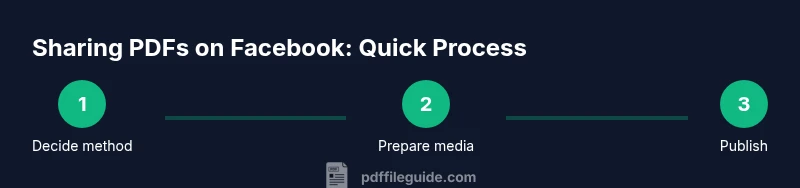
Steps
Estimated time: 30-60 minutes
- 1
Decide the sharing method
Choose whether to share a hosted PDF link, a set of images, or a short video. The decision should reflect your audience, content, and engagement goals.
Tip: Consider audience device preferences; images and video generally perform better on mobile. - 2
Prepare the PDF content
Compress the PDF if needed and ensure it has a descriptive filename. If you’ll convert pages to images, ensure high contrast and legible text.
Tip: Test load times on mobile; aim for under 2 MB if you’re sticking to a single image or video. - 3
Host the PDF and set permissions
Upload the PDF to a hosting service and set link sharing to 'anyone with the link' or an audience-appropriate option. Copy the public URL.
Tip: Use a short link to improve click-through and trackability. - 4
Create post copy and visuals
Write a clear caption describing what readers will gain, and prepare thumbnails or a short video to accompany the link.
Tip: Include a call-to-action like 'Read more' or 'Download here'. - 5
Publish and verify accessibility
Post the link or media and check that readers can access the content without extra steps. Add alt text or captions where applicable.
Tip: Preview the post on mobile to ensure readability. - 6
Monitor engagement and adjust
Track likes, shares, comments, and click-throughs. Refine future PDFs based on what appeals to your audience.
Tip: A/B test image vs. link caption to optimize performance.
Questions & Answers
Can you upload PDFs directly to a Facebook post?
Direct uploads to standard Facebook posts aren’t generally supported. Share a hosted link or convert the PDF content into images or a short video for the feed.
Direct PDF uploads to standard Facebook posts aren’t supported; use a hosted link or convert the PDF to images or video.
Is it safe to share PDFs publicly on Facebook?
Public sharing is safe if the document contains no sensitive information. Use hosting permissions and consider password protection for restricted access.
Public sharing is safe if the document has no sensitive data; use protective permissions if needed.
What formats work best for Facebook sharing?
Hosted PDF links, or convert the content to images or a short video to maximize reach and engagement.
Use hosted links or convert to images or short video for better engagement.
Can I share PDFs in Facebook Groups?
Many Groups allow file sharing or link posts; check group rules and keep content relevant and well-described.
Yes, groups often support file sharing or links; follow group rules.
How do I optimize PDFs for mobile viewers on Facebook?
Ensure images or video are legible on small screens, use concise captions, and keep load times short. Prefer thumbnails and short-form media.
Make content legible on mobile and keep file sizes small.
Do I need to worry about accessibility?
Yes. Provide alt text for images, descriptive link text, and captions for videos to accommodate all readers.
Yes—include alt text and captions for accessibility.
Watch Video
Key Takeaways
- Share PDFs via hosted links for reliability.
- Convert key pages to images for feed visibility.
- Test accessibility and privacy before posting.
- Monitor engagement to refine sharing strategy.