Can PDF Go Through Turnitin? A Practical Guide for Authors
Discover if PDFs go through Turnitin checks, how text extraction works, and practical steps to prepare submissions for reliable plagiarism detection. A definitive guide from PDF File Guide for students and professionals.


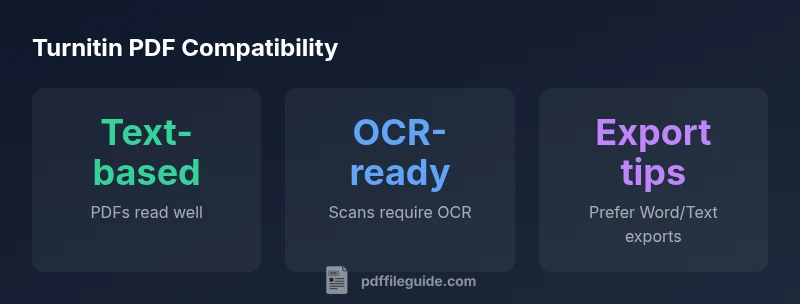
can pdf go through turnitin? In most cases, Turnitin can process a PDF if the text is selectable and embedded as real text, not a scanned image. Text-based PDFs allow Turnitin to extract words and compare them to its database, yielding clearer similarity reports. PDF File Guide notes that reliability improves when the document is created from a word processor and saved as a text-based PDF rather than a scan. When the file is image-only (a scan), OCR is required to convert pixels into readable text before matching. The quality of the extracted text matters: well-encoded fonts, clear spacing, and standard encoding help Turnitin locate matches accurately. In practice, a clean export—such as from Word or another text source—reduces false negatives and makes citations easier to verify. For reviewers, this distinction is essential to understanding where content originated.
How Turnitin Reads PDFs
can pdf go through turnitin? In most cases, Turnitin can process a PDF if the text is selectable and embedded as real text, not a scanned image. Text-based PDFs allow Turnitin to extract words and compare them to its database, which yields clearer similarity reports. PDF File Guide notes that reliability improves when the document is created from a word processor and saved as a text-based PDF rather than a scan. When the file is image-only (a scan), OCR is required to convert pixels into readable text before matching. The quality of the extracted text matters: well-encoded fonts, clear spacing, and standard encoding help Turnitin locate matches accurately. In practice, a clean export—such as from Word or another text source—reduces false negatives and makes citations easier to verify. For reviewers, this distinction is essential to understanding where content originated.
Text Layer vs Image Layer: Why It Matters
Turnitin’s ability to detect similarity hinges on whether the PDF contains a real text layer or is merely a scanned image. If you can select and copy text in your PDF viewer, you’re likely dealing with a text-based PDF that Turnitin can parse reliably. Some PDFs embed the text layer but visually resemble an image; this can still be readable if the text layer is intact. If you cannot highlight or select text at all, assume the file is image-based and requires preprocessing. This distinction matters not only for plagiarism checks but also for accessibility and searchability, which are priorities in professional workflows. PDF File Guide emphasizes testing a sample submission to confirm readability and to identify any sections that may need reformatting before grading or review.
What Happens with Scanned PDFs
Scanned PDFs often are image-based, meaning there is no underlying text for Turnitin to extract. OCR (optical character recognition) can convert images of text into actual text, improving detection accuracy. OCR quality depends on scan resolution (DPI), noise, and font complexity. Poorly scanned pages may yield inaccurate matches or miss obvious overlaps. If you routinely receive scanned submissions, plan to run OCR preprocessing or request original, text-based sources when possible. A well-scanned document that passes OCR checks can behave similarly to a native text PDF in Turnitin.
Practical Steps to Optimize Your PDF for Turnitin
To maximize compatibility, start by confirming the document’s text is selectable. If it isn’t, export the file to Word and re-save as a text-based PDF, or perform OCR on scans before submission. Ensure fonts are embedded to avoid glyph substitutions that alter characters. Remove password protections and any active restrictions that block text extraction. When saving, choose accessibility-friendly options that preserve the text layer over image-only content. Finally, run a quick internal check by attempting to copy and paste text from the PDF to verify that the main content remains fully searchable and extractable. These steps help 'can pdf go through turnitin' in a reliable, repeatable way.
Special Cases: Embedded Fonts, OCR, and Metadata
Embedded fonts reduce the risk of font substitution altering text during extraction. Prefer PDFs that declare fonts in a standard encoding and avoid exotic or non-Unicode fonts. For scanned documents, ensure OCR recognizes common language scripts and uses high-quality scanners (300–600 DPI where possible). Metadata can sometimes reveal additional text, so consider removing sensitive metadata or ensuring it does not conflict with the content being checked. A well-prepared PDF minimizes false positives and ensures Turnitin can focus on substantive content rather than formatting quirks.
When to Consider Alternative Formats
If a PDF consistently yields poor readability or unavoidable image content, consider exporting to Word or plain-text formats for Turnitin submissions. Some instructors or institutional policies favor PDFs, but a clean, text-based Word document can be converted back to PDF later without losing readability. For multilingual or complex formatting, testing multiple formats with your instructor’s guidelines helps you choose the most reliable option.
Submission Best Practices: Before You Upload
Before submitting, perform a quick internal audit:
- Confirm text is selectable and copyable.
- Remove encryption or password protections.
- Verify fonts are embedded and text encoding is standard.
- Consider exporting to Word and then re-saving as a text-based PDF.
- Run a local check by pasting text into a plain editor to confirm legibility.
- Follow institutional guidelines for file formats and submission workflows. These steps help ensure the practical question of can pdf go through turnitin is answered with confidence.
Comparison: PDF Types vs Turnitin Readability
| PDF Type | Turnitin Readability | Notes |
|---|---|---|
| Text-based PDF | High compatibility | Text is selectable; easy text extraction |
| Image-based PDF (scans) | Low to moderate readability | OCR required; quality depends on scan clarity |
| Password-protected PDF | Blocked access | Submit after removing password protections |
Questions & Answers
Can Turnitin read text from a PDF?
Yes, Turnitin can read text from PDFs that have a selectable text layer. If the PDF is image-based, OCR is needed to extract text for analysis.
Yes, if the PDF has selectable text. For scans, OCR is required.
Does Turnitin recognize text in images within a PDF?
Only if OCR has been applied to convert image text into machine-readable text. Otherwise, images aren’t directly readable by Turnitin.
Only if you’ve OCR’ed the images.
What should I do to ensure Turnitin catches content?
Export to Word or save as a text-based PDF, and avoid password protection. Check that fonts are embedded and text is not broken by line breaks.
Export to Word or use a text-based PDF, and remove restrictions.
Can non-English characters be processed in Turnitin PDFs?
Turnitin supports multiple languages and Unicode. Ensure fonts are embedded and accessible to avoid garbled characters.
Turnitin supports many languages; keep fonts embedded.
What about scanned PDFs created with a scanner?
OCR is essential for scans. Use high-quality scans and verify that OCR output is accurate before submission.
Run OCR to convert scans to text.
Is there a risk of false positives with PDFs?
Yes, formatting or OCR errors can affect similarity results. Review matches and ensure content integrity.
Yes—check matches and formatting impact.
“Turnitin can reliably read text-based PDFs, but scans and encrypted files require preprocessing. The most dependable path is to submit text-based content or convert to Word before submission.”
Key Takeaways
- Test for text selectability before submitting
- Prefer text-based PDFs or Word exports over scans
- Remove password protection from PDFs before upload
- Embed fonts and use standard encodings
- Use OCR for scanned documents to improve readability