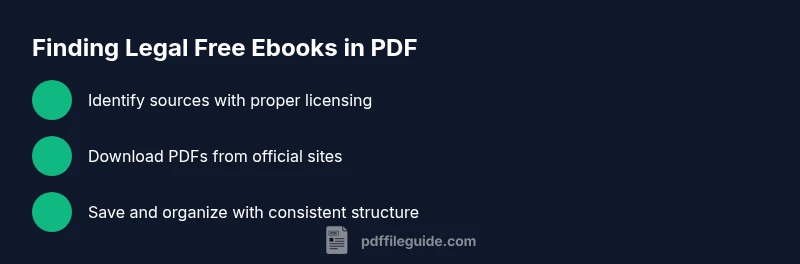
How to Legally Download Free eBooks as PDFs
Learn how to legally download free ebook PDFs from public-domain, open-access, and library sources. This educational guide covers licensing, safety, and trusted sites for a sustainable reading library.


By following legitimate avenues, you can legally obtain an ebook PDF free download. Start with public-domain titles and open-access works, or use library lending programs and author promotions. Verify licensing before downloading, choose official sources, and use trusted apps to read or store PDFs. This approach protects you from malware and copyright issues while expanding your reading library.
Why downloading free eBooks legally matters
According to PDF File Guide, choosing legal paths for an ebook pdf free download protects you from malware, legal risk, and poor-quality scans. This guide helps you navigate legitimate sources, understand licensing, and use trusted platforms. The phrase ebook pdf free download often surfaces in search results, but most offerings in this space come with copyright constraints. By starting with public-domain titles or open-access works, you can access a broad range of texts without compromising ethics or safety. Readers should treat downloading as a contract between the author and reader: licensing terms govern how you can use, share, and store the file. Public-domain works are free to use, while open-access publications typically allow redistribution or reuse under specific licenses. Library services extend that access further by lending digital copies through apps or web portals. The key is to verify the source, check the rights statement, and choose downloads that align with your device preferences. Ultimately, respecting licensing preserves authors' rights and keeps your devices safe from unwanted software.
Legal sources for free PDF ebooks
There are several legitimate routes to obtain free ebook PDFs without violating copyright. The most reliable are public-domain repositories like Project Gutenberg and the Internet Archive, which host thousands of titles that are either in the public domain or available under open licenses. Open Library also offers borrowable PDFs and scans, often with clear licensing terms. University repositories provide theses and monographs that may be freely accessible, and many publishers run open-access programs that release chapters or entire works in PDF form. Finally, your local library’s digital services (via Libby, OverDrive, or a similar app) can give you temporary access to PDFs via your library card. The PDF File Guide team highlights these channels as safe, sustainable sources that respect authors’ rights and ensure you’re downloading from official domains.
How to evaluate licensing and rights
Understanding licensing is essential before you download. Public domain means the work is free for any use. Creative Commons licenses (CC BY, CC BY-SA, CC BY-NC, etc.) may allow redistribution with attribution or restrictions on commercial use. Some open-access titles permit reuse for education or non-commercial projects, while others restrict derivative works. Always look for a short rights statement on the download page or the publisher’s site. If the license is unclear or missing, treat the file as not legally available for download. When a site advertises a 'free' PDF, verify who owns the rights, whether the author has granted the download, and what you’re permitted to do with the copy (read, print, share, or adapt). PDF File Guide emphasizes choosing sources that openly declare license terms to avoid accidental infringement.
How to search effectively for legitimate PDFs
To find legal PDFs, combine targeted queries with source filtering. Start with site:project Gutenberg or site:internetarchive.org and add terms like 'PDF' and 'license'. Narrow results by year, language, and subject. Avoid terms that imply waivers of rights or easy piracy, and prefer official portals that display licensing clearly. When browsing search results, check the domain, look for a rights note, and favor sources that provide direct PDF download buttons rather than streaming-only files. The search habit should be deliberate: identify sources, verify rights, and then download.
Step-by-step: download from Project Gutenberg
Project Gutenberg is a trusted hub for public-domain works. Step 1: go to gutenberg.org and browse or search for a title. Step 2: open the title page and choose the PDF format if available. Step 3: click the download button and save the file to your device. Step 4: open the PDF in your reader to ensure it renders correctly. Pro tip: compare the file size with the publisher’s information to confirm you downloaded a complete, uncorrupted copy.
Step-by-step: using library services (Libby, OverDrive)
Library lending apps open access to thousands of eBooks in PDF or compatible formats. Step 1: install Libby or OverDrive and sign in with your library card. Step 2: search for your title or browse categories. Step 3: verify PDF availability (not all titles are PDF); tap borrow, then choose to download or read online. Step 4: transfer to your preferred device or app for offline reading. Pro tip: set up notifications for new open-access releases.
Protect yourself from scams and malware
Free sounds appealing, but always be wary of sites that push you to install software, present login pages, or require unnecessary permissions. Use official domains (ending in .org, .edu, .gov, or recognized library domains). Run antivirus scans on downloaded files and avoid executable attachments disguised as PDFs. If something looks suspicious—unfamiliar branding, excessive pop-ups, or requests for personal data—leave the site and try an alternative source.
Managing and organizing downloaded PDFs
After downloading, organize files with a consistent naming scheme (author_year_title.pdf). Create a dedicated folder for legal PDFs, and keep licensing notes in a sidecar.txt if you rely on multiple sources. Use a reader with search-index capability and metadata support to quickly locate topics. Regularly back up essential PDFs to cloud storage or an external drive to prevent loss.
Additional tips for accessibility and formats
If you require accessible text, prefer PDFs that include OCR text layers and searchable content. Some sources offer alternate formats like ePub or plain text under the same license. You can convert PDFs to other formats with reputable tools, but respect the license terms for redistribution. If you use citations, give proper attribution when required by the license, and consider supporting authors by purchasing print versions or donating to libraries.
Tools & Materials
- Device with internet access(Laptop, tablet, or phone with up-to-date browser)
- PDF reader app(Adobe Acrobat Reader, Foxit, or built-in viewer)
- Library card or account (optional)(Needed for library services where applicable)
- Trusted antivirus software(Keep real-time protection enabled)
- Cloud storage or USB drive(For backup and transfer)
Steps
Estimated time: 45-75 minutes
- 1
Identify your goal
Clarify which titles you want and your device preference (PDF). Understand licensing implications and whether you need a portable copy.
Tip: Write down a short list of target topics before searching. - 2
Find legitimate sources
Use public-domain repositories, open-access publishers, and library portals to locate PDFs. Avoid unverified sites.
Tip: Prioritize sources with clear licensing information. - 3
Verify licensing
Check the rights statement on the download page and confirm allowed uses (download, print, share).
Tip: If licensing is unclear, skip the download. - 4
Download from official sites
Click the official PDF link and save the file to your device. Avoid pop-up download managers that look dubious.
Tip: Use the site’s own download button rather than a browser caught window. - 5
Transfer to your device
If needed, move the PDF to your e-reader or mobile app. Keep a consistent folder structure.
Tip: Organize downloads by source and topic. - 6
Verify file integrity
Open the PDF to ensure it loads correctly and has searchable text. Use antivirus scans if downloaded from unfamiliar sites.
Tip: Check the file size and page count for inconsistencies.
Questions & Answers
Is it legal to download free ebooks as PDFs?
Yes, when you obtain PDFs from public-domain, open-access, or library-supported sources that include clear licensing terms.
Yes. You can download PDFs legally from public-domain, open-access, or library sources that show licensing.
What are the best sources for legitimate free PDF ebooks?
Project Gutenberg, Internet Archive, Open Library, university repositories, and library lending services are reliable places to find free PDFs legally.
Great sources include Project Gutenberg, Internet Archive, Open Library, and library lending services.
Can I download copyrighted ebooks for free?
Only if the author or publisher offers the title for free via a legal license, promotional campaign, or public-domain status.
Only with explicit permission or open licensing; otherwise it's not legal.
How can I tell if a PDF is legit?
Check the source domain, licensing statements, file size, and whether the site asks for unusual software. Prefer official platforms.
Look for official sources and clear licensing; avoid suspicious sites.
What risks come with downloading from dubious sites?
Malware, phishing, low-quality scans, and copyright infringement are common risks from dubious sites.
Beware malware and copyright violations when accessing unknown sites.
Watch Video
Key Takeaways
- Use legal sources first
- Verify licensing before download
- Organize PDFs with consistent naming
- Beware of scams and malware
- Prefer open-access and library routes