How to Find and Download Free PDF Books Legally
Discover legal, safe ways to obtain PDF books for free. Learn open access, public-domain sources, library programs, licensing checks, and best practices to download, manage, and use PDF books without malware or copyright conflicts.


Goal: Find legitimate book PDFs for free download while staying within copyright laws. You’ll focus on public-domain titles, open-access editions, library programs, and author-approved free copies. This guide explains safe sources, quick checks, and best practices for downloading and using PDF books without malware or legal risk. According to PDF File Guide, following legal channels protects readers and authors alike.
What 'book for pdf free download' means in 2026
In 2026, a free PDF book can come from several legitimate channels, including public-domain titles, open-access editions, and library-initiated lending programs. Importantly, the phrase does not imply pirated copies or illegal scans. Readers should seek sources that clearly disclose licensing terms and respect authors' rights. This section explains the landscape and how to navigate it responsibly, especially for professionals who work with PDFs in editing, converting, or archiving workflows. Public-domain and open-access routes often provide high-quality scans and properly licensed texts that are suitable for study, research, and reference when used within the permitted terms. By focusing on official channels, you reduce malware risk and protect your workflow integrity.
Legal and ethical considerations
Copyright law protects authors and publishers, and licensing terms govern how a PDF can be used, shared, or transformed. Educational and research use may fall under fair use in some jurisdictions, but it is not a universal right; always verify the license before downloading or redistributing. When you download a PDF, you implicitly agree to its terms, so you should avoid sharing copies in ways that breach those terms. The PDF File Guide emphasizes respecting licensing, recognizing that authors rely on revenue streams and control over distribution. Your responsible approach supports creators and sustains legitimate access channels for all readers.
Safe sources for free PDFs: where to look first
To minimize risk and maximize legality, start with public-domain repositories (e.g., search for works whose copyright has expired) and open-access platforms hosted by universities and publishers. Library consortium portals and national libraries often provide free access to digitized collections or legally licensed copies. For researchers and students, author-approved free editions or promotional releases are common. PDF File Guide analysis shows that librarians and educators advocate using official repositories and publisher-provided Open Access editions first, then turning to trusted academic libraries when needed. Always confirm licensing details before downloading, and prefer sources with explicit rights information.
How to verify a PDF's legitimacy and safety
Verification begins with licensing evidence: look for explicit statements like Creative Commons licenses, public-domain notices, or publisher permissions. Check the download host's domain (prefer official university, library, or publisher sites), and review the file’s metadata for author, title, and rights information. If licensing is unclear, avoid downloading or proceed only with caution after seeking clarification from the source. Scan each file with up-to-date antivirus software and use a reputable PDF reader. If a site pressures you to disable security features or asks for unusual permissions, walk away. These steps help you avoid counterfeit or malware-laden PDFs.
How to download and manage PDFs responsibly
When you identify a licensed free PDF, download through the publisher’s site or library portal whenever possible. Save the file to a dedicated, well-organized folder and name it consistently (author-year-title.pdf). Enable your antivirus to scan on download and keep your browser security features active. Do not bypass licensing terms or distribute copies beyond permitted scopes. If you need to store or share excerpts, use official channels or obtain permission, ensuring your actions align with the rights holder’s terms.
Tools for annotating and organizing legally downloaded PDFs
After downloading, use annotation and citation tools that respect licensing terms. Many OA PDFs permit highlighting and note-taking, but redistribution of annotated copies may require permission. Tools like built-in readers, PDF editors with clear licensing terms, and library-supported platforms can help you organize notes, bookmarks, and references without compromising rights. Maintain a separate backup of original files to avoid accidental alterations to licensed content.
Authority sources you can trust
Rely on reputable, rights-cleared sources for PDF books. Public-domain libraries, university OA platforms, and publisher-approved free editions are typically clearly labeled with licensing terms. For legal reference, consult primary copyright resources and educational guidelines that clarify what you may and may not do with downloaded PDFs of copyrighted works. Always cross-check terms directly on the source site and keep records of licensing statements for your future reference.
The PDF File Guide approach to open resources
Open-access and public-domain routes offer the strongest assurances for safe, legal PDF books. The PDF File Guide team emphasizes using official open-access portals, library catalogs, and publisher-sanctioned free editions as the foundation of any free-download strategy. By prioritizing these channels, you reduce exposure to malware, maintain file integrity, and respect the intellectual property of authors and publishers.
Tools & Materials
- Device with internet access(Laptop, tablet, or smartphone with a secure browser)
- Updated antivirus/anti-malware software(Real-time protection and file scanning on download)
- Reliable PDF reader(Adobe Acrobat Reader, Foxit, or a trusted browser viewer)
- Secure browser + ad-blocker(Enable safe browsing features and privacy protections)
- Licensing verification checklist(A short list of licensing indicators per source)
- Optional: USB drive for offline backup(Use only if you need portable offline access)
- Bookmarking/annotation tool(For note-taking on downloaded PDFs)
Steps
Estimated time: 45-120 minutes
- 1
Identify legitimate sources
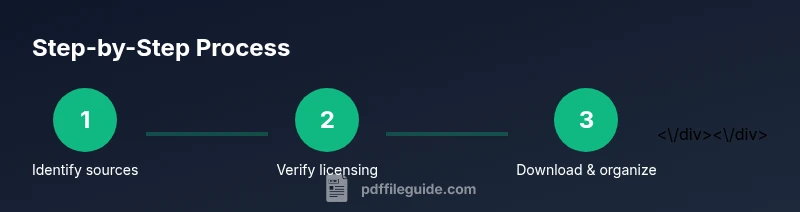
Begin by listing sources known for legal PDFs: public-domain repositories, university open-access portals, and publisher-validated free editions. Cross-check the rights information on each page and inspect the licensing terms before clicking download.
Tip: Prioritize sources with explicit licensing statements (e.g., Creative Commons or Public Domain notices). - 2
Check licensing and rights
Open the source page and read the license or rights note. If licensing is unclear, look for contact details or official statements from the author or publisher. Do not download if terms are ambiguous.
Tip: When in doubt, contact the rights holder for clarification before downloading. - 3
Download safely
Use the source’s download button or link rather than right-clicking from search results. Save to a dedicated folder with a consistent naming convention to avoid misplacing files.
Tip: Scan the file with your antivirus immediately after download. - 4
Verify file integrity and safety
Run a malware scan and verify the file type and metadata match the source. Be cautious of executable wrappers or unusual file extensions disguised as PDFs.
Tip: Check for unusual metadata or author changes that may indicate tampering. - 5
Organize and annotate within license terms
Use annotation tools if permitted by the license. Keep notes and links to licensing terms for future reference, and avoid redistributing copies beyond allowed terms.
Tip: Maintain a clear trail of sources for audits or reviews. - 6
Respect redistribution limits
Do not share full copies where licenses restrict redistribution. If you plan to reuse content, consider links to the source rather than reposting the PDF itself.
Tip: When sharing, provide proper citations and avoid distributing unlicensed duplicates.
Questions & Answers
Is it legal to download PDFs for free?
It depends on licensing. Public-domain and open-access titles are allowed; copyrighted works require permission or publisher policy.
It's legal when the license is clear or the work is in the public domain. When unsure, check the source's licensing terms.
What sources are safe for free PDF books?
Public-domain repositories, university open-access platforms, and author-approved offers are typically safe and licensed.
Safe sources include public-domain and open-access platforms with explicit licensing.
How can I tell a PDF is legitimate?
Look for licensing statements, publisher or author pages, and verify metadata and source domain before downloading.
Check licensing and source reliability before downloading a PDF.
Can I download PDFs from forums or social sites?
Generally not; these sources often host pirated or unsafe copies. Stick to official repositories or publisher-provided editions.
Avoid forums for free PDFs due to risk of malware and copyright issues.
Should I edit downloaded PDFs?
Editing is allowed if the license permits it; OA and public-domain works are more flexible, but always confirm licensing terms.
Only edit if the license allows modifications; otherwise, cite or reproduce excerpts according to terms.
What about library offerings and e-lending?
Many libraries offer free e-lending via platforms like Libby or institutional portals; you typically need a library card.
Libraries provide legitimate access; check local library programs for digital lending options.
Watch Video
Key Takeaways
- Identify reputable sources and verify licensing before downloading.
- Prefer public-domain, open-access, and library-provided PDFs.
- Scan every downloaded file with updated antivirus before opening.
- Respect copyright; use, share, or convert PDFs only within permitted terms.
- The PDF File Guide team recommends using legal sources to protect all parties.