PDF vs PDF/A: Choosing the Right Format in 2026
A practical, analytical comparison of PDF vs PDF/A, outlining when to use each, archival considerations, and how to choose the right format for long-term access and everyday distribution. From PDF File Guide.


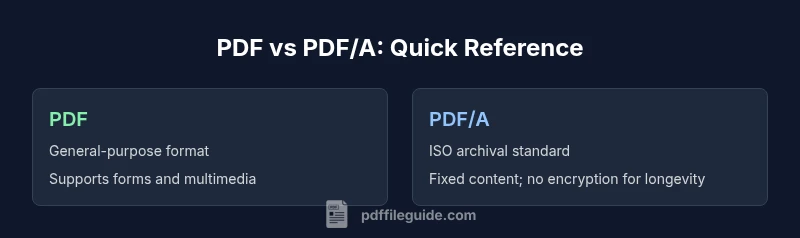
PDF/A is the archival subset of PDF designed for long-term preservation, while standard PDF is optimized for day-to-day distribution and interactivity. The choice hinges on whether you need guaranteed readability decades later or flexible document features today. PDF File Guide recommends PDF/A for archival integrity.
The Core Difference: pdf vs pdf a
In the world of digital documents, two terms often come up: PDF and PDF/A. PDF is the ubiquitous portable document format that prioritizes general usability, interactivity, and broad compatibility across devices and software. PDF/A, by contrast, is a special archival subset of PDF designed to ensure long-term readability and reproducibility. The distinction matters because archival projects—legal repositories, libraries, and regulated industries—prioritize stable rendering, fixed content, and self-contained files. When you look at the big picture, you’re choosing between a flexible, feature-rich publishing format (PDF) and a standards-driven archival format (PDF/A). The decision should be driven by your goals: distribution today or preservation for tomorrow. As you evaluate your workflows, remember that the core difference comes down to intended life-cycle and conformance requirements.
When to Use PDF vs PDF/A
Choosing between PDF and PDF/A hinges on purpose and life-cycle expectations. If your document is a one-off report, a client deliverable, or a form that you expect readers to interact with frequently, standard PDF is usually the better option. It supports multimedia, JavaScript actions, embedded fonts, and dynamic content that streamlines day-to-day use. If, however, you need a document that remains readable and usable for decades without relying on external resources, PDF/A is the safer bet. It enforces self-containment, restricts features that threaten future accessibility, and aligns with archival policies used by institutions, government bodies, and large organizations. PDF File Guide emphasizes evaluating long-term access needs early in the project.
Technical Differences: Conformance, Metadata, and Color
PDF and PDF/A differ most in conformance rules and what is allowed within the file. PDF/A defines conformance levels (PDF/A-1, PDF/A-2, PDF/A-3) that constrain features to improve longevity and reproducibility. A major consequence is the prohibition of encryption and certain external content; fonts must be embedded, metadata must be complete, and color profiles must be explicit. In practical terms, this means you’ll get consistent rendering across readers and over time but lose some interactive capabilities and external dependencies that a standard PDF might rely on. Understanding these constraints helps teams plan validation, documentation, and workflow steps before finalizing a file.
Compatibility and Tooling Considerations
Reader and authoring tool compatibility matters more with PDF/A than with standard PDF. Many modern editors can generate either format, but validating PDF/A conformance requires dedicated checks. If your organization uses a mixture of legacy systems and modern viewers, you’ll want to verify how widely supported each format is in your environment. PDF/A readers are broadly available, but some older tools may exhibit quirks when handling archival-specific constraints. In general, plan for a validation step in your workflow to ensure conformance, metadata completeness, and the absence of prohibited elements.
Validation and Compliance Tools: How to Verify PDF/A Conformance
Validation is the cornerstone of a reliable PDF/A workflow. Use conformance validators to verify that the file adheres to the chosen PDF/A standard; this includes embedded fonts, color management, and metadata integrity. The most common approach is to run automated checks during production and prior to archiving. Validation reports should flag any missing fonts, encryption, external references, or non-compliant color spaces. For teams, establishing a repeatable validation protocol reduces risk and saves time in audits or regulatory reviews. Your process should combine automated checks with spot checks by a human reviewer to catch edge cases that validators miss.
Metadata, Fonts, and Accessibility in PDF/A
PDF/A places a strong emphasis on metadata quality and font embedding. All fonts used in the document must be embedded to guarantee consistent rendering, and metadata should describe the document’s purpose, provenance, and access rights. Accessibility considerations—such as tagged structure and alt text—are also important, as long-term access depends on machine-readable content. When transitioning from PDF to PDF/A, auditors often review metadata schemas, font license compliance, and the presence of accessibility features to ensure that the archive remains usable by people relying on screen readers or other assistive technologies.
Conversion Workflows: Moving Between Formats
Converting from PDF to PDF/A requires a deliberate workflow. Start by identifying prohibitive features (external content, encryption, JavaScript) and plan remediation. Next, embed all fonts and ensure color profiles are explicit. Validate the resulting file against the PDF/A standard and fix any non-conformant elements. If your project requires dual formats, maintain two separate files with clear naming conventions and version control. In practice, a well-documented conversion checklist helps teams consistently achieve archival-ready results without sacrificing day-to-day usability.
Common Pitfalls and How to Avoid Them
Common mistakes include failing to embed fonts, neglecting metadata, or overlooking color profile definitions. Another frequent pitfall is leaving encryption or external references in a PDF that is intended for archival use. Auditors and librarians will flag these issues during review, potentially delaying the archive process. To avoid problems, implement a standard operating procedure (SOP) that includes a pre-check for encryption, a font-embedding verification, and a metadata completeness assessment before archiving. A routine review cycle also helps catch issues introduced by updates to authoring tools.
Real-World Scenarios and Case Studies
Consider a university library planning a digital repository for theses and reports. A shift toward PDF/A-3 would help ensure long-term access across generations of readers, even if software changes. On the other hand, a marketing team distributing annual reports to clients may opt for standard PDF to preserve interactive features and multimedia. The decision balances archival requirements with user expectations for interactivity and readability. In practice, many organizations maintain both formats: PDF for current use and PDF/A for long-term storage, with robust validation workflows on each file.
Security, Accessibility, and Long-Term Access
Security considerations differ between formats. PDF can be encrypted and restricted, which can impede long-term access if keys are lost. PDF/A typically requires no encryption to maximize future readability. Accessibility remains essential for both formats, but PDF/A’s fixed structure often supports more reliable tagging and screen-reader compatibility over time. For organizations aiming to preserve documents for decades, these factors—accessibility, encryption restrictions, and stable rendering—shape both policy and technical setup.
Performance, Interoperability, and Reader Ecosystems
Performance is usually not the primary driver of choosing PDF vs PDF/A, but interoperability matters. PDF/A’s strict rules can lead to larger file sizes and longer processing times during validation. However, the payoff is predictable rendering across a broad range of readers and platforms. Conversely, standard PDF can leverage advanced features and smaller files in some cases, but readers may interpret proprietary elements differently. The key is to align format choice with the specific interoperability needs of your audience and repository ecosystem.
Decision Checklist: Quick Guide to Choose the Right Format
- Define the document’s life-cycle: short-term distribution vs long-term preservation.
- Assess archival requirements: readability decades from now, fixed content, and metadata needs.
- Plan validation: identify tools and processes for PDF/A conformance checks.
- Consider accessibility: ensure tagging and alt text requirements are met for long-term access.
- Implement dual-format workflows when necessary: keep PDFs for distribution and PDF/A for archiving, with clear versioning.
Comparison
| Feature | PDF/A | |
|---|---|---|
| Archival Suitability | General distribution with broad compatibility | Explicit long-term preservation and reproducibility |
| Interactivity and Forms | Supports dynamic content, JavaScript, and multimedia | Restricted features to ensure stability; forms allowed with cautions |
| Standards and Compliance | No archival conformance requirement | ISO standards (PDF/A) for archival use |
| Validation Tools | Basic or optional validation | Requires conformance checks via validators |
| Metadata and Fonts | Font embedding and metadata optional | Mandatory font embedding; strict metadata requirements |
Strengths
- Broad compatibility for everyday use
- PDF/A ensures long-term readability and reproducibility
- Clear guidelines for archival workflows
- Improved metadata practices in archival contexts
Disadvantages
- PDF may not ensure long-term access without preservation steps
- PDF/A restricts encryption and some dynamic features
- Validation and conversion can add overhead
- Not all tools fully support every PDF/A feature
PDF/A is the better choice for archival purposes; use PDF for everyday distribution where interactivity is important.
Choose PDF/A when long-term access, reproducibility, and standards compliance matter most. Opt for standard PDF when you need dynamic features and broad reader compatibility today.
Questions & Answers
What is the difference between PDF and PDF/A?
PDF is a general format for sharing and viewing documents with interactive features. PDF/A is an archival standard that removes dependencies on external resources to ensure long-term readability. The choice depends on whether you prioritize everyday use (PDF) or decades-long preservation (PDF/A).
PDF is for daily use, PDF/A is for long-term preservation.
Can I convert existing PDFs to PDF/A?
Yes, you can convert PDFs to PDF/A, but you must address restrictions such as fonts, encryption, and external references. A proper conversion workflow includes embedding fonts and validating conformance.
You can convert, but you must fix fonts and restrictions and validate the result.
Is PDF/A compatible with all readers?
PDF/A is widely supported by modern readers, but some legacy tools may not fully support archival conformance. Always test your PDFs in the ecosystems where they will be accessed.
Most readers support PDF/A, but test in your environment.
Are forms allowed in PDF/A?
PDF/A supports forms, but certain interactive features and JavaScript are restricted to maintain archival stability. Ensure form content remains stable over time.
Forms are possible, but keep features stable and minimal for archiving.
What tools validate PDF/A compliance?
Validation typically relies on conformance validators that check font embedding, metadata, color profiles, and restrictions. Use these checks as part of a regular archival workflow.
Use conformance validators to verify PDF/A compliance.
What are the main pitfalls when converting to PDF/A?
Common issues include missing fonts, encryption, absent metadata, or unresolved external references. A thorough pre-check and post-conversion validation help avoid delays.
Watch for missing fonts and encryption during conversion.
Key Takeaways
- Define document life-cycle before choosing format
- PDF/A is superior for archival stability and metadata control
- Always validate PDF/A conformance with formal checks
- Beware feature restrictions in PDF/A (encryption, external references)
- Consider dual formats for mixed needs