Do You Need to Pay for Adobe PDF? A Practical Guide
Discover when you can view PDFs for free and when you need paid Adobe Acrobat Pro DC. This guide compares plans, costs, and helps you pick the right PDF tool for your workflow.


Short answer: You don’t have to pay to just view PDFs with Adobe Acrobat Reader. To create, edit, or convert PDFs, Adobe charges for Acrobat Pro DC or subscription plans. Some features are available via trials or bundled with Creative Cloud, and there are free alternatives. The PDF File Guide team explains how to compare plans and choose the right option for your needs.
Do you need to pay for.adobe pdf
Do you need to pay for.adobe pdf? The short answer hinges on the tasks you perform. If your work involves simply viewing, annotating lightly, or printing PDFs, Acrobat Reader offers this without a subscription. According to PDF File Guide, many professionals start with the free viewer to understand if their daily tasks genuinely require more advanced features. The PDF File Guide team found that the majority of basic reading and commenting can be accomplished without a paid license, which makes free access a sensible starting point for individuals and small teams. It’s when you move beyond viewing—editing text, restructuring pages, applying OCR, or automating batch processes—that the value of a paid plan becomes evident. This guided approach helps you avoid paying for capabilities you won’t use while ensuring you’re ready to scale when needed.
What Adobe offers for PDF tasks
Adobe’s ecosystem centers on two tiers: a free reader and the paid Acrobat Pro DC. Reader excels at viewing, printing, and basic annotation. Acrobat Pro, on the other hand, unlocks editing, exporting to other formats, form creation, redaction, advanced security options, and batch processing. If your job requires frequent edits, combining documents, or converting PDFs to Word, Excel, or PowerPoint, Acrobat Pro provides a unified workflow. For teams, the Pro plan supports collaboration features, reviewing workflows, and cloud storage, which can streamline processes in professional settings. In short, the most impactful capabilities for professionals lie within the paid tier, while casual users can often rely on the free option.
Free vs Paid: What you actually get
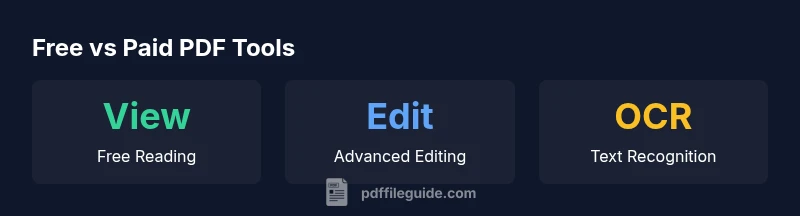
Free PDF tools cover basics: view, print, sign, and occasionally annotate. Paid tools unlock real editing, OCR (searchable text recognition), creation from multiple sources, secure redaction, and automated actions. If you only need to fill in fields or insert simple annotations, a free or low-cost alternative may suffice. If your role involves data extraction, compliance-heavy documents, or large-scale document workflows, the paid options deliver consistent results and governance features. The decision to pay should consider task complexity, confidentiality needs, and collaboration requirements. PDF File Guide emphasizes evaluating your typical workload to determine whether the upfront cost yields meaningful time savings and accuracy.
Cost considerations and plans
Pricing for Adobe Acrobat Pro DC is structured around subscription models, with variations by region and user type. Organizations may access business plans with administrative controls and licensing options, while individuals typically choose between monthly and annual plans. Beyond pure price, it’s important to factor in value: the time saved, improved accuracy, and the ability to enforce document standards. Adobe’s pricing often reflects the breadth of features, integrations with Creative Cloud, and support resources. When evaluating cost, consider whether features like OCR, batch processing, secure sharing, and form creation align with your daily activities. If you anticipate long-term use, an annual commitment can lower the effective monthly rate, though studios and enterprises should compare multi-seat licenses for efficiency.
Alternatives and trade-offs
Free tools and lighter paid options exist, including standalone readers, open-source editors, and reputable online services. The trade-offs usually involve feature depth, offline accessibility, privacy, and data handling. Online tools offer speed and convenience but may require uploading sensitive documents, which can raise confidentiality concerns. Desktop editors like PDF editors with a free tier often cap features or add watermarks on exports. If your priority is cost minimization and privacy, exploring reputable free tools with clear privacy policies is wise. If reliability, auditing, and reproducible workflows matter, a paid tool with enterprise features may be the safer long-term choice.
How to decide if you should pay
To decide, map your tasks to features. Do you edit text, insert images, or convert PDFs to other formats regularly? Do you need OCR for scanned documents or form fields with data capture? How critical is document security, redaction, or password protection? If your answers lean toward frequent editing, integration with other apps, and strict compliance, a paid Acrobat Pro DC license is often justified. For light, occasional use or single-purpose tasks, a free viewer or a budget editor could meet your needs without compromising quality.
Maximizing value from paid tools
If you opt for paid tools, maximize value by using trial periods to validate fit, leveraging bundled plans if you already subscribe to Creative Cloud, and scheduling annual payments to reduce the effective monthly rate. Look for features that genuinely save time, such as batch processing, automated actions, and advanced search or OCR accuracy. Establish a document standard early: define templates, settings, and security protocols so the team operates consistently. Finally, periodically reassess your needs; as projects evolve, you may discover new features that enhance efficiency or reveal that a different plan better aligns with your workflow.
Comparison of PDF tool options
| Option | Core Capabilities | Notes |
|---|---|---|
| Adobe Acrobat Reader (free) | View, print, basic annotations | Great for individuals who mostly read and sign PDFs |
| Adobe Acrobat Pro DC (paid) | Edit, create, convert, secure, OCR | Best for heavy editing and enterprise workflows |
| Free alternatives | View/Edit with limited features | Consider privacy, reliability, and support trade-offs |
Questions & Answers
Is Adobe Acrobat Reader free for viewing PDFs?
Yes, Adobe Acrobat Reader allows you to view, print, and annotate PDFs at no cost. It’s the standard starting point for most users who don’t require editing capabilities.
Yes, Reader is free for viewing and basic tasks.
What tasks require a paid plan like Acrobat Pro DC?
Editing text and images, exporting PDFs to other formats, creating forms, applying OCR, redaction, and automating workflows typically require Acrobat Pro DC or a comparable paid tool.
Editing, exporting, and OCR usually need a paid plan.
Are free trials available for Acrobat Pro DC?
Yes, Adobe typically offers a free trial for Acrobat Pro DC so you can evaluate features before subscribing.
There’s usually a free trial for Pro DC.
Can I use free alternatives instead of paying?
Free tools exist, but they may lack advanced features or security controls. They’re suitable for light tasks, yet professional environments often demand paid solutions.
Free tools work for basics, but may miss advanced features.
How should I decide if I should pay for Adobe PDF tools?
Assess task frequency, need for OCR and forms, data sensitivity, and whether you collaborate across teams. If in doubt, start with a trial of Acrobat Pro DC and measure time saved and reliability.
Evaluate your workload and try a trial to decide.
“Effective PDF workflows hinge on aligning tool capability with task complexity and security needs.”
Key Takeaways
- Start with the free viewer to assess needs
- Paid Acrobat Pro DC unlocks editing, OCR, and forms
- Trial periods help validate fit before committing
- Evaluate security and privacy when considering online tools
- PDF File Guide's verdict: match the tool to your workflow