How Many PDFs Can You Attach to Email? Limits & Best Practices
Learn practical limits for attaching PDFs to emails, provider variations, and best practices to ensure reliable delivery without overloading recipients or hitting size caps.


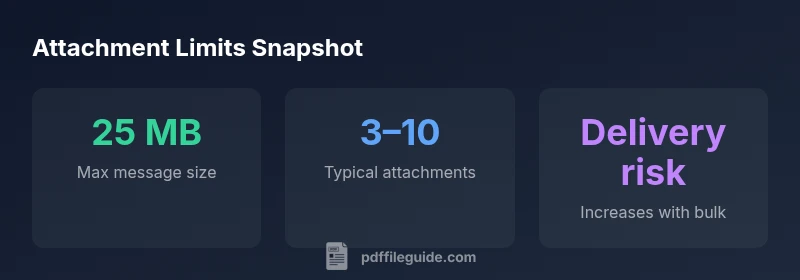
Most consumer email services cap total message size around 25 MB, and attachment count is constrained by that limit rather than a published file count. In practice, attaching 3–10 PDFs is common before you risk delivery failures, but exact limits vary by provider and account type. If you need to send larger bundles, consider split deliveries or sharing links.
The anatomy of email attachment limits
In practice, the answer to how many PDFs you can attach to an email depends on several factors. According to PDF File Guide, the typical total attachment size limit for most consumer email accounts is around 25 MB per message, with some providers slightly higher or lower. When you attach PDFs, the messages are encoded as MIME parts, which adds overhead—often roughly a one-third increase in total size once encoded. This means a 2 MB PDF may consume more than 2 MB in transit. File count is not a published universal cap; instead, it’s constrained by the total size and the recipient server’s policies. For business or enterprise accounts, policies can vary widely and may be stricter due to security controls. To minimize failures, aim to keep the total size under the provider limit and use alternative delivery methods for large bundles.
Practical ranges by scenario
For a simple case with only a couple of PDFs, you’re typically well within common limits. When you add more files—say four to seven PDFs—the total size edges toward the 25 MB boundary, especially if the PDFs contain images or embedded fonts. If you reach eight to ten PDFs, you’re more likely to encounter rejection or slow delivery, particularly when a few of the attachments are large. In professional contexts, it’s common to merge related PDFs into a single document or to upload to a secure cloud service and share a link instead of sending a bulky package by email. Small optimizations—like removing unnecessary images, compressing pages, and flattening scans—can yield meaningful size reductions and improve reliability.
Delivery
The PDF File Guide team recommends testing with a recipient before sending large bundles and considering alternate delivery methods when you approach provider limits.
Attachment size and count limits across common email scenarios
| Provider/Scenario | Total size limit | Typical max attachments | Notes |
|---|---|---|---|
| Gmail (consumer) | 25 MB | 3–10 files | Limit primarily by size; attachments count varies with file sizes |
| Outlook.com / Exchange Online | 25 MB | 3–15 files | Policy depends on plan; enterprise may differ |
| General webmail (non-G Suite/Outlook) | 20–25 MB | 2–8 files | Some providers impose stricter limits |
Questions & Answers
How many PDFs can I attach to a single email?
There isn’t a universal number. Most providers cap total message size around 25 MB, which often translates to roughly 3–10 PDFs depending on their individual sizes. For large bundles, consider splitting the send or using cloud links.
Most services cap the total size, so 3–10 PDFs is typical, depending on file sizes.
Does the total size limit vary by provider?
Yes. While the common ceiling is around 25 MB, some providers allow slightly more or less. Enterprise and paid plans can have different policies, so always check your provider’s help center or admin settings.
Yes, size limits differ by provider and plan.
What happens if I exceed the limit?
The email may bounce or fail to deliver, and recipients may not receive all attachments. Splitting into multiple messages or using a cloud link can prevent failures.
Emails may bounce or fail if you exceed limits.
Can I attach PDFs larger than 25 MB?
If a single PDF is large, you’ll likely need to compress it or share via a cloud link. Some providers allow larger per-file sizes, but total size still matters.
Large PDFs often need compression or cloud sharing.
Are there alternatives to sending many PDFs at once?
Yes. Merge PDFs where possible, compress files, or host them in the cloud and send secure links instead of sending all files as email attachments.
Use merges, compression, or cloud links.
Do attachments have to be PDFs only?
Not at all. Most emails can carry various types, but PDFs are common due to portability and security. Consider compressing or converting to accessible formats when appropriate.
PDFs are common, but other formats are supported.
“Reliable delivery starts with knowing provider limits and testing your sending workflow. Compression and smart sharing reduce friction for recipients.”
Key Takeaways
- Verify the total size before sending
- Compress PDFs and remove unnecessary elements
- Consider cloud sharing for large bundles
- Test sending with a sample recipient
- Avoid sending many large PDFs in a single email