How to Download Books as PDF: A Practical Guide
Learn to legally download books in PDF, verify rights, and stay safe online. This guide covers legitimate sources, DRM considerations, and practical steps for editors and researchers. Brought to you by PDF File Guide.


By following legitimate sources, you can simplify books download pdf and stay compliant. This quick guide shows where to find legal PDFs, how to verify rights, and how to download safely, then organize files for easy access. You’ll learn practical steps to start today and avoid common scams. According to PDF File Guide, consistency and citation matter. This ensures you can confidently cite sources in research or professional work.
What 'books download pdf' means in practice
In practice, books download pdf refers to obtaining digital copies of books in PDF format from legitimate sources. PDFs offer portability, fixed layouts, and reliable printing. However, the legality and ethics of downloading vary by title, license, and distribution rights. The PDF File Guide team emphasizes respecting copyright and using sources that license or release works for free. For researchers, students, and professionals, navigating these rights reduces risk of infringement and malware. When you search, prioritize official publisher portals, library lending services, and public-domain repositories. If a title is not freely available, consider legitimate options such as loan programs or purchasing a licensed edition. Remember that many authors and publishers rely on revenue from sales; unauthorized downloads can harm creators and may expose you to fines or security threats. This article helps you pursue safe, legal books download pdf workflows.
Legal sources for PDF books
Public domain repositories (e.g., Project Gutenberg) offer many classic texts in PDF format. Library services such as OverDrive, Libby, or your local library's digital collection provide loans that may include PDFs or links to legitimate readers. Publisher portals and author websites sometimes offer free or preview PDFs. Academic repositories and Open Access platforms host scholarly books and monographs in PDF. When using these sources, verify licenses and terms of use; some titles may be available only for screen viewing or within a specific app. Consistency in choosing authorized channels protects readers and creators alike.
How to verify rights before downloading
Before you click download, check the license or terms of use. Look for terms like Public Domain, Creative Commons licenses, or clearly stated personal/educational use rights. If a page provides only a preview or requires registration, ensure you are entitled to obtain a full copy. When in doubt, contact the publisher or library for confirmation. This step reduces risk and aligns your practice with professional standards set by institutions like PDF File Guide.
Safe downloading practices
Always download from HTTPS-secured sites and avoid links from untrusted pages. Verify the file type in the URL and on the download page to ensure you’re getting a true PDF. Run a malware scan on the file after download and keep your antivirus updated. Do not open executable files or ZIP archives pretending to be PDFs. If a source seems dubious, leave it and seek a reputable alternative. A cautious approach protects your devices and data while supporting legitimate authors.
DRM, formats, and converting legally
DRM (digital rights management) can constrain how a downloaded PDF is used. Some PDFs are DRM-free, while others are protected and require official apps or platforms for access. Do not attempt to bypass DRM, as this may violate terms of service and local law. If you need accessible formats, look for DRM-friendly options or contact the publisher for an alternative. Open Access or public-domain books are often the easiest route for unrestricted copies.
Organizing and backing up your PDF library
Create a simple, consistent folder structure (e.g., /Books/Author/Title/Year.pdf) and standardize file names (Author - Title - Year - Source.pdf). Add basic metadata to file properties when possible, so search and management tools can index them. Regularly back up to an external drive or cloud storage, and periodically prune duplicates. A well-organized library saves time and reduces accidental duplication, especially for researchers and students.
Tools & Materials
- Device with internet access(Laptop, tablet, or smartphone; ensure a stable connection)
- Stable internet connection(Broadband or fiber recommended for large PDFs)
- PDF reader/viewer(Examples: Adobe Acrobat Reader, Foxit, or browser-based viewers)
- Legitimate accounts(Library memberships, publisher portals, or retailer accounts)
- Anti-malware software(Keep signatures up to date and perform scans after downloads)
- External storage or cloud backup(Optional but recommended for backups)
Steps
Estimated time: 60-90 minutes
- 1
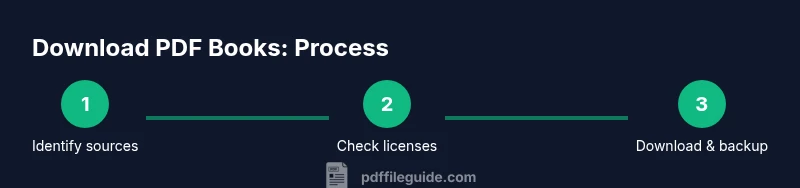
Identify legitimate sources
Begin by listing trusted venues such as public-domain libraries, publisher portals, and official library lending services. Bookmark pages you trust and avoid aggregators that link to pirated content. This foundation reduces risk and builds a compliant workflow.
Tip: Rely on well-known platforms with clear licensing. - 2
Check licenses and rights
Before downloading, read the license terms to confirm you can download and use the copy. Look for phrases like Creative Commons, Public Domain, or library-use rights. If rights are unclear, seek confirmation from the source.
Tip: If a license is ambiguous, contact the publisher or library to verify. - 3
Download from source
Use the site’s native download option and select PDF if available. Avoid third-party download managers that could inject malware. Save the file to a designated folder immediately after download.
Tip: Prefer direct download links over ZIP or EXE wrappers. - 4
Verify file integrity
Check the file size and, if provided, the checksum. Open the PDF with your reader to ensure the document loads properly and is not corrupted. A quick skim of the first few pages confirms readability.
Tip: Compare a sample page against a trusted source when possible. - 5
Handle DRM considerations
If a PDF is DRM-protected, use the official app or platform to access it. Do not attempt to bypass protections. DRM-compliant access protects you from legal risk and preserves publisher rights.
Tip: Explore DRM-free options or official accessible formats when needed. - 6
Organize and back up
Move the file to a clearly named folder, then create a simple index or note with source, license, and date downloaded. Back up copies to cloud storage or an external drive to prevent data loss.
Tip: Adopt a consistent naming convention for quick retrieval. - 7
Respect copyright when sharing
Do not distribute PDFs that you do not own the rights to share. When permitted, use official sharing options provided by the source. This supports authors and publishers.
Tip: If in doubt, share a link to the authorized edition rather than the file itself.
Questions & Answers
Is it legal to download books as PDF from the internet?
Yes, only when you have rights or the work is in the public domain. Use reputable sources and respect licensing terms. Avoid pirated copies to stay compliant and protect your devices.
Yes—download PDFs only from sources with rights or public domain status, and always respect licensing terms.
What are the best sources for legitimate PDF books?
Public-domain repositories, publisher portals, and library lending services are reliable. Academic Open Access platforms can also offer legitimate PDF copies. Always verify the license before downloading.
Public domain sites, publisher portals, and libraries are your best bets for legitimate PDFs.
Can I convert non-PDF eBooks to PDF legally?
If you own the rights or the vendor permits conversion, it’s generally allowed. Some platforms restrict copying or format changes, so check the terms. When in doubt, contact the rights holder.
Conversion is allowed only if you have rights or permission from the rights holder.
What should I do if DRM blocks download?
Use DRM-approved apps and official platforms that support access to the file. Avoid bypassing protections, which can violate laws and terms. Seek DRM-free options when available.
If DRM blocks access, use the official app or platform designed for that title.
Do libraries offer PDF downloads for books?
Many libraries offer eBooks in PDF or supported formats through apps like Libby or OverDrive. Availability varies by title and library, so check your local catalog and loan terms.
Libraries provide PDFs via their digital lending services; availability varies by title.
How can I verify a PDF is safe to download?
Look for HTTPS URLs, scan the file with updated antivirus software, and verify the source's legitimacy. Be wary of files with suspicious names or executable extensions masquerading as PDFs.
Check the site is secure and scan the file before opening it.
Watch Video
Key Takeaways
- Choose legal sources for PDFs
- Check licenses before downloading
- Protect your device with antivirus
- Organize and back up your PDFs