Difference Between PDF and EPUB: A Practical Guide for Editors and Readers
An analytical comparison of the difference between pdf and epub, detailing layout fidelity, reflow behavior, accessibility, device compatibility, and practical workflows for editors and readers.


PDF is a fixed-layout, device-agnostic container best for printing and preserving exact formatting, while EPUB is a reflowable format designed for reading on varied screens. EPUB supports accessibility features and dynamic font sizing, but may require reflows for precise layout. The difference between PDF and EPUB often hinges on whether you prioritize distribution fidelity or adaptive readability; the best choice depends on audience and workflow.
Why the difference matters for editors and readers
Understanding the difference between pdf and epub is essential for editors, educators, and professionals who edit, convert, and optimize documents. The choice shapes how content is laid out, how easily text can be resized, and how accessible the material is across devices. PDF offers predictable page geometry, font embedding, and reliable print fidelity, making it the preferred choice for final proofs and archival storage. EPUB, on the other hand, emphasizes reflowable text, scalable typography, and device-agnostic reading experiences, which can dramatically improve comfort on phones and tablets. This article, drawn from PDF File Guide expertise, unpacks the core distinctions, addresses common misconceptions, and provides decision criteria you can apply in real-world workflows. Expect a practical, non-value-laden comparison that helps you decide between maintaining strict formatting or enabling flexible, responsive reading. The goal is not to declare a single winner, but to map use cases to format strengths and constraints.
Core file structure: PDF vs EPUB
PDF is a fixed-layout container that bundles text, images, vector graphics, fonts (often embedded), and interactive elements into a single, portable file. EPUB is a zipped package that contains XHTML or HTML5 content, CSS styling, metadata, and assets like images. These structural differences drive how each format is built, stored, and parsed by readers. In practice, PDFs aim for a faithful page-by-page rendering, while EPUBs prioritize semantic markup and flexible presentation. For professionals editing or converting documents, understanding this structural distinction helps anticipate what will survive formatting changes, what may require reflow, and how accessibility metadata is preserved during packaging.
How layout and typography are handled
PDF encodes exact typography and page geometry, including font choices, kerning, and line breaks, ensuring a printable result matches the source. Since fonts are often embedded, the same appearance travels across devices and printers. EPUB uses CSS and HTML semantics to describe typography, allowing readers to resize text, change fonts, and reflow lines to fit a screen. This fundamental difference means a complex multi-column layout that looks perfect in PDF may need responsive redesign in EPUB. For editors, this is a reminder to separate content from presentation when authoring, so the same content can render well in both formats with minimal adjustments.
Readability on devices and reflow behavior
Reflow is at the heart of the EPUB experience. When a reader increases font size or switches device orientation, lines wrap dynamically and images reflow accordingly. PDFs preserve a fixed pagination, which can be excellent for legibility in print or fixed-screen contexts but can feel cramped on small devices. The practical takeaway: if your audience studies content on smartphones or e-readers, EPUB offers a more comfortable reading experience; if your readers expect exact page layouts, PDFs perform better on most devices when used in compatible apps. Testing across popular devices is essential to confirm readability expectations.
Accessibility considerations
Accessibility-friendly design benefits from semantic structure, meaningful headings, and alternative text. EPUBs allow authors to encode this information within HTML and CSS, making screen reader navigation more predictable. PDFs can also be accessible, but tagging and reading order depend heavily on authoring practices and the tools used to create the PDF. The difference between pdf and epub in this area often comes down to workflow: producing an accessible EPUB from the start is typically simpler for long-form digital reading, while ensuring accessible PDF requires careful tagging and verification after conversion.
Media and interactivity capabilities
EPUB supports multimedia overlays, such as audio and video, along with interactivity in some readers, especially in fixed-layout EPUBs. PDFs can embed multimedia too, including 3D models and rich annotations, but interactivity is less universally supported across consumer apps. For textbooks and manuals, EPUB's flexible layout shines when combined with media for an enhanced reading experience; for reference documents, PDFs preserve precise figures, forms, and print-ready elements. Remember: media support also depends on the reader software, so verify compatibility with your target devices.
File packaging and metadata
EPUB packaging uses a predictable, open structure with metadata in OPF files and a manifest. This makes EPUBs easier to catalog, index, and search in digital libraries. PDFs store metadata inside the file header and optional XMP metadata sections, but extraction can be less consistent across tools. For archival workflows, PDF/A variants exist to support long-term preservation, whereas EPUBs rely on ongoing standards updates and reader compatibility. Understanding these packaging details helps with cataloging and search optimization.
Tools and workflows for conversion
Conversions between PDF and EPUB occur in both directions, but they carry different risks and opportunities. Converting PDF to EPUB often focuses on reflowing text, reflowing tables, and re-creating semantic structure, whereas EPUB to PDF requires approximating fixed layouts and font usage. In practice, automated tools work best for simple layouts but may struggle with complex tables, multi-column formats, or intricate graphic treatment. Manual adjustment—tagging, CSS tuning, and content reorganization—frequently yields the best results when aiming for high-quality outputs.
Practical decision criteria by use-case
If your goal is print fidelity for distribution to publishers or archival records, PDF remains the safer default. If your objective is mobile-first reading, accessible content, or distributing to readers who use a variety of devices, EPUB is often the better choice. Consider your audience’s devices, required accessibility features, and the level of typography control needed for branding. In mixed scenarios, maintain originals in a master format and publish derivatives in both PDF and EPUB to cover different use cases.
Common misconceptions and pitfalls
A common misconception is assuming PDFs are universally accessible by default. Accessibility depends on tagging and structure, not the file extension alone. Another pitfall is assuming a perfect one-to-one content transfer between formats; complex layouts, auto-generated tables, or embedded fonts may not translate cleanly. Finally, always verify metadata and accessibility attributes after conversion, because even small gaps can reduce searchability and readability across devices.
Security, archival quality, and longevity
From an archival perspective, PDFs—particularly PDF/A variants—are often chosen for preserving exact content over decades, provided the fonts and assets are embedded and preserved. EPUBs can be durable if kept within standards-compliant ecosystems and library platforms, but the long-term stability depends on ongoing support and reader compatibility. For critical documents, plan a dual-strategy: store high-fidelity PDFs for print and archivable records, and deliver EPUBs for broad digital access, ensuring both formats preserve essential content and metadata for future retrieval.
A guide to choosing the right format for different audiences
Ultimately, the best choice hinges on audience needs and how content will be consumed. For readers seeking precise page-by-page reproduction and print-ready materials, PDF is the natural option. For users on mobile devices, or those who require adjustable typography and enhanced accessibility, EPUB shines. A practical approach is to start with your content in a flexible, semantically tagged format, then generate PDFs for distribution where fixed layouts matter. This strategy reduces rework, preserves core information, and aligns with common publishing workflows used by professionals today.
Comparison
| Feature | EPUB | |
|---|---|---|
| Layout fidelity | High; fixed pages | Moderate to high; reflowable text |
| Typography control | Font embedding and fixed metrics | CSS-driven typography with scalable sizing |
| Device readability | Best for print-ready workflows | Optimized for varied screen sizes |
| Accessibility features | Tagging available but tool-dependent | Strong semantic tagging and screen reader support when created properly |
| Media support | Embedded fonts/graphics; forms | Multimedia overlays and interactive content in some readers |
| Searchability | Searchable text preserved; OCR gaps may occur | Text is embedded in XHTML for easy search |
| Archival/long-term, metadata | PDF/A options; widely used for archives | EPUB metadata and packaging standards in flux |
| File size considerations | Often larger due to fonts and fixed images | Typically leaner text-based content; assets matter |
Strengths
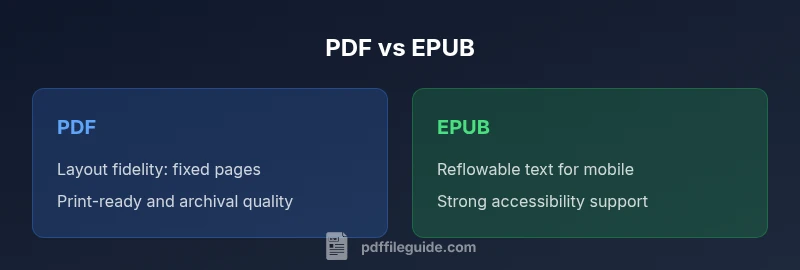
- PDF preserves exact layout and print fidelity across devices
- EPUB enables reflowable text and accessible reading on mobile
- EPUB supports semantic markup and flexible typography
- PDF is widely supported in professional and archival workflows
Disadvantages
- EPUB may struggle with complex layouts and tables during reflow
- PDF files can be large and less adaptable to small screens
- Accessibility in PDFs depends on tagging and structure, not the format alone
PDF is best for fixed layouts and print fidelity; EPUB excels in flexible reading and accessibility.
Choose PDF when layout fidelity and archival storage are priorities. Choose EPUB when readers need reflowable text, adjustable typography, and broad device compatibility.
Questions & Answers
What is the main difference between PDF and EPUB?
PDF is a fixed-layout format that preserves precise page geometry, ideal for printing and archival use. EPUB is reflowable and HTML-based, optimized for flexible reading on diverse devices.
PDF fixes layout; EPUB adapts to your screen.
Which format is better for ebooks?
EPUB is typically better for ebooks because it reflows text to fit different screen sizes and supports adjustable typography. PDFs can be readable on ebooks but may require zooming and horizontal scrolling.
EPUB usually wins for ebooks.
Can a PDF be accessible like an EPUB?
Yes, but it depends on tagging, reading order, and the tools used to create the PDF. EPUB often makes accessibility easier through semantic markup, but both formats require careful authoring.
Accessibility depends on how you author the document, regardless of format.
How do I convert PDF to EPUB?
Use specialized conversion tools or workflows that preserve structure, headings, and metadata. Expect some reflow adjustments and potential layout changes, especially for complex graphics.
Tools exist, but you may need manual tweaks after conversion.
Are PDFs readable on mobile devices?
Yes, PDFs can be readable on mobile, but readability improves when the file is designed for mobile viewing or converted to EPUB. Many apps render PDFs well, though fixed layouts can hinder small-screen reading.
PDFs can work on mobiles, but EPUB often offers a smoother experience.
Should I archive using PDF or EPUB?
For long-term archival, PDFs (especially PDF/A) are common due to stable rendering and print fidelity. EPUBs preserve content in a flexible form, but long-term support depends on reader ecosystem updates.
PDF/A is popular for archiving; EPUB relies on ongoing support.
Key Takeaways
- Assess layout needs before choosing format.
- PDF preserves exact page geometry for print-ready material.
- EPUB enables reflowable text and mobile-friendly reading.
- Accessibility depends on authoring workflows and tagging quality.
- A dual-format publishing strategy can cover diverse audiences.