Difference Between a PDF and a JPG: A Practical Guide
Explore the difference between a pdf and a jpg, covering structure, compression, editing, accessibility, and ideal use cases for documents vs images.


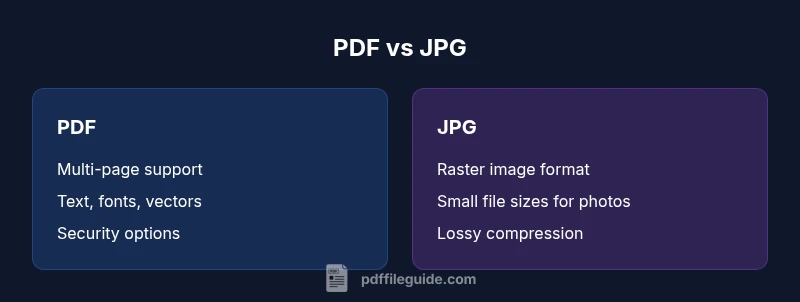
The difference between a pdf and a jpg lies in purpose and structure: PDF is a document format that preserves layout, fonts, and interactive elements, while JPG is a raster image format optimized for photographs. PDFs support text, searchability, and multi-page content; JPGs compress image data, sacrificing text fidelity. For official documents and archiving, choose PDF; for simple image sharing, JPG is usually better for size and speed.
What Are PDFs and JPGs? A Quick Refresher
The difference between a pdf and a jpg is not just about file size; it reflects two distinct design goals. A PDF (Portable Document Format) is built to reliably represent documents across software, hardware, and operating systems. It preserves typography, fonts, and page layout, and can embed vector graphics, hyperlinks, forms, and accessibility features. A JPG (Joint Photographic Experts Group) image is a compressed raster format designed for photographs and complex color blends. It stores color information as pixels, using lossy compression to shrink file size. For professionals who edit, convert, and optimize PDFs, understanding this divide helps you choose the right format from the start. According to PDF File Guide, PDFs excel at long-term fidelity and document integrity, while JPGs excel at rapid image sharing. The right choice depends on whether your priority is text accuracy and structure or image simplicity and loading speed.
Comparison
| Feature | JPG | |
|---|---|---|
| Best for | Document distribution with fidelity, interactivity, and forms | Single images or photos for quick sharing |
| Data types supported | Text, fonts, vectors, forms, annotations, and embedded metadata | Raster image data stored as pixels (color JPEG compression) |
| Compression and quality | Supports lossless and lossy options; scalable vectors and font embedding | Lossy compression; fixed pixel resolution; quality varies with compression level |
| Editability | Easily editable with specialized tools; content can be extracted and reflowed | Not easily editable; editing usually requires raster or recomposition |
| Text/searchability | Text is searchable; OCR optional for scanned content | No inherent text; images require OCR to be searchable |
| Printing fidelity | Strong control over color profiles (including CMYK for print) | Printing depends on the source image; color accuracy is limited by the original |
| Security/metadata | Encryption, passwords, permissions; rich metadata support | Limited security; metadata is basic and content-oriented |
| Typical file size | Variable; can be larger for multi-page documents with fonts | Typically smaller per image; varies with resolution and chroma subsampling |
Strengths
- Preserves layout and typography across devices
- Supports multi-page documents and interactive elements
- Enables accessibility features and metadata for indexing
- Widely used in professional printing and archiving
Disadvantages
- Can be larger and slower to render on low-end devices
- Editing often requires specialized tools
- Converting to other formats may introduce fidelity loss
- OCR may be needed for full text search in some cases
PDF is generally the better choice for documents; JPG excels for images.
Choose PDF when fidelity, searchability, and archival quality matter. Choose JPG when you need compact image files for fast loading and easy sharing. This aligns with standard workflows across offices and creative projects.
Questions & Answers
What is the main difference between PDF and JPG?
PDF is a document format that preserves layout, fonts, and interactive elements; JPG is a raster image format with lossy compression. PDFs support text search and multi-page content, while JPGs focus on pixel-based images.
PDF keeps documents' layout and text editable and searchable, while JPG is best for simple photos and fast sharing.
Can a PDF contain embedded images like a JPG?
Yes. A PDF can embed multiple image types, including JPG, within a document. It can also include vector graphics, text, and forms all in one file.
Yes, PDFs can hold images and lots more in a single file.
Are PDFs suitable for editing text after creation?
Yes, but editing usually requires specialized tools (PDF editors) and may involve reflowing text or modifying fonts. Some PDFs are scanned images and need OCR for text editing.
You can edit PDFs with the right software, but not as easily as editing a Word document.
Which format is better for printing quality, PDF or JPG?
For printing, PDFs are typically preferred due to better support for color management, vector elements, and multi-page layouts. JPGs can be printed well if the image resolution is high, but lack document structure.
PDFs are usually better for print; JPGs are fine for printed photos if resolution is high.
How does accessibility differ between PDF and JPG?
PDFs can be structured for screen readers with tagged content and alt text. JPGs are images and require separate accessibility strategies (like OCR and alt descriptions) to be usable by assistive technologies.
PDFs are more accessible by design; JPGs need extra steps to be accessible.
What should I consider when converting between formats?
Converting from PDF to JPG may reduce text fidelity and introduce rasterization. Converting JPG to PDF can create larger files and lose vector information unless you preserve the original text separately.
Be aware that converting formats can reduce quality or lose features.
Key Takeaways
- Choose PDF for multi-page documents with text and forms
- Use JPG for photographs and quick image sharing
- Consider color and print requirements before converting formats
- Prefer PDFs for long-term archiving and accessibility
- Be mindful of compression settings to preserve fidelity