Difference Between PDF and JPEG: A Comprehensive Comparison
An analytical look at the difference between PDF and JPEG, covering structure, compression, use cases, editing, and workflows for professionals who edit, convert, and optimize PDFs.


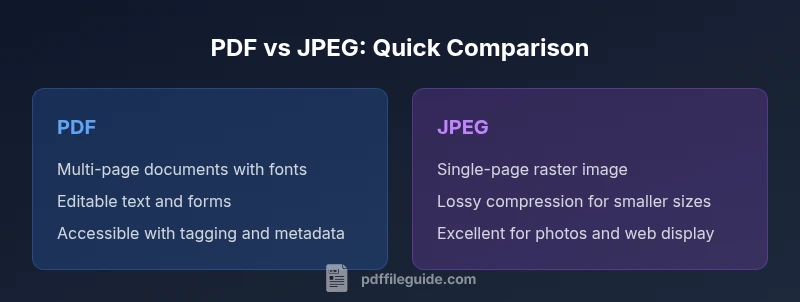
For most professionals, the difference between pdf and jpeg hinges on structure and purpose: PDF preserves documents with fonts, layouts, and interactivity across devices, while JPEG is a raster image format optimized for photos with lossy compression. Use PDF for multi-page documents and archiving; use JPEG for individual images or web-ready photos. PDF File Guide's analysis highlights these core distinctions to guide editing, conversion, and optimization decisions.
What PDFs and JPEGs Are
PDF, or Portable Document Format, and JPEG, a Joint Photographic Experts Group image standard, occupy different corners of the digital file ecosystem. The difference between pdf and jpeg is not simply about file size; it is about how content is stored, displayed, and reused. According to PDF File Guide, PDFs are designed as reliable containers for multi-page documents that preserve typography, layout, and interactive features across devices and platforms. They support embedded fonts, hyperlinks, forms, and metadata, which makes them ideal for official documents, manuals, e-books, and printable reports. JPEG, by contrast, is a raster image format optimized for photographs and web images. It encodes pixel data and uses lossy compression to balance quality with small file sizes. The practical upshot is that PDFs excel at documents with text and structure, while JPEGs shine for single-image visuals where precise fidelity is not required across scaling.
Structural Foundations: Document Structure vs Image Raster
A PDF is a structured container: pages, embedded fonts, vector graphics, hyperlinks, and metadata all coexist in a single file. This is what enables features like searchable text, selectable content, form fields, and accessible tagging for assistive technologies. A JPEG is a flat raster image: a grid of pixels with color values. There is no inherent notion of pages, text layers, or structural semantics. When you open a PDF, you’re interacting with a designed document workflow; when you open a JPEG, you’re viewing an image. The difference between pdf and jpeg becomes especially evident when you zoom, crop, or print—PDFs preserve vector-like text and scalable layouts, while JPEGs compress to a fixed raster resolution.
Compression and Quality: Lossless vs Lossy
Compression is the central technical distinction that affects how long a file lasts in a workflow. PDFs can carry both text and graphics in lossless ways, and components of a PDF—such as embedded fonts and vector elements—can remain crisp when scaled. JPEG uses lossy compression that reduces file size by discarding some image data, often at the expense of fine detail, especially in flat color regions or edges. For a document with charts, fonts, and hyperlinks, compression in a PDF is typically controlled to preserve legibility; for a photograph or natural image, JPEG compression prioritizes smaller sizes and faster transmission. The difference between pdf and jpeg is most obvious in how compression degrades content: PDFs can maintain readability, while JPEGs gradually degrade under higher compression.
Page Layout, Fonts, and Vector Graphics
PDFs support multi-page layouts with embedded fonts, scalable vector graphics, and exact typography. This makes PDFs ideal for manuals, reports, invoices, and forms where consistent presentation matters. JPEGs are raster images—pixel-based and resolution-dependent—so text inside a JPEG is not truly editable as text and loses crispness if scaled. When you print or archive a document intended for professional reuse, PDFs provide layout fidelity and font fidelity that JPEGs cannot offer. The PDF format’s ability to embed fonts ensures that the document appears the same on different devices, a feature JPEG can’t emulate because it encodes text as pixels.
Accessibility, Metadata, and Searchability
Accessibility features—like tag trees, reading order, and alternative text—are built into designed PDFs. Properly labeled PDFs support screen readers and assistive technologies, enabling search, copy, and navigation. JPEG lacks this structural information; text within a JPEG is embedded as pixels, not as characters, and searchability requires OCR after the fact. Metadata in PDFs can store author, title, subject, and keywords, adding value for archiving and discovery. JPEG EXIF data or metadata is more limited in terms of document semantics. The difference between pdf and jpeg is clear here: PDFs enable robust accessibility and metadata workflows, while JPEGs primarily convey visual content.
Color Management and Transparency
PDFs can manage color spaces carefully, embed ICC profiles, and support transparency in vector and raster content. This makes PDFs predictable for print and professional color workflows. JPEGs are inherently raster and typically do not carry explicit transparency (though transparency might be simulated via alpha channels in some contexts); color accuracy in JPEGs depends on compression and color subsampling. When precision matters for branding, packaging, or professional printing, PDFs offer more control. The difference between pdf and jpeg extends to color handling: PDFs align with print standards, while JPEGs are optimized for display on screens with variable color fidelity.
Use-Case Scenarios: When to Use Each
Use PDF when you need a reliable, multi-page document with consistent typography, forms, and interactive elements. PDFs are the preferred choice for official documents, reports, manuals, e‑books, and archivable records. JPEG is ideal for single-image tasks—photographs for websites, blog thumbnails, or quick image sharing where file size or compatibility is critical. For marketing materials that mix text and images, a common workflow is to export a PDF for printing or official use, and a JPEG version for web previews. The difference between pdf and jpeg here is practical: PDFs stabilize document presentation; JPEGs optimize for fast image delivery and display.
Conversion Workflows: Moving Between Formats
Converting from PDF to JPEG is common when you need to create single-image previews or thumbnails of pages. The result will be a raster image of the chosen page at a fixed resolution; you’ll lose editable text and scalable typography. Converting from JPEG to PDF can be useful for archiving a set of images as a single document, often by creating a multi-page PDF with each image as a page. In both directions, expect some quality changes due to compression, resolution, and color handling. Plan ahead for print or web use by selecting the appropriate resolution, color profile, and compression settings during the export process.
Common Pitfalls and Myths
A frequent pitfall is assuming a JPEG will replace a PDF in professional workflows because it’s smaller. While JPEGs can be smaller for photos, they strip away document structure, text searchability, and re-editability. Another myth is that all PDFs are easily editable; while many PDFs are, some are secured or flattened in ways that limit editing. Conversely, exporting every page of a PDF as JPEGs can lead to large archives with redundant images and loss of accessibility features. The difference between pdf and jpeg often comes down to intent: preserve structure and typography versus deliver a single image with minimal files.
Practical Decision Framework: Quick-start Guide
To decide quickly, ask: Do I need multi-page content with text and forms? If yes, choose PDF. Do I need a single, display-friendly image or a quick web-friendly graphic? If yes, JPEG is appropriate. Consider audience: for print, PDFs preserve layout fidelity; for web-only usage, JPEGs reduce bandwidth. Consider permanence: for long-term archival, PDFs with embedded fonts and metadata offer better longevity. Finally, anticipate editing needs: PDFs support future edits more readily than JPEGs, which remain rasterized unless converted back to vector or text.
AUTHORITY SOURCES
For further reading and technical details, consult authoritative references and standards. The PDF Reference from Adobe provides comprehensive information on how PDFs store fonts, graphics, and metadata. The official JPEG organization site outlines the JPEG family standards and their typical use cases. These sources support best practices for choosing between PDF and JPEG and for planning robust document workflows.
Comparison
| Feature | JPEG | |
|---|---|---|
| Pages and document structure | Multi-page documents with embedded fonts, links, forms, and metadata | Single-page raster images; typically one image per file |
| Compression and quality | Supports selective, often lossless components for text and vector elements | Lossy compression for images; quality depends on chosen compression level |
| Editability | Text, vector graphics, and layout are editable with the right tools | Editing is raster-based; edits modify pixels and degrade sharpness with repeats |
| Searchability and accessibility | Text can be searchable; accessibility features supported with tagging | Text is embedded as pixels; no inherent accessibility or search features |
| Use cases | Official documents, forms, manuals, reports, archiving | Photos, web images, thumbnails, quick-sharing visuals |
| Security and metadata | Password protection, encryption, permissions, and rich metadata | Limited security features; metadata exists but content is not secured like PDFs |
Strengths
- PDF preserves layout, fonts, and interactive features for documents
- JPEG provides small file sizes for images and fast web delivery
- PDF supports accessibility and robust metadata for archiving
- JPEG is universally viewable across devices without specialized software
Disadvantages
- PDFs can be large and require viewers that handle complex content
- JPEG is lossy and not suitable for text-rich documents or editing
- Converting from PDF to JPEG loses text searchability and vector data
- Many PDFs are secured or flattened, complicating edits
PDF is the better choice for documents; JPEG excels for images
For document-heavy workflows, prioritize PDFs for fidelity and editability. Use JPEG when the goal is compact images for display. Both formats serve distinct roles, so choose based on content type and downstream use.
Questions & Answers
What is the main difference between PDF and JPEG?
The difference between PDF and JPEG centers on content type and structure: PDFs are document containers with fonts, layouts, and interactive features; JPEGs are raster images optimized for quick display with lossy compression. This distinction drives when to use each format—documentation versus image delivery.
PDFs store documents with structure and text; JPEGs are flat images. Use PDFs for documents, JPEGs for photos.
When should I use PDF instead of JPEG?
Choose PDF when you need reliable typography, multi-page content, forms, and long-term archiving. PDFs preserve layout across systems, support accessibility, and allow security controls. Use JPEG when you need compact images for web or quick viewing.
Use PDF for documents with fonts and forms; JPEG for photos and simple images.
Can a PDF be edited easily?
PDFs can be edited with the right tools, especially for text, fonts, and vector elements. Some PDFs may be secured or flattened, limiting edits. JPEGs are not editor-friendly; edits alter pixels and degrade quality more readily.
PDFs are editable with appropriate software; JPEG edits are harder and degrade quality.
Does JPEG support multi-page documents?
JPEGs are primarily single-image formats. While you can combine multiple JPEGs into a multi-page PDF later, a JPEG file itself does not natively support multiple pages. PDFs inherently support multi-page documents.
JPEGs are single-page; use PDFs for multi-page documents.
Does JPEG preserve text searchability?
JPEG does not preserve text as text; any text must be extracted via OCR after saving as an image. PDFs can preserve searchable text and structured content when created with accessible tagging and text layers.
JPEGs are not searchable by text by default; PDFs can be.
Can I convert a PDF to JPEG without quality loss?
Converting a PDF page to JPEG introduces rasterization, which can reduce sharpness and legibility, especially for text and small details. Choose a higher resolution during export to minimize loss of quality, bearing in mind larger file sizes.
Yes, but expect some quality loss; increase resolution to reduce it.
Are PDFs password-protected or encrypted?
PDFs can be password-protected and encrypted to restrict access and modification. JPEGs offer limited security features by comparison. For sensitive documents, use PDFs with proper security settings and consider additional digital rights management.
PDFs support strong security; JPEGs offer limited protection.
Key Takeaways
- Choose PDF for multi-page documents with fonts and accessibility
- Choose JPEG for photos and simple images where file size matters
- Be mindful of compression trade-offs: PDFs maintain readability; JPEGs trade quality for size
- Editing PDFs remains easier than editing JPEGs; keep originals for archiving
- Plan conversions carefully to minimize quality loss and preserve metadata