How to Legally Obtain Free PDF Books
Learn legitimate methods to access books in PDF for free, including public-domain sources, library lending, and open-access repositories. This guide helps you avoid piracy and stay compliant while enjoying high-quality PDFs.


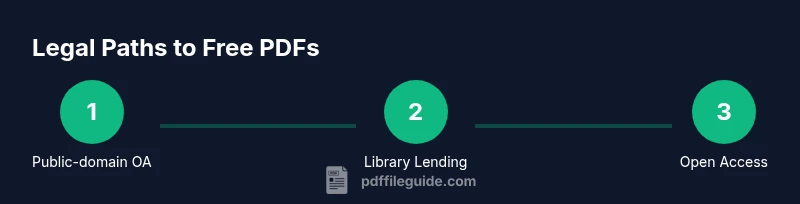
You can legally access many books in PDF for free by using public-domain libraries, library eBook programs, and open-access repositories. This guide shows safe paths to download or view PDFs without copyright infringement, including step-by-step options, reputable sources, and how to verify rights before saving a file. Whether you study, research, or simply enjoy reading, these methods prioritize legality, accessibility, and portable formats.
Legal Reality of 'any book pdf free download'
The search term 'any book pdf free download' is a frequent entry point for readers who want instant access to content. In reality, most modern books are protected by copyright, and unauthorized downloads can expose you to malware, legal risk, and poor-quality copies. A safer mindset combines curiosity with responsibility: seek sources that clearly articulate rights and licenses. According to PDF File Guide, the best path is to pursue legal routes that respect authors and publishers while still offering convenient access for reading and study. By understanding licensing, you can avoid pitfalls and still enjoy a wide library of PDFs.
The legal options are broad and practical: public-domain titles, author-approved open-access works, library eBooks, and publisher-approved downloads. These options provide legitimate, high-quality PDFs suitable for students, researchers, and casual readers. In addition, you gain the benefit of reliable metadata, searchable text, and proper formatting that makes study and annotation easier. This section lays the groundwork for choosing responsible sources before you click any download button.
Public-domain and open-access sources
Public-domain works are free to use because copyright has expired, been waived, or never existed. Project Gutenberg is a well-known hub for classic literature and reference works that have entered the public domain. Internet Archive hosts a broad collection of digitized works, including scanned books and text-friendly PDFs. Open-access repositories provide scholarly texts under licenses that permit free distribution, often for non-commercial use. These sources are excellent for study, research, and casual reading, and they typically offer downloadable PDFs in multiple formats. For researchers, PubMed Central and arXiv provide access to peer-reviewed studies and preprints in easily downloadable PDF form; these are especially valuable for science and technology topics. Using these sources ensures you are downloading content with clear licensing that supports reuse and distribution.
Library programs and eBook lending
Many public libraries offer digital lending programs that let you borrow PDFs and eBooks with a library card. Apps like Libby or OverDrive connect your library account to a curated catalog of titles available for checkout. Borrowed PDFs can be downloaded for offline reading or accessed through a secure reader provided by the service. Libraries often stock academic texts, classics, and popular fiction in PDF or eBook formats, making it convenient to obtain legitimate copies for a fixed borrowing period. If you are a student, your campus library may provide access to paid databases and eBook collections that include downloadable PDFs for personal use. Always review the license terms to understand how long you can keep a downloaded copy and what you can do with it afterward.
Open access and author-approved repositories
Open access ensures that scholarly works are freely available to readers worldwide. Repositories like PubMed Central host full-text PDFs of scientific articles, along with licensing information that explains reuse rights. arXiv provides preprints in physics, mathematics, computer science, and related fields, often with permissive licenses that allow downloading and reuse. In the humanities, many authors share versions of their work under Creative Commons licenses, and repositories make these available with clear attribution. When using open-access PDFs, pay attention to the license terms (e.g., CC BY, CC BY-NC) to understand whether commercial use or adaptation is permitted. This transparency supports legitimate use and helps you cite sources correctly.
Understanding licenses and rights
A solid understanding of licensing prevents accidental infringement. Public-domain works have no copyright restrictions, while most open-access items come with licenses that define how you can reuse them. Creative Commons licenses range from permissive (CC BY) to more restrictive (CC BY-NC-ND); some allow redistribution, others restrict commercial use or derivatives. When you download a PDF, always check the licensing block on the first page or the repository page. If in doubt, contact the author or rights holder for permission. This diligence protects you and respects the creators’ wishes while maintaining access to useful material.
Evaluating source legality and safety
Not every site that offers a PDF is trustworthy. Look for clear licensing information, author attribution, and a publication date. Reputable sources will be direct about rights and provide stable URLs that do not prompt risky downloads or excessive tracking. PDF File Guide analysis shows that legitimate repositories typically maintain consistent domain names, provide licensing statements, and avoid aggressive advertising that signals questionable practices. When in doubt, compare the source against known libraries, university repositories, or publisher pages. Avoid sites that pressure you to download executable files or offer suspicious bundles with unknown software.
Safe downloading practices and malware avoidance
Protecting your device starts with cautious behavior. Use secure connections (look for HTTPS), verify the domain is official, and avoid clicking on popups or auto-download prompts. Before saving a PDF, scan the file with up-to-date antivirus software and ensure the document is the expected version. If a site asks you to disable protections or install unfamiliar software, immediately leave the page. Always prefer direct downloads from a reputable repository, library app, or publisher portal. Keeping device security in mind ensures that your access to free PDFs remains hassle-free and safe.
Rights, citations, and research integrity
When you obtain PDFs legally, document the source and licensing information for future reference. Proper citation supports research integrity and helps others locate the same material. Open-access PDFs often include the license in the metadata or on the first page; use this information to format citations according to your preferred style (APA, MLA, Chicago, etc.). If you adapt or excerpt material, check whether the license allows derivatives and provide attribution as required. By adhering to licensing terms, you contribute to a healthy ecosystem for open knowledge and free access to information.
Alternatives for students and educators
If your goal is education or study, there are affordable and even free options beyond public-domain scans. Some publishers offer free access to selected chapters or entire textbooks during trials or promotions. Universities frequently provide access to academic libraries and digital subscriptions that cover a broad range of titles. For educators, author-approved excerpts and openly licensed materials facilitate teaching without compromising rights. Exploring these alternatives expands your resources while keeping you on the right side of copyright law.
Reading experience and formats for a better workflow
PDF is a versatile format for viewing and printing, but other formats can improve readability on different devices. If you plan to annotate, search, or share, consider PDFs with text-searchable layers. Some readers support reflowable text or conversion to ePub for small-screen devices. Maintain consistency by keeping a well-organized library with proper metadata and citations. A good reading setup includes a reliable PDF reader, organized folders, and a habit of checking licensing and citations before saving any file.
Tools & Materials
- Stable internet connection(Reliable bandwidth to download PDFs without corruption)
- Web browser with download manager(Legacy browsers may block certain downloads; enable pop-ups if needed on trusted sites)
- Library card or library account(Required for library eBook lending; check local access options)
- PDF reader with annotation support(Choose a reader that can highlight, comment, and search text)
Steps
Estimated time: 40-60 minutes
- 1
Identify legitimate sources
Begin by listing reliable options such as public-domain collections, open-access repositories, and library programs. Look for clear licensing terms and author attribution. Cross-check with well-known platforms to ensure legitimacy.
Tip: Bookmark official sources and avoid sites that pressure downloads or require unusual software. - 2
Check licensing before downloading
Read the license or rights statement for the PDF to confirm allowed use. If licensing is ambiguous, contact the rights holder or choose another source with explicit terms.
Tip: Prefer licenses that clearly permit sharing or reuse (e.g., CC BY). - 3
Explore public-domain and OA repositories
Visit public-domain hubs like Project Gutenberg and reputable OA repositories for scholarly texts. Verify the file format is PDF and that the download link leads to a stable, official page.
Tip: Use the repository’s search filters to limit results to PDF format and open access licenses. - 4
Borrow via library eBook programs
Check if your local or university library offers digital lending through apps or portals. Sign in with your library credentials, browse available titles, and borrow PDFs for offline reading.
Tip: If you encounter DRM restrictions, consult library staff for alternatives or longer loan periods. - 5
Download with rights in mind
Download only from trusted sources, ensuring the file name matches the title and author. Save to a well-organized folder and note the license information for future reference.
Tip: Use a consistent naming convention like Author-Year-Title.pdf to simplify citation. - 6
Cite and organize PDFs
Record bibliographic details and licensing terms for each PDF. Use citation managers to keep track of sources and embed license notes in your references.
Tip: Create a dedicated folder for open-access PDFs and maintain a simple index of licenses.
Questions & Answers
Is it illegal to download any book pdf free download?
Yes, downloading copyrighted books without permission can be illegal. Use legitimate sources that clearly state rights and licenses to avoid legal risk.
Yes. Downloading copyrighted PDFs without permission can violate laws. Use sources that publish with clear rights statements to stay compliant.
What are legitimate sources for free PDFs?
Public-domain collections, open-access repositories, and library eBook programs provide legitimate PDFs. Look for explicit licensing and official requests from authors or publishers.
Public-domain, open access repositories, and library lending offer legitimate PDFs. Check licensing before downloading.
Can I download PDFs from my library app?
Yes. Many libraries support digital lending via apps, allowing you to borrow and download PDFs legally for offline reading.
Yes, library apps often let you borrow PDFs for offline reading.
Are all open-access PDFs free to download?
Most open-access PDFs are free to download, but licenses vary. Check licensing terms to confirm whether commercial use or redistribution is allowed.
Most OA PDFs are free, but licenses differ—check terms before reuse.
How do I cite PDFs downloaded legally?
Record full bibliographic details and licensing information. Use standard citation styles and mention the license where required.
Keep track of source details and licensing for proper citation.
What about textbooks that offer free PDFs?
Some publishers provide free or discounted access to textbook PDFs through promotions or campus programs. Verify the terms before downloading.
Some publishers offer free or discounted PDF access; check terms carefully.
Watch Video
Key Takeaways
- Know licensing types before downloading.
- Use public-domain, OA, and library sources for free PDFs.
- Always cite sources and respect licenses.