Can You Get PDFs for Free? A Practical 2026 Guide
Learn legal ways to obtain PDFs for free, including open access sources, library programs, and author-approved copies. Verify rights and stay safe with practical steps from PDF File Guide.


Yes. In most cases you can legally obtain PDFs for free through open access repositories, library programs, and author-approved copies. Avoid pirated files or sites that claim unrestricted rights. By understanding rights, you can download, read, and store PDFs safely while respecting copyright. We’ll cover legitimate sources, how to verify licenses, and practical steps to manage PDFs without leaking personal data.
The question you asked: can you get pdf for free
If you’re wondering whether you can obtain PDFs without paying, the short answer is: it depends on the source and the license. The PDF File Guide team emphasizes that many PDFs are freely available under clearly defined rights, especially when they come from open access (OA) repositories or author-approved copies. In this guide we’ll unpack legal pathways, best practices, and what to watch out for so you can access information responsibly while protecting your devices and data. This is not about piracy; it’s about legitimate options that respect creators and publishers. The phrase can you get pdf for free is commonly asked by students, researchers, and professionals who need reliable documents quickly. In 2026, the trend toward open access and library programs makes free PDFs more accessible than ever when you know where to look.
Legal pathways to free PDFs legally
There are several legitimate routes to obtaining PDFs at no cost. Start with open access (OA) platforms, institutional repositories, and author-accepted manuscripts. Many publishers sponsor OA options or allow postprint copies after an embargo. Public libraries often provide remote access to digital documents; university portals may host theses, dissertations, and articles that are free to download. Public-domain works and government documents are especially reliable sources. When exploring, always review the license terms and ensure you’re adhering to the stated permissions. PDF File Guide highlights that the most consistent approach is to prioritize sources that explicitly state a free-use license or public-domain status.
How to verify the rights of a PDF
Right-before-download verification is critical. Look for explicit licensing terms near the download link—labels like “Creative Commons,” “Public Domain,” or “Author-approved” indicate permissible use. Check the file’s metadata for author, publisher, and publication date; mismatches can signal questionable copies. If the license is not stated, avoid using the file or seek a verified version from a trusted source. Some OA papers indicate embargoes; in those cases you may access the author’s final manuscript or the accepted manuscript instead of the publisher’s version. Always confirm you have permission to download, store, and share the file where required. As PDF File Guide notes, a clear license equals clear rights.
Safe downloading and storage practices
Protecting your devices starts with safe download habits. Use reputable browsers and download managers from trusted sources, scan files for malware, and keep your antivirus up to date. Save PDFs in a well-organized, backed-up folder structure with meaningful filenames (author_year_title.pdf). If you’re working on sensitive projects, avoid saving PDFs directly in shared folders and consider encrypted backups. Maintain privacy by not exposing your personal data on public networks. These practices reduce risk and help you maintain a healthy digital library. PDF File Guide recommends verifying file integrity after download and before opening.
Common myths and how to debunk them
Myth: All PDFs on the internet are free to use. Reality: Rights vary; many are free only for reading, not for redistribution. Myth: Free equals high quality. Reality: Free PDFs can be excellent sources, but quality and accuracy must be checked. Myth: Government documents are always free. Reality: Most government documents are free, but some collections may restrict reuse. Debunking these myths requires checking licenses, publisher notes, and the host site’s terms. Sticking to reputable OA platforms and official repositories minimizes risk and improves the likelihood of obtaining legitimate copies.
Practical workflow: search, verify, save
- Search strategy: Start with OA directories (e.g., institutional repositories) and author-authorized copies. Use precise keywords and include “PDF” in your search to filter results.
- Rights check: Before downloading, locate the license text or a permissions banner. If unsure, browse the source’s terms or contact the author.
- Save and organize: Download to a dedicated folder, rename files with a consistent scheme, and add metadata notes (title, author, year, license).
- Backups: Create at least two backups—local and cloud-based—to prevent data loss.
- Ongoing hygiene: Periodically review your PDFs for updates or corrections and remove duplicates.
Next steps: turning free PDFs into a productive resource
With good practices, free PDFs can power research, learning, and workflow efficiency. Pair free PDFs with reference managers and annotation tools to extract insights without clutter. Remember to cite sources accurately and respect license terms in any redistribution. For readers, this approach saves time and preserves legal compliance while expanding access to quality information. The PDF File Guide team encourages building a personal library that is both robust and responsibly sourced.
Tools & Materials
- Internet-enabled device(Computer, tablet, or smartphone with a modern browser)
- Web browser(Updated to latest version; enable security features)
- Note-taking/app for metadata(Capture source details and license terms)
- Download manager (optional)(For batch or resumable downloads)
- Backup solution(External drive or cloud storage with versioning)
- Antivirus/antimalware(Keep definitions up to date to scan downloaded PDFs)
Steps
Estimated time: 25-45 minutes
- 1
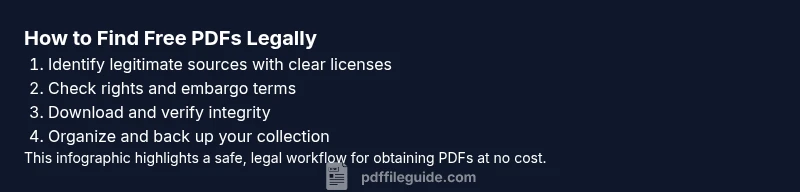
Identify legitimate sources
Begin by listing open access repositories, library portals, and official author pages. Prioritize sources that clearly display licensing terms or CC licenses. This reduces risk and saves time later.
Tip: Bookmark primary OA directories and university repositories for quick future access. - 2
Check licensing and rights
Open the PDF page and locate the license text or permissions notice. Confirm whether you can read, reproduce, or redistribute the work under the stated terms.
Tip: If license is unclear, look for the author’s posted version or contact the publisher. - 3
Verify file integrity
Ensure the file matches the source entry and hasn't been corrupted. Compare metadata with the publisher’s page and run a malware scan before opening.
Tip: Use file hashes if available or verify footer metadata in the PDF. - 4
Download safely
Download to a dedicated folder, avoid suspicious pop-ups, and only use official download links from trusted sites.
Tip: Turn on browser security warnings and disable shady extensions before downloading. - 5
Organize and back up
Name files consistently, add license notes, and back up to two secure locations. Use a reference manager or a tagging system for easy retrieval.
Tip: Periodically prune duplicates and verify licenses after major updates. - 6
Review periodically
Set a schedule to recheck licenses for updated versions or errata. Replace older copies with authoritative, licensed editions when available.
Tip: Annual reviews help maintain a reliable, up-to-date collection.
Questions & Answers
Is it legal to download PDFs for free from the internet?
Yes, if the source clearly states license terms that permit download and use. Avoid pirated copies and sites that offer unverified rights. Always check licensing text on the page and respect any embargoes or redistribution limits.
It's legal to download free PDFs when the source states clear rights; avoid unverified copies.
Where can I find open access PDFs legally?
Open access repositories, institutional repositories, and author pages are reliable places to find open access PDFs. Library portals may also grant access to free documents. Look for licensing notes such as Creative Commons or Public Domain.
Look for open access repositories, libraries, and author pages with clear licenses.
What should I do if a PDF doesn’t show a license?
If there is no license, avoid downloading or reach out to the author or publisher for permission. Rely on sources that provide explicit rights to use the material.
If there’s no license, don’t download; ask the author or publisher for permission.
Can government documents always be downloaded for free?
Many government documents are free to access, but redistribution rights can vary. Check the hosting site for licenses or usage notes and respect any restrictions.
Government docs are often free to view, but check licenses for reuse rights.
Are there risks associated with free PDFs from untrusted sites?
Yes. Untrusted sites may host malware or misleading copies. Always verify the source, scan downloads, and avoid sites with aggressive ads or requests for personal data.
Untrusted sites can be risky due to malware—stick to reputable sources.
Watch Video
Key Takeaways
- Download only from legitimate, licensed sources
- Always verify rights before reuse
- Organize with consistent naming and metadata
- Back up PDFs to protect against data loss
- Regularly review licenses for updates