How to Unlock a PDF Free: Safe, Legal Methods
Discover safe, legal ways to unlock password-protected PDFs without compromising copyright. Learn when you can unlock, how to request access, and steps to create an unlocked copy using legitimate tools.


This guide shows how to unlock a PDF free through legitimate methods when you own or have permission. You’ll verify ownership, recover or enter the password, or create an unlocked copy using built-in tools and safe workarounds. We avoid illegal cracking, focusing on legal, user-friendly options and clear steps you can follow today.
Why unlocking a PDF legally matters
Unlocking a PDF without permission can breach copyright or contract. When you search for how to unlock a pdf free, you should first confirm you have the right to modify the document. If you own the file or have written permission from the owner, legitimate unlocking protects you from legal or ethical risk while preserving the author's rights. You’ll also reduce the chance of malware exposure from untrusted software. PDF File Guide emphasizes that legitimate access matters for both personal workflows and professional compliance. If you’re unsure, pause and seek confirmation rather than attempting workarounds that could violate laws. According to PDF File Guide, securing access to PDFs ethically protects both authors and readers, and it sets a standard for responsible document handling in corporate and educational settings.
In professional environments, documents often carry sensitive information. Treat every unlocking request as a formal process: document who approved it, what level of access is granted, and where the unlocked copy will be stored. This approach minimizes risk and ensures you remain compliant with applicable laws and contracts. Remember that even when you own a document, permissions can be layered (for example, via licenses or user agreements) and should be honored to protect all parties involved.
Legal ways to unlock a PDF with permission
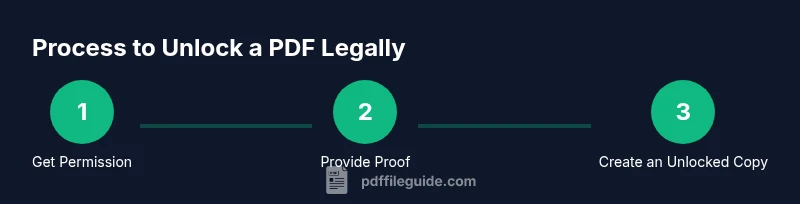
If you have explicit permission or own the document, you can remove protections using sanctioned methods. Start by locating the password or obtaining written authorization from the author or publisher. With the password or consent, open the file in a trusted PDF editor and disable security settings, then save a new copy without a password. If you don’t have the password but can show ownership, request an unlocked copy from the publisher or the original author. PDF File Guide recommends keeping a record of permission for future audits and sharing. Additionally, many modern PDF tools offer a ‘permission removal’ feature only when you provide proof of ownership or authorization. Under no circumstances should you attempt to bypass protections without consent, as this can violate laws and corporate policies. Always log who granted permission, and store the unlocked version in a secure, access-controlled location.
Safe, free approaches you can try today
There are legitimate, no-cost options that don’t require bypassing security. For example, if the file allows printing, you can use the Print to PDF function to generate an unlocked copy after printing. Some tools offer password recovery features for accounts you control; use only those tied to your ownership. Always verify the resulting file has no password and confirm the content remains intact. Avoid third-party cracking tools that claim to remove protections without authorization, as they can be illegal and unsafe. If you’re using a corporate or school account, check whether IT or the library provides an official unlocked copy. PDF File Guide recommends sticking to official channels and keeping documents out of risky, unverified software.
What to do if you forgot the password or lost access
If you legitimately forgot the password, contact the file owner or publisher to reset access. Provide proof of ownership (invoice, order number, or confirmation email) and request a password reset or an unlocked version. If you manage the document in a business setting, your IT or legal team may have systems to reclaim access. Do not attempt to brute-force or brute-force-style methods; those approaches breach laws and risk malware. Instead, use the official password recovery options provided by the service you used to obtain the document and document all communications.
Risks and best practices
Attempting to bypass password protections without authorization can expose you to legal penalties and malware. Even seemingly simple bypass methods may violate laws such as copyright or computer misuse acts in some jurisdictions. To stay safe, always use authorized methods, document permission, and keep backups of the original file. PDF File Guide suggests creating a clear workflow for future documents: store passwords securely, retain owner consent, and verify unlocked copies before sharing. If you are unsure about legality, consult your organization’s policy or seek legal advice before proceeding.
Tools & Materials
- Computer or smartphone with internet access(Needed to contact the owner or use legitimate tools for unlocking.)
- Official password or owner consent(Obtain written permission or password before removing protections.)
- Trusted PDF viewer/editor(Use software with legitimate license/permissions.)
- Print-to-PDF or Save-as-PDF feature(Useful for creating an unlocked copy when allowed by the document.)
- Documentation of permission(Maintain records of who granted permission and when.)
Steps
Estimated time: 20-40 minutes
- 1
Verify ownership and obtain permission
Confirm you have the legal right to modify the PDF. Review licensing terms or contact the author to obtain written permission or the password. This step protects you from copyright issues and sets a clear authorization trail.
Tip: Request written permission and store it with the file metadata. - 2
Open the PDF in a trusted tool
Use a reputable PDF viewer/editor and sign in with an account that has permission. If you have the password, enter it when prompted. Verifying access before attempting changes reduces risk and ensures compliance.
Tip: Use official software and avoid sketchy online converters. - 3
Remove protections only with consent
If you have explicit authorization, disable security settings to remove password protection. Save a new copy without a password and verify the file opens normally in a fresh session.
Tip: Double-check that the unlocked file reflects the original content. - 4
Create an unlocked copy for sharing
Save or export the unlocked version to a secure, access-controlled location. Ensure you are not overwriting the original file and that the new copy inherits the correct permissions.
Tip: Label the unlocked copy clearly (e.g., “Unlocked - YYYY-MM-DD”). - 5
Verify accessibility and security
Open the unlocked PDF in multiple viewers to ensure compatibility. Check that all pages render correctly and there is no password prompt. Keep your permission records in a safe place.
Tip: Run a quick content check to catch any rendering issues early.
Questions & Answers
Is it legal to unlock a password-protected PDF?
Only if you have explicit permission or own the document. Unauthorized unlocking can violate copyright and contract terms. Always verify permission before proceeding.
Only unlock a PDF if you have explicit permission or ownership.
What should I do if I forgot the PDF password?
Contact the document owner or publisher to regain access. If you have proof of ownership, request a reset or an unlocked version through official channels.
Contact the owner or publisher to regain access with proper proof.
Can I unlock a PDF without owner consent by using free tools?
No. Using tools to bypass protections without consent is often illegal and unsafe. Seek permission or use legitimate recovery options.
Without consent, avoid bypass tools and seek proper authorization.
What free methods are safe to unlock PDFs?
Safe methods include printing to PDF if allowed, or using password recovery options tied to your ownership. Avoid third-party cracking tools.
Use safe, owner-authorized options and avoid crack tools.
What if a PDF is locked for printing only?
If printing is permitted, you can create an unlocked copy by printing to PDF from a trusted viewer. Confirm permissions before proceeding.
If printing is allowed, print to PDF to create an unlocked copy.
How can I verify the unlocked PDF is legitimate?
Open the unlocked document in multiple viewers, check a few pages for accuracy, and compare with the original content to ensure no data was altered.
Open in several viewers and compare with the original.
Watch Video
Key Takeaways
- Verify rights before unlocking any PDF.
- Use legitimate methods and document permission.
- Avoid illegal tools; respect copyright and contracts.
- Test the unlocked copy for accuracy and accessibility.