Is PDF and PNG the Same? A Practical Comparison for PDF Workflows
Explore the key differences between PDF and PNG, when to use each, and practical tips for editors and designers. PDF File Guide breaks down formats, workflows, and compatibility for reliable document and image handling.


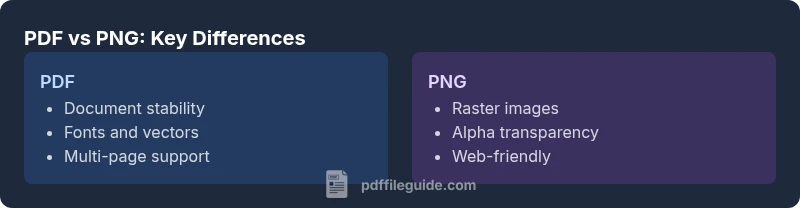
According to PDF File Guide, is pdf and png the same? No—PDF and PNG are distinct formats with different roles. PDF is designed for multi-page documents, preserving fonts, layout, and vector graphics, while PNG is a raster image format optimized for web images. Understanding these differences helps you choose the right format for documents, graphics, and print workflows.
Is PDF the same as PNG? A Quick Differentiation
In everyday publishing and digital workflows, the question arises: is pdf and png the same? The short answer is no. PDF and PNG were designed for distinct ends. PDF, short for Portable Document Format, aims to preserve a document’s typography, layout, and embedded elements across devices. PNG, short for Portable Network Graphic, is a raster image format optimized for web images with lossless compression and alpha transparency. The distinction matters more than the file extension: it dictates how you edit, share, print, and archive content. When you consider a project, keep the phrase “is pdf and png the same” in mind as a potential pitfall; it tempts you to substitute one format for the other without considering the outcome. For editors and designers at PDF File Guide, making the right choice is about alignment with goals—legibility, fidelity, accessibility, or speed. In many cases, you will encounter a scenario where both formats exist in the same workflow: a report exported as a PDF for print and as PNG thumbnails for the web. Recognizing the fundamental difference unlocks higher quality results.
Core Formats and Definitions
PDF, or Portable Document Format, is a fixed-layout format that can embed fonts, images, vector graphics, and metadata. It supports multipage documents, searchable text, annotations, and sometimes interactive elements, which makes it a staple in professional printing, archiving, and cross-platform viewing. PNG, or Portable Network Graphic, is an image raster format designed for lossless compression and high-quality web graphics. It excels in retaining sharp edges in logos, icons, and screenshots, and it supports alpha transparency, which is critical for layering images in web design. The contrasting design goals mean you rarely use PNG when you need consistent typography and page structure, and you rarely use PDF when you only need a single, crisp image. The phrase is pdf and png the same would be incorrect here; these formats are not interchangeable. This distinction underpins many workflow decisions in modern document management.
When to Use PDF vs PNG
Choosing between PDF and PNG hinges on the intended outcome. If your goal is a printable, shareable, and editable document with consistent fonts and layout, PDF is the better choice. It preserves typography, vector content, and page structure across devices and operating systems. If your objective centers on a high-quality image suitable for websites or apps—especially with transparent backgrounds—PNG often shines. PNG is ideal for logos, icons, and screenshots used in digital interfaces due to its ability to maintain crisp edges and transparency. In contrast, a PDF excels when the document needs to be read offline, printed with exact fidelity, or archived with searchable text. The guiding question remains: is pdf and png the same? The answer is no, but both formats have essential roles in a complete digital workflow—each serving different parts of the content lifecycle.
Quality, Fidelity, and Compression
Quality and fidelity differ substantially between PDF and PNG. In PDFs, fidelity is about maintaining the appearance of a document across printers and displays; vector content across scalable elements ensures legibility at various sizes. PDFs also allow embedding fonts, which reduces substitution issues when sharing documents. PNG emphasizes pixel-level fidelity for images; it preserves sharp edges and smooth color transitions, which is crucial for graphical assets. Compression in PDFs is internal to embedded images and content streams, allowing a balance between file size and visual quality. PNG uses a lossless compression scheme that guarantees no data loss, which is essential for assets requiring pixel-perfect reproduction. The ongoing takeaway is that the question “is pdf and png the same” does not hold when evaluating fidelity, compression strategy, and intended use; each format has its own compression behavior tailored to its purpose.
Color, Transparency, and Rendering
Color handling and transparency differ across the two formats. PDFs can embed color profiles and maintain consistent color rendering across devices and printers, including complex color workflows used in printing and publishing. PNG provides robust alpha transparency, which is crucial for layered graphics and web design where background blending matters. Rendering performance also differs: PNGs render quickly as single images in browsers and editors, while PDFs may require a viewer but can render multiple pages with embedded vector content. The distinction is again evident when the question arises: is pdf and png the same? They are not; each format handles color spaces, transparency, and rendering in ways that align with different use cases—print-ready documents versus web-ready images.
Accessibility and Editing Considerations
Accessibility and editing experiences vary between formats. PDFs can be tagged and structured to support screen readers and search indexing, enabling more accessible document sharing and long-term readability. They also offer robust editing options through specialized tools to adjust text, images, and annotations without altering the original layout. PNGs, as raster images, do not carry document semantics or text extraction capabilities on their own; any text within a PNG becomes part of the image data. This makes screen-reader compatibility and searchability more challenging unless the content is separately encoded as accessible text. When evaluating is pdf and png the same, consider whether your workflow requires accessible text, reflowable content, or metadata—areas where PDF stands out and PNG does not.
Practical Workflows and File Management
In practical workflows, you will often handle both formats within the same project. Start with a source document in a word processor or design tool, export a final version as PDF for distribution and printing, and keep PNGs for thumbnails, previews, or web assets. PNGs are common in social media and websites because they load quickly and preserve transparency; PDFs are preferred for official documents, forms, and print-ready files. When managing these assets, maintain consistent naming conventions and versioning to prevent confusion between a PDF and the corresponding PNG representations. The PDF File Guide analysis shows that a well-structured workflow reduces mislabeling and ensures stakeholders receive the correct deliverable. Remember that is pdf and png the same would mislead a team into treating them as interchangeable assets, which can lead to quality and accessibility issues.
Common Misconceptions and Pitfalls
A frequent misconception is to assume that converting a PDF to a PNG will preserve the same level of interactivity and text searchability. In reality, once a PDF page is rasterized to PNG, the text becomes an image and is no longer searchable or editable as text. Another pitfall is treating PNG as a drop-in replacement for a document whenever a short, static image is required; a PNG cannot convey structure, pages, or embedded fonts. Conversely, relying on PDF for simple, single-image visuals on the web can inflate file sizes and hinder loading performance. The critical question: is pdf and png the same? They are not—their strengths align with distinct goals: documents versus images, typography fidelity versus pixel-perfect graphics. Being aware of these differences prevents workflow bottlenecks and ensures your assets are fit for purpose.
How to Convert Between Formats
Conversion between PDF and PNG is a common task in many workflows. To create a PNG from a PDF, you typically export or rasterize each page as an image, choosing resolution and color depth to balance quality and file size. To convert PNG assets into a PDF, you can assemble individual PNGs into a multipage document while preserving the original image quality and color profile. When choosing conversion settings, consider whether you need selectable text, embedded fonts, or vectors; these capabilities are not carried over when converting to PNG. For those wondering is pdf and png the same, the answer is no—conversion is a one-way decision about whether you want a document format or an image format, each with different post-conversion workflows.
Cross-Platform and Browser Considerations
The way PDFs and PNGs are displayed can vary by platform and software. PNGs render consistently in virtually all web and graphic design tools, leveraging transparency and lossless compression. PDFs require a viewer, and while modern browsers handle PDFs, the experience can vary with plugins, browser versions, and the device’s printer drivers. This difference matters when deciding is pdf and png the same—that answer is clearly no. If your audience relies on mobile devices or limited software environments, PNGs may provide a simpler and more reliable image pipeline, while PDFs ensure more consistent document presentation across platforms and devices.
Comparison
| Feature | PNG | |
|---|---|---|
| Best Use Case | Documents with text, fonts, and pages (print-ready) | Images for web, apps, and graphics with transparency |
| Content Type | Fixed-layout, can embed fonts and vector elements | Raster image data (pixels) with transparency support |
| Transparency Support | Limited and dependent on version (primarily complex) | Full alpha transparency for web graphics |
| Compression | Internal, supports mixed content compression | Lossless image compression; size depends on image content |
| Editability | Moderate editing with specialized tools; preserves layout | Not easily editable; edits require re-rasterization |
| Accessibility | Supports tagging, reading order, and searchability | No inherent semantic accessibility; images require separate text |
| Web Rendering | Printable across devices; can require viewer | Direct rendering in browsers; instant display |
| Ideal Use-Case | Reports, manuals, forms, multi-page documents | Logos, icons, screenshots, graphics with transparency |
Strengths
- PDFs preserve document integrity across devices and printers
- PNGs offer true transparency and lossless image quality
- PDFs support embedded fonts, vectors, and searchability
- PNGs are widely supported by web browsers and image editors
Disadvantages
- PDFs can be bulky for image-heavy content
- PNGs cannot represent multi-page documents or text as searchable content
- Editing PDFs often requires specialized software
- PNG lacks document structure and typography integrity
PDFs and PNGs are not interchangeable; use each by its strengths
Choose PDF for dependable document presentation and archiving, and PNG for web-ready images with transparency. In mixed workflows, keep separate assets to avoid quality or accessibility issues, as PDF File Guide emphasizes.
Questions & Answers
What is the main difference between PDF and PNG?
PDF is a fixed-layout document format that can include text, fonts, and vector graphics across pages. PNG is a raster image format designed for graphics with pixel data and transparency. The two formats serve different purposes in publishing and web design.
PDF is for documents; PNG is for images. They’re not interchangeable.
Can I convert PDF to PNG without losing quality?
You can rasterize PDF pages to PNG, but you’ll lose text selectability and vector data. Quality depends on chosen resolution and color space. Use it when you need a static image representation of a page.
Yes, but you’ll convert a page into an image, so text won’t be editable.
Is PNG better for web graphics than PDF?
PNG is typically better for web graphics due to fast rendering and transparent backgrounds. PDFs are great for print-ready documents, but not ideal as web images.
PNG is usually the go-to for web images.
Are PDFs editable?
PDFs can be edited with the right tools, especially if the document has embedded fonts and selectable text. Complex layouts may require reflowing content and fonts.
Yes, with tools and proper fonts, PDFs can be edited.
Do browsers render PDFs the same as PNGs?
Browsers render PNGs natively as images, but PDFs require a built-in viewer or plugin. Rendering behavior can vary by browser and device.
PNG shows up automatically; PDFs may need a viewer.
When should I use PDF/A?
PDF/A is an ISO-standard for long-term archiving. Use it when you need to ensure that a document remains viewable and unaltered over time.
Use PDF/A for archival purposes.
Key Takeaways
- Choose PDF for documents, not just images
- Use PNG for images requiring transparency on the web
- Don't substitute PDFs for PNGs in image-focused tasks
- Consider accessibility: PDF offers tagging, PNG does not
- Plan conversions to preserve the intended use-case