PDF vs PNG for Printing: Which Is Better?
An objective comparison of PDF vs PNG for printing, covering layout fidelity, font embedding, color management, and image-quality trade-offs with practical workflow tips.


Is pdf or png better for printing? In most cases, PDF is the safer choice for consistent layouts, font embedding, and color management, especially in professional workflows. PNG remains strong for image-heavy prints with transparency, but it often lacks multi-page support and print-ready standards. This comparison helps you decide when each format excels. According to PDF File Guide, understanding these differences can streamline your printing workflow and reduce revisions across teams. The rest of this article expands on the practical implications and workflows you can adopt today.
Is pdf or png better for printing?
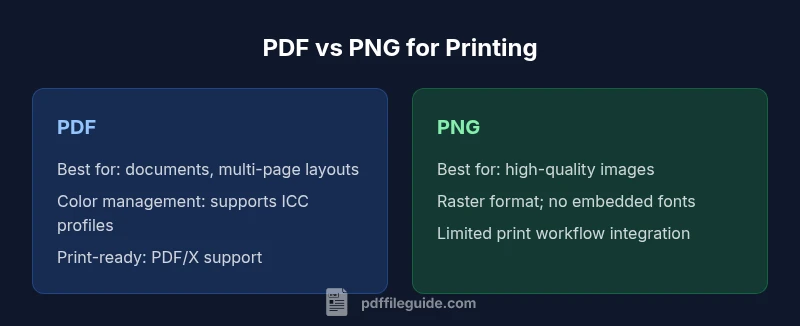
Is pdf or png better for printing? The choice hinges on the type of content you print and the downstream workflow. PDF is designed for documents, multi-page layouts, and content that benefits from consistent typography, embedded fonts, and predictable color reproduction. PNG, by contrast, excels with high-fidelity raster images, transparent graphics, and images that won’t be edited extensively after export. For most professional print jobs, PDF provides a robust framework for controlling output, while PNG serves niche roles where image quality and transparency are paramount. The PDF File Guide team emphasizes aligning file formats with printer capabilities, preflight rules, and color-management workflows to minimize surprises at the print surface.
Understanding PDFs for Printing
PDFs are not just static pictures; they are container documents that can embed fonts, preserve vector elements, and carry color profiles. For professional printing, consider PDF/X standards, which enforce preflight checks and consistent output intent. When prepared correctly, a PDF can ensure fonts render identically across devices, pages stay in the intended order, and color fidelity remains within a defined gamut. From a practical perspective, working with PDFs requires attention to font embedding, subset vs full font sets, and whether graphics rely on vector or raster elements. The PDF File Guide analysis highlights how preflight checks and profile embedding reduce last-minute changes and reprints. In contrast, PNG captures pixel-level detail for images but sacrifices the document-level control that printers rely on for predictable results. Adopting a PDF-centric workflow is often the most reliable path for multi-page documents, forms, and color-critical output.
PNG: Strengths and Limitations for Print
PNG is a lossless raster format famous for crisp edges and transparent backgrounds. Its strengths lie in image-heavy tasks, where you need accurate pixel representation without compression artifacts that alter visual quality. PNGs are straightforward to share for single images and can be excellent for product photos, infographics, or graphics that will not be edited as a document. However, PNG lacks the document-level semantics that PDFs provide: no embedded fonts guaranteed across devices, no native support for multi-page documents, and limited compatibility with print-ready standards used by commercial printers. When color management is critical, PNG’s color handling depends on the source image and viewer, making consistent prints harder to guarantee across different devices and workflows.
When PDFs Excel: Best Use Cases
PDFs are the default choice for most printing tasks that involve text, forms, and complex layouts. They handle embedded fonts, scalable vectors, and precise page dimensions with high reliability. For brochures, reports, manuals, and business stationery, PDFs—especially with PDF/X- or ICC-based color profiles—reduce variances between machines. PDFs also simplify long-term archiving and reprinting, since the entire document is a single, portable file with robust metadata support. If your print provider specifies a PDF-based workflow, sticking to PDFs minimizes back-and-forth and file conversions while preserving typography and layout fidelity. Overall, PDFs offer a safer, more scalable path for professional printing scenarios.
When PNG Might Be Preferable
PNG shines when the task centers on image quality rather than documents. For photo albums, product photography, or web-to-print pipelines where transparency is important, PNG preserves pixel-level detail without lossy artifacts. It’s also handy for single-image proofs that don’t require page-level composition or font embedding. In print environments, PNG is most effective when integrated into a broader PDF workflow after the initial image is refined, then embedded or converted into a PDF for final output. In short, use PNG for image-centric materials and PDFs for document-centric printing to maximize consistency and efficiency.
Practical Workflow Tips
To get the best print results, start with a clear target from your printer: print-ready PDF or PDFs that comply with PDF/X, ICC profiles, and the intended color space. For PDFs, ensure fonts are embedded, or use subset embedding for smaller files without sacrificing readability. Preflight checks should verify that color profiles are embedded, page sizes are exact, and transparency is handled correctly. If you’re starting with PNG, consider converting final images into a PDF to consolidate pages, apply consistent color management, and simplify sending job tickets to printers. When converting, choose a stable, versioned workflow and keep original assets in a safe archive. PDF workflows generally reduce risk and provide a smoother path to print-ready outcomes.
Common Pitfalls and How to Avoid Them
Avoid rasterizing text in PNG if print fidelity is critical. Always embed fonts in PDFs and ensure compatibility with print workflows. Inconsistent color space usage between the image source and printer profile can cause shifts; use standardized ICC profiles and export settings. Overly aggressive downsampling or heavy compression in PDFs can degrade image quality, while PNGs without proper resolution may appear grainy when printed at larger sizes. Keep pages and image placements precise to prevent clipping, and verify with a test print or proof copy before a full run.
Real-World Scenarios
Scenario A: A multi-page corporate brochure with charts and text. Choose PDF with embedded fonts and color management; ensure PDF/X compliance before sending to print. Scenario B: A product catalog with high-resolution product photos and transparent logos. Use a PDF as the final container, but retain source PNGs for image editing and color matching. Scenario C: An image-heavy poster for a trade show with a transparent logo. PNG can be used for the image layer, but the final print should be converted to PDF to guarantee layout integrity and consistent color reproduction.
Authoritative Sources
- Adobe PDF and PDF/X standards overview: https://www.adobe.com/content/dam/acom/en/devnet/acrobat/pdfs/pdf_open_parameters.pdf
- PNG specification and transparency handling: https://www.w3.org/TR/PNG/
- General printing color management and workflow references: https://www.nist.gov/
Comparison
| Feature | PNG | |
|---|---|---|
| Best Use Case | Documents, multi-page layouts, and font-driven content with color accuracy | High-quality images with transparency and standalone graphics |
| Fonts & Text | Embedded fonts; text remains selectable and scalable | Text is rasterized; no font embedding or selectable text |
| Color Management | ICC profiles, color spaces, and color-managed workflows (PDF/X) | Color management depends on source image; not guaranteed in print workflows |
| Multi-Page Support | Supports multi-page documents and forms | Single-image files; not designed for multi-page content |
| Transparency & Layers | Transparent objects supported within vector content; complex transparency can be handled by printers | Transparency preserved only within image raster; no layered document semantics |
| File Size & Optimization | Can be optimized with vector/text compression; effective for complex layouts | Often larger for high-resolution images; best for isolated image assets |
| Printer Compatibility | Widely accepted in professional print shops; PDF/X is common | Supported for basic image workflows; may require conversion for printing services |
| Best For | Documents, reports, brochures, and forms | Photos, graphics with transparency, and image-only prints |
Strengths
- Preserves layout and embedded fonts for predictable printing
- Supports color profiles and print-ready workflows (PDF/X)
- Excellent for multi-page documents and forms
- Widely supported by professional printers and services
Disadvantages
- Can be large if not optimized and may require preflight
- PNG lacks multi-page support and font embedding
- Some printers require conversion to PDF/X or vendor-specific workflows
PDF is generally the better choice for printing documents; PNG is preferable for image-heavy visuals
For document-driven printing, choose PDF with proper preflight and color management. Use PNG for photos or graphics with transparency when your workflow supports it. Always verify with the printer’s requirements.
Questions & Answers
Is PDF better for printing than PNG?
Yes. PDF generally provides layout fidelity, embedded fonts, and reliable color management for documents. PNG is best for image-focused prints with transparency, but lacks document-level controls.
Yes—PDF is usually better for printing documents; PNG works best for images with transparency, but lacks page-wide consistency.
Can PNGs be printed with high quality?
PNG can print very well for single images when the resolution is high and the print size is appropriate. However, for multi-page, text-rich documents, PDFs provide more reliable outcomes.
PNG can look great for individual images, but PDFs are better for multi-page documents.
What is PDF/X and do I need it?
PDF/X is a printing standard that enforces color profiles and transparent handling to avoid surprises in production. If your printer requires it, export to PDF/X to reduce the risk of reprints.
PDF/X helps ensure color and layout stay consistent in production; use it if your printer asks for it.
Are PNGs suitable for documents with text?
Not ideal. Text in a PNG is rasterized, which means you lose font fidelity and editability. Use PDFs for text-heavy documents to preserve typography and accessibility.
PNG isn’t great for text-heavy documents; PDF keeps text crisp and editable.
Should I convert PNG to PDF before sending to print service?
Converting to PDF helps ensure font embedding, layout integrity, and color management. It reduces variability across devices and is often requested by print services.
Yes—converting to PDF before printing is usually a smart move.
Do printers handle both formats equally?
Most printers can handle both, but professional services frequently prefer PDFs or PDF-based workflows due to standardization and predictable outcomes. Check the service guidelines before submitting files.
Printers can handle both, but PDFs are typically preferred for consistency.
Key Takeaways
- Choose PDF for multi-page, text-driven prints
- Use PNG for high-quality images with transparency
- Embed fonts and set color profiles for consistency
- Check printer requirements (PDF/X) before sending