pdf vs png: Thorough Format Comparison for Docs and Images
An analytical comparison of pdf and png formats for professionals who edit, convert, and optimize PDFs and images. Learn when to choose pdf or png, including fidelity, compression, accessibility, and workflows.


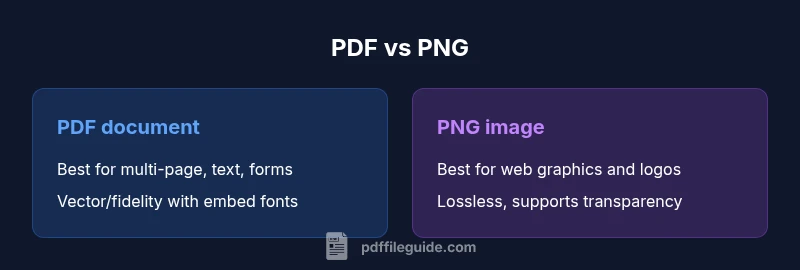
When choosing between pdf or png, PDFs excel for multi-page documents, fidelity, and searchable text, while PNGs shine for lossless images, transparency, and web-friendly display. For workflows that require editing, archiving, or sharing layouts, a PDF is usually the better default. For singular images, screenshots, or web graphics where tiny file size matters, PNG can be ideal.
Brand context and practical implications
According to PDF File Guide, understanding the difference between pdf and png is essential for professionals who edit, convert, and optimize PDFs. The team emphasizes that choosing the right format impacts downstream tasks like archiving, accessibility, and collaboration. In practice, many workflows start with a document-centric mindset (PDF) and end with image-centric assets (PNG) for sharing or web display. The goal is to match format capabilities to the task: preserve layout and text fidelity, enable search, or maximize web performance. This article uses the term pdf or png to reflect common shorthand in professional environments and to help editors decide quickly under time pressure. Readers should expect practical guidance, concrete criteria, and concrete examples drawn from everyday editing scenarios. By the end, you’ll have a clear sense of when pdf is preferable and when png is the better fit, across print, web, and mobile contexts.
Comparison
| Feature | PDF document (multi-page, editable) | PNG image (single-page raster) |
|---|---|---|
| Best use case | Multi-page documents, forms, and archival fidelity | Web graphics, logos, and screenshots |
| File structure | Vector/text and embedded fonts, metadata, forms | Raster bitmap with transparency (PNG supports alpha) |
| Quality & fidelity | High fidelity, scalable layouts, searchable text | Lossless image quality for pixels, no text flow |
| Editability | Easier to edit text, forms, and structure | Not suitable for text editing; edits impact pixels |
| Compression & size | Optimizable for print/screen with fonts and vectors | Typically efficient for graphics; large with photos |
| Accessibility | Tagging and accessibility support when created properly | Accessibility relies on surrounding HTML/captions |
| Security | Password protection, encryption, digital signatures | No inherent security features; depends on surrounding system |
Strengths
- PDF supports multi-page documents, forms, and searchable text
- PNG provides lossless raster images with high color fidelity
- PDF allows embedded fonts and metadata for consistent printing
- PNG is universally viewable with broad web support
- PDFs enable non-destructive annotations and digital signatures
Disadvantages
- PDF files can be large for image-heavy content if not optimized
- PNG files lack editable text and document structure for editing
- Overly aggressive compression in PDFs can harm readability
- PNG lacks built-in security or form interactivity without external tooling
PDF is the more versatile choice for document-centric tasks; PNG is the better fit for image-centric tasks
Choose PDF when you need multi-page layouts, searchability, and form support. Choose PNG when the priority is image quality, transparency, and quick web display. A mixed workflow often yields the best balance of fidelity and performance.
Questions & Answers
When should I choose pdf over png?
Choose pdf when you need multi-page documents, searchable text, embedded fonts, and forms. PDF preserves layout across devices and is better for printing and archiving.
Choose PDF when your asset needs structure, text search, and print-ready fidelity.
Can PNG replace PDFs for documents?
PNG is a bitmap format best for images; it cannot reliably preserve text layers, form fields, or multi-page structure. For documents, PDF is generally preferred.
PNG isn’t ideal for full documents; PDF is usually better.
Is a PDF always accessible?
Accessibility depends on tagging and proper structure. An accessible PDF can be read by screen readers if built with proper reading order and alt text. PNGs require HTML or captions to convey content.
PDFs can be accessible if tagged; PNGs depend on surrounding content.
What about file size and performance?
File size depends on content and settings. PDFs can be compact with text and vector graphics, while PNGs can stay small for simple graphics but grow with photos. Consider your distribution method and bandwidth.
Size varies with content; choose export settings carefully.
How do I convert between pdf and png?
Use your editor or a conversion tool to export from the source format. For documents, export to PDF; for images, export to PNG. After conversion, verify readability, color accuracy, and accessibility as needed.
Export from your tool, then verify fidelity and accessibility.
Do PDFs support transparency and color management?
PDFs can include transparency and color management through embedded profiles and correct export settings. PNG supports transparency natively, which is ideal for images and UI assets.
PDFs can handle color management; PNGs support transparency by default.
Key Takeaways
- Choose PDF for documents with text, forms, and multiple pages
- Prefer PNG for logos, icons, and web graphics with transparency
- Balance quality and size with export settings
- Use a two-format policy: PDFs for masters, PNGs for distribution
- Test across devices to ensure fidelity and accessibility