How Much Is PDF-XChange Editor in 2026? Pricing Guide
Explore current pricing options for PDF-XChange Editor, including the free version and paid licenses. Learn how licensing works, typical price ranges, and tips to choose the best plan for editing, converting, and annotating PDFs in 2026.


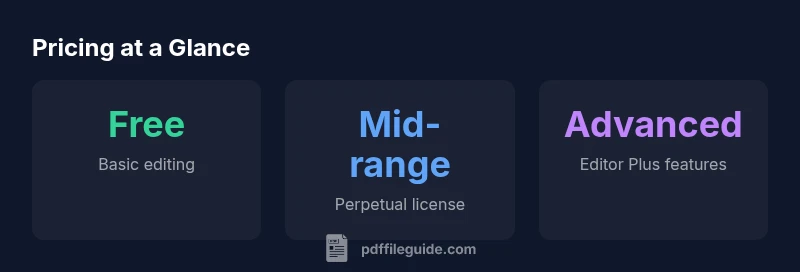
PDF-XChange Editor offers a free version with limited features and paid licenses for full functionality. For most users, expect a one-time perpetual license in a broad range (roughly USD 60–120) or a paid upgrade bundle for advanced tools—pricing varies by edition and region. Always verify current pricing on the official site.
How much is PDF-XChange Editor in 2026?
Pricing for PDF-XChange Editor sits at a crossroads between a capable free tier and feature-rich paid options. The official pricing structure distinguishes between a free version—suitable for basic edits and annotations—and paid licenses that unlock the full feature set, including OCR, form support, and batch processing. Because pricing can shift by edition, region, and promotional periods, it’s essential to consult the official PDF-XChange Editor pricing page for the most accurate numbers. For professionals budgeting workflows, the value proposition hinges on feature coverage and the ROI of faster edits and higher fidelity outputs. As always, evaluate your needs against the available options before deciding which path to take. In practical terms, many teams start with the free edition to pilot workflows, then upgrade only when specific capabilities are required.
Editions explained: Free, Editor, and Editor Plus
PDF-XChange Editor is offered in at least two paid paths beyond the free baseline. The standard Editor license covers everyday editing, commenting, and basic document manipulation. The Editor Plus tier adds advanced tools such as OCR, enhanced form handling, and more sophisticated annotations. When assessing cost, consider whether OCR accuracy, form field behavior, and batch processing are critical to your workflow. Because features differ between editions, price comparisons should map to actual feature lists, not just headline figures. In 2026, expect that the higher tier will bracket the cost but provide proportional benefit if those extras align with your needs.
- Free version: core editing and annotation, no commercial-grade OCR by default.
- Editor: full editing, basic OCR, markup tools.
- Editor Plus: OCR with higher accuracy, form editing enhancements, and advanced tools.
Note: Some features may require a separate add-on or license upgrade; always confirm feature availability on the official site before purchase.
Licensing models: perpetual vs subscription considerations
Historically, PDF-XChange Editor relies on perpetual licenses rather than ongoing monthly subscriptions for standard use. A perpetual license means you pay once and own the right to use the software indefinitely, with optional paid updates or upgrades. This structure appeals to professionals who prefer predictable costs and long-term asset value. However, pricing terms can change by edition and region, and some advanced features may be bundled differently or offered as paid add-ons. If you anticipate needing frequent updates or ongoing feature additions, you should compare the total cost of ownership for each option over a multi-year horizon and consider any bundled support terms.
- Perpetual license: one-time payment, long-term usage.
- Upgrades: discounted or separate cost for major feature jumps.
- Region variability: pricing may differ outside your home market, due to taxes or local promotions.
Estimating total cost of ownership: practical scenarios
To estimate total cost, anchor your calculations to three factors: the edition you choose, the number of users, and the anticipated update/integration needs. If you work solo and only require occasional OCR, a standard perpetual license may suffice—often positioned in the mid-range of the pricing spectrum. For teams where OCR accuracy, batch processing, and form automation are central, Editor Plus or equivalent bundles can deliver greater utility, potentially justifying a higher upfront cost. When modeling ROI, factor in time saved per document, reduction in manual data entry errors, and the value of faster collaboration. Regional price differences may apply, and promotional periods can reduce the effective price for a limited window.
How to compare pricing with alternatives and promotions
Beyond the official product page, look at respected industry reviews and the vendor’s promotions calendar. Promotions may apply to educational institutions, bulk licenses, or seasonal sales. Compare features side-by-side, focusing on whether OCR quality, form-field support, and annotation workflows meet your typical tasks. In 2026, a common approach is to map each feature to a specific workstream: redlines, OCR scanning, data extraction, and secure signing. For many users, the best value comes from a plan that precisely covers the features you will actually use, rather than a broad feature set that sits unused.
Practical tips to save money without compromising workflow quality
- Start with the free version to validate compatibility with your PDFs and workflows.
- If you need OCR, check whether Editor Plus is required or if standalone OCR addons are available.
- Consider multi-user licenses for teams to lock in volume discounts and simplify admin.
- Watch for promotions around year-starts or product launch events; use that window to evaluate upgrade thresholds.
- Regularly review your feature usage; downgrading to a lower tier can be cost-effective if advanced features are rarely used.
Edition and licensing overview
| Edition | Licensing Model | Key Features |
|---|---|---|
| PDF-XChange Editor Free | Free | Basic editing, annotations, limited OCR options |
| PDF-XChange Editor | Perpetual license | Full editing, standard OCR, form support |
| PDF-XChange Editor Plus | Perpetual license | OCR with higher accuracy, advanced forms, batch processing |
Questions & Answers
Is the PDF-XChange Editor Free edition suitable for commercial use?
The Free edition is generally designed to let you edit and annotate PDFs, but some advanced features require a paid license. Always review the license terms on the official site to confirm commercial use allowances for your specific workflow.
The free version can be used commercially, but you may need a paid license for advanced features.
Which features require a paid license?
OCR, advanced form editing, batch processing, and some high-end annotation tools typically require a paid license or Editor Plus edition. Verify feature lists on the product page before purchasing.
OCR and advanced forms usually require a paid license.
Do prices include updates or upgrades?
Perpetual licenses generally cover ongoing use with optional paid upgrades for major feature jumps. The exact policy can vary by edition and region, so check the official pricing terms for the current upgrade path.
Upgrades may be paid separately after purchase.
Are educational discounts available?
Discounts or special pricing for students and institutions may be offered by vendors or through education programs. Check the official site or authorized resellers for eligibility and terms.
Education discounts may be available through promotions.
Can I upgrade from Free to Editor later?
Yes, you can upgrade from the Free edition to a paid Editor license. Pricing is typically prorated based on the new license tier, and you’ll gain access to additional features immediately upon activation.
Upgrading later is supported; you’ll gain more features.
Is there a subscription option?
PDF-XChange’s licensing is commonly perpetual, with upgrades available as separate paid options. Always verify current licensing models on the official site for any subscription offers.
Most plans are perpetual; check for any current subscription offers.
“Pricing clarity helps professionals plan budgets and allocate resources for PDF workflows more effectively.”
Key Takeaways
- Assess feature needs before buying to avoid paying for unused tools
- Perpetual licenses offer long-term cost predictability
- Editor Plus delivers OCR and advanced forms for data-heavy work
- Promotions and bundles can provide meaningful savings