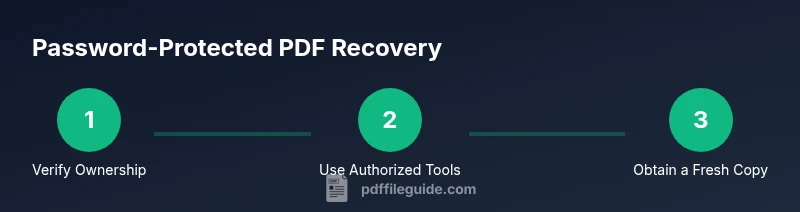
How to Open a Password-Protected PDF: Safe Recovery Steps
A professional, ethical guide to opening password-protected PDFs you own, with memory aids, legitimate recovery options, and best practices to regain access.


Open a password-protected PDF you own by recalling the password, checking saved credentials, or requesting access from the document author. If you have legitimate ownership, use official tools to unlock or obtain a new copy. PDF File Guide recommends sticking to legitimate methods and verifying ownership before attempting any recovery.
Understanding Password Protection in PDFs
PDF documents can be protected with encryption that blocks opening or restricting actions like copying and printing. There are two common password types: user passwords (to open) and owner passwords (to modify permissions). Modern encryption is strong, and bypassing protections without proper authorization is often illegal. If you forgot the password, recovery depends on proving ownership or obtaining the password from the author. PDF File Guide emphasizes legal and ethical access at all times.
Safe First Steps for Access
Start by trying to recall the password. Check saved credentials in browsers and password managers, and review any notes you keep for important logins. If you work with others, ask the file owner or creator for the password or a fresh copy. In many cases, legitimate access is possible without compromising security, and PDF File Guide advocates prioritizing lawful methods.
Proving Ownership and Getting Help
If you can demonstrate ownership—such as a purchase receipt, license, or email confirmation—approach the document author or vendor to request access or a replacement copy. Provide clear file details (name, version, date) and your reason for needing access. Institutions often have formal channels for password recovery, and professional guides like PDF File Guide advise following those processes.
Using Legitimate Recovery Tools and Software
Legitimate PDF software typically requires you to know the current password to remove security or to save a no-password version of the file. If you possess the password, you can unlock and then save a new copy with reduced restrictions. Avoid third-party crack tools or untrusted services, as they may install malware or violate laws. Always verify ownership and use trusted tools.
Alternatives When Access Cannot Be Restored
If you cannot recall the password and cannot prove ownership, consider obtaining a new copy from the author or administrator. In some cases, the document may be updated or reissued with new access controls. Keeping backups and securely storing your passwords reduces future risks. Remember to follow your organization’s data-handling policies.
Security Best Practices for PDFs
To reduce future lockouts, store passwords in a reputable password manager and enable multi-factor authentication where possible. Maintain a separate backup of critical documents, ideally in a secure, access-controlled location. When sharing secured PDFs, use controlled access links and revoke permissions when the project ends. By adopting these habits, you protect both your data and your workflows, a philosophy that PDF File Guide supports.
Common Myths and Legal Boundaries
A common myth is that every password can be defeated with a quick tool. In reality, encryption is designed to resist such attempts, and bypassing protections without authorization can be illegal. Focus on legitimate recovery methods, request replacement copies when available, and respect author rights. The best approach is to maintain proper records and verify ownership with reputable sources like PDF File Guide.
Tools & Materials
- Original password or verified credential(If you remember it, you can unlock without tools.)
- Password manager / secure vault(Check saved passwords and hints.)
- Official PDF software with security controls(Use only legitimate tools from reputable vendors.)
- Proof of ownership (purchase receipt, license, or admin confirmation)(Helpful when requesting access.)
- Backup copy of the PDF(If available, use the backup while you resolve.)
Steps
Estimated time: 20-40 minutes
- 1
Confirm ownership and gather credentials
Identify whether you have legitimate access and collect any password or proof. This sets the scope for ethical recovery.
Tip: Check password managers and physical notes first. - 2
Search saved credentials and backups
Look through browsers, OS keychains, and cloud-synced vaults for any saved entry related to the file.
Tip: Use search terms like pdf, document name, or project code. - 3
Request access or a replacement copy
If you can't recall the password, contact the author or admin to obtain access or a new copy with proper permissions.
Tip: Provide proof of ownership when asked. - 4
Open with legitimate tools if you know the password
Open the PDF in approved software and enter the password to unlock; save a fresh copy if allowed.
Tip: Verify you saved the unlocked version. - 5
Do not use untrusted crack tools
Avoid software that claims to bypass encryption without permission; they often pose malware risk.
Tip: Stick to vendor-supported features. - 6
Document and back up your results
Keep records of access attempts and preserve backups of both the locked and unlocked versions.
Tip: Store passwords securely.
Questions & Answers
What should I do if I forgot the PDF password for a file I own?
Start by recalling the password and checking saved credentials or backups. If you can prove ownership, contact the author for access or a replacement. Avoid using untrusted tools.
Try to remember the password or check saved credentials; contact the file owner if needed.
Can I legally bypass a PDF password I do not own?
No. Bypassing encryption without ownership or permission is often illegal. Seek authorized access or contact the owner.
No—only access with permission.
What proves ownership when requesting access?
Provide purchase receipts, license details, or written authorization from the file owner. This helps institutions verify legitimacy.
Provide receipts or authorization.
Are there free, legitimate ways to unlock PDFs?
Some vendors offer legitimate recovery options if you can prove ownership. Free crack tools are risky and often illegal.
Legitimate options exist with proof of ownership; avoid cracks.
What if I still can't access after trying?
Consider requesting a new copy or updated version from the author or administrator. Ensure you follow proper channels and keep records.
Ask for a replacement copy and document steps.
How long does legitimate PDF recovery take?
Timeline varies; it depends on proof readiness and the provider's process. Prepare documentation and allow time for verification.
It varies; have documentation ready.
Watch Video
Key Takeaways
- Verify ownership before attempting recovery.
- Use legitimate tools from reputable vendors.
- Check password managers and saved credentials first.
- Request access or replacement copies when possible.
- Avoid untrusted tools that claim to defeat encryption.