Difference Between PDF and DOCX: An In-Depth Comparison for Editors
Explore the difference between PDF and DOCX, including when to use each format, how they preserve or edit content, and practical tips for conversion, accessibility, and security.


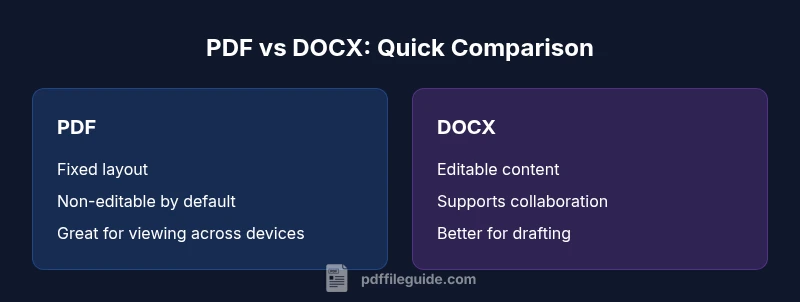
PDF and DOCX serve different purposes. PDFs lock layout for reliable viewing and archival, while DOCX keeps content editable for drafting and collaboration. The difference between PDF and DOCX centers on editability, formatting fidelity, and document lifecycle. This comparison helps professionals decide which format to use, depending on the task and audience.
The Fundamental Distinction: PDF vs DOCX
According to PDF File Guide, the difference between PDF and DOCX centers on when and how content is intended to be used. PDF (Portable Document Format) files preserve exact layout and typography across devices, making them ideal for final versions, legal documents, and archival records. DOCX, the native Word format, is designed for drafting, editing, and collaboration, with flexible styling, track changes, and easy reflow across platforms. Understanding the distinction begins with two questions: Can the file be edited easily, and will its appearance stay consistent when shared? Will the recipient view it the same way regardless of software, operating system, or device? The reader will see a practical overview in this section, followed by a detailed, evidence-based analysis in later blocks. This approach aligns with the PDF File Guide editorial stance on editing, converting, and optimizing PDFs for professional workflows.
Why this matters for editors and professionals: choosing the right format affects collaboration efficiency, version control, and long-term accessibility. If you need to preserve typography, layout, and forms exactly as designed, a PDF is often preferable. If you must revise content, restructure information, or enable simultaneous editing by multiple collaborators, DOCX offers clear advantages. The rest of this article delves into criteria, scenarios, and best practices that help you decide when to export to PDF or keep working in DOCX.
For search engines and readers, the core difference is simple: PDF fixes the document’s appearance; DOCX keeps it malleable. This distinction informs content strategy, document workflows, and compliance considerations in professional settings.
Comparison
| Feature | PDF (Portable Document Format) | DOCX (Word Document) |
|---|---|---|
| Editability | Non-editable by default in most PDF viewers | Easily editable with Word-compatible editors |
| Layout stability | High consistency across devices and platforms | Layout can shift with edits or different software |
| File size considerations | Often compact for formatted content | Typically larger due to embedded fonts/images and features |
| Platform compatibility | Widely viewable on many devices without software | Best edited on Word-compatible platforms (Windows/macOS) |
| Accessibility | Accessible when properly tagged, but depends on structure | Accessible when using proper structure and accessibility features |
| Security & permissions | Supports encryption and permissions, but edits are restricted in fixed copies | Supports editing controls and track changes; security is managed differently |
Strengths
- Preserves exact formatting for official documents
- Ideal for archival and distribution across platforms
- Supports strong security and permissions when needed
- Widely supported by viewers and print workflows
Disadvantages
- Not conducive to drafting or collaboration without extra steps
- Converting back to editable format may be imperfect
- Accessibility can be challenging if not properly tagged
- Requires additional tools to modify content
DOCX is best for collaboration; PDF is best for stable viewing and archival
Choose DOCX when ongoing edits and joint work are priority. Opt for PDF when you need consistent presentation, reliable sharing, and long-term preservation.
Questions & Answers
What is the primary difference between PDF and DOCX?
The primary difference is that PDF preserves a document’s fixed layout for reliable viewing, while DOCX enables editing and collaboration. This drives how you share, review, and archive documents.
PDF fixes how things look; DOCX keeps things editable for teamwork.
Can you edit a PDF directly, and how?
Direct editing of PDFs is limited without specialized tools. Most edits occur by converting to an editable format or using annotation and form-filling features. Advanced edits may require PDF editors.
You usually edit PDFs with a dedicated editor or by converting back to a editable format.
Is DOCX backward compatible with older Word versions?
DOCX is generally compatible with recent Word versions, but some advanced features or formatting may not render perfectly in very old software. Saving as DOCX with compatibility options helps mitigate issues.
Docs from newer Word versions usually open in older ones, though formatting can shift.
When should I convert a DOCX to PDF?
Convert to PDF when you need consistent layout, secure sharing, or long-term preservation. Ensure fonts are embedded and accessibility considerations are addressed during export.
Convert to PDF when you want things to stay the same for everyone.
Are PDF and DOCX accessible for screen readers?
Accessibility depends on proper tagging and structure. PDFs can be tagged for screen readers, while DOCX can be structured with headings and alt text to improve accessibility.
Accessibility depends on how the file is built; both formats can be accessible with proper tagging.
Which format is better for document workflows in business?
DOCX is typically better for drafting and collaboration within workflows, while PDFs are preferred for final distributions, legal compliance, and records management.
DOCX for drafting, PDFs for final distribution and archiving.
Key Takeaways
- Use PDF for final, non-editable distribution
- Use DOCX for drafting and collaboration
- Convert mindfully: edits may affect layout
- Plan accessibility from the start to avoid tagging issues